
Do you want to increase your sales without needing to bring in new visits?
Instead of putting effort and money to acquire new customers, what if you could generate more profits from current customers?

Step1: #
➡ Download the Plugin #
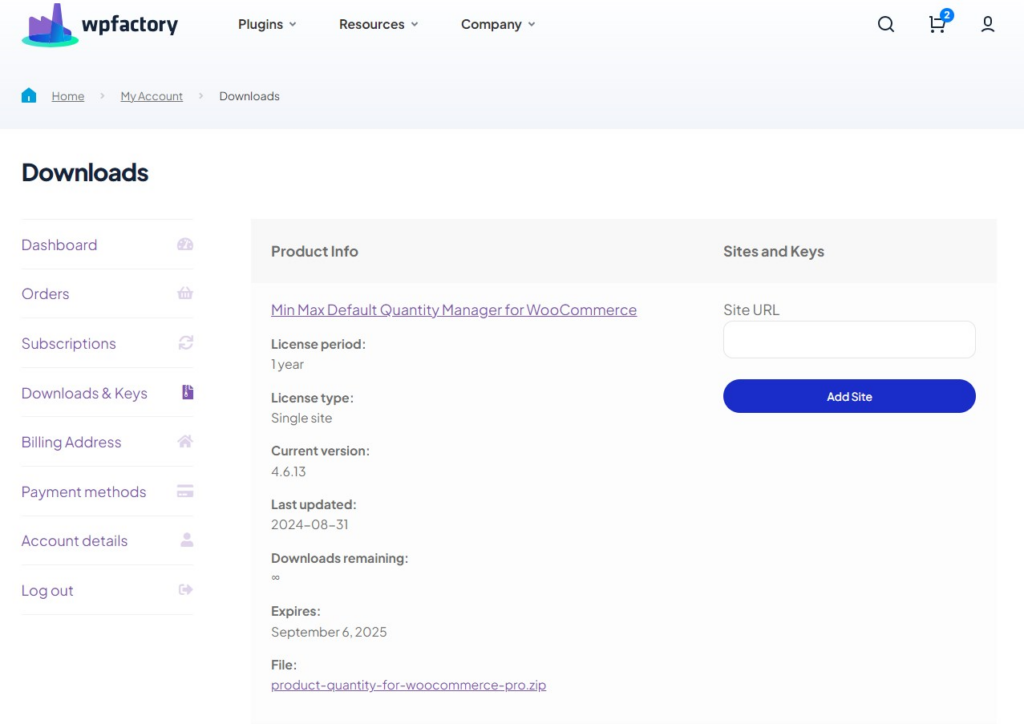
To get started, you will need to download the “WooCommerce Sales Bump: Upsell, Cross-sell & Related Products Popup. ” plugin, which allows you to increase (AOV) through simple popups.
After downloading the plugin from your WPFactory account, upload it to your WordPress site.
Step2: #
➡ Access the Plugin #
Once the plugin is installed and activated, you can tailor it to fit your business needs.
Go to WordPress dashboard > WPFactory > “Upsell, Cross-sell & Related Products Popup Pro”.

Step3: #
➡ General Options #
From here you can control all the general settings related to popups.
- Show popup on mobile
Here you can choose to show or hide popups windows for users browsing on mobile devices.
- Single product page: Show related if upsells are not set
If there are no specific upsell products for certain product, you can choose to display related products on the product page.
- Archive/shop page: Show popup
You can choose to display pop-up windows on archive pages (such as the store page) or not.
- Archive page: What to show
From here, you can choose the type of products displayed in the popup windows within the archive pages such as store or product category.
Upsells: Suggesting higher-priced or higher-quality products than the one the customer is interested in.
Cross-sells: Suggesting complementary or suitable products for the items the customer might add.
Related products: Displaying similar products or those that may interest the customer based on WooCommerce relationships.

Step4: #
➡ Style #
From here, you can customize the popups style as you want to match your store’s identity.
- Popup window width
This option sets the width of the popup window. You can enter the value in units such as:
- px (pixels), em.
- % (percentage).
Example: 400px or 50%.
- Popup margin top
From here, you determine the distance between the top of the popup window and the top of the page is specified.
- Border radius
It controls the degree of rotation of the corners of the popup window.
The greater the value, the more rounded the corners become.

Final Thoughts #
So, if your goal increase sales without getting more traffic to your WooCommerce store, WooCommerce Sales Bump: Upsell, Cross-sell & Related Products Popup., is the best tool for you.
This tool allows you generate more revenue by suggesting upselling products or recommending complementary products your customer is likely to buy. And above all these things, you can customize your popup windows as you want to match your store’s identity, from colors and fonts to content and layout.
You also have full control over where and when these popups appear, for example:
When user clicks add to cart.
Checkout page.
On the cart page.
After completing the porches process.
So, by this plugin you turn every interaction into an opportunity to sell more, without new campaigns.