Table of Contents
The Order “Minimum/Maximum Limits for WooCommerce plugin” allows you to establish minimum quantity requirements on a more granular level, targeting specific products, product categories, or product tags. This functionality offers greater flexibility in managing order requirements within your store.
Benefits #
- Enforce specific minimums for high-demand products: Set higher minimum quantities for popular items to manage inventory effectively.
- Encourage larger purchases for specific categories: Implement minimum quantities for entire product categories, potentially boosting average order value.
- Promote bundled products: Use minimum quantities on product tags associated with bundled products to encourage customers to purchase the entire bundle.
Enabling Product-Specific Options #
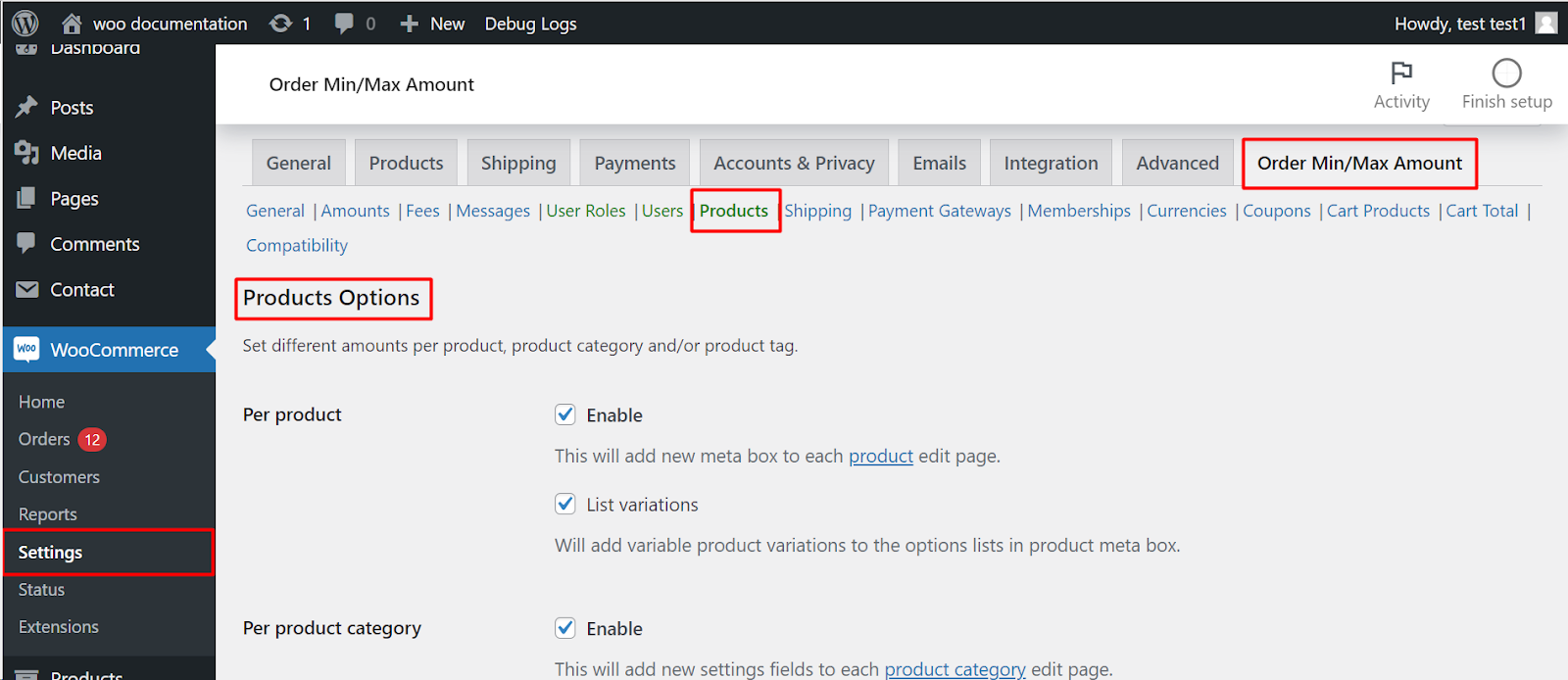
- Navigate to your WordPress dashboard.
- Go to WooCommerce > Settings.
- Click on the “Order Min/Max Amount” tab.
- Find the Products sub-tab.
Configuring Minimum Quantities #
Per product #
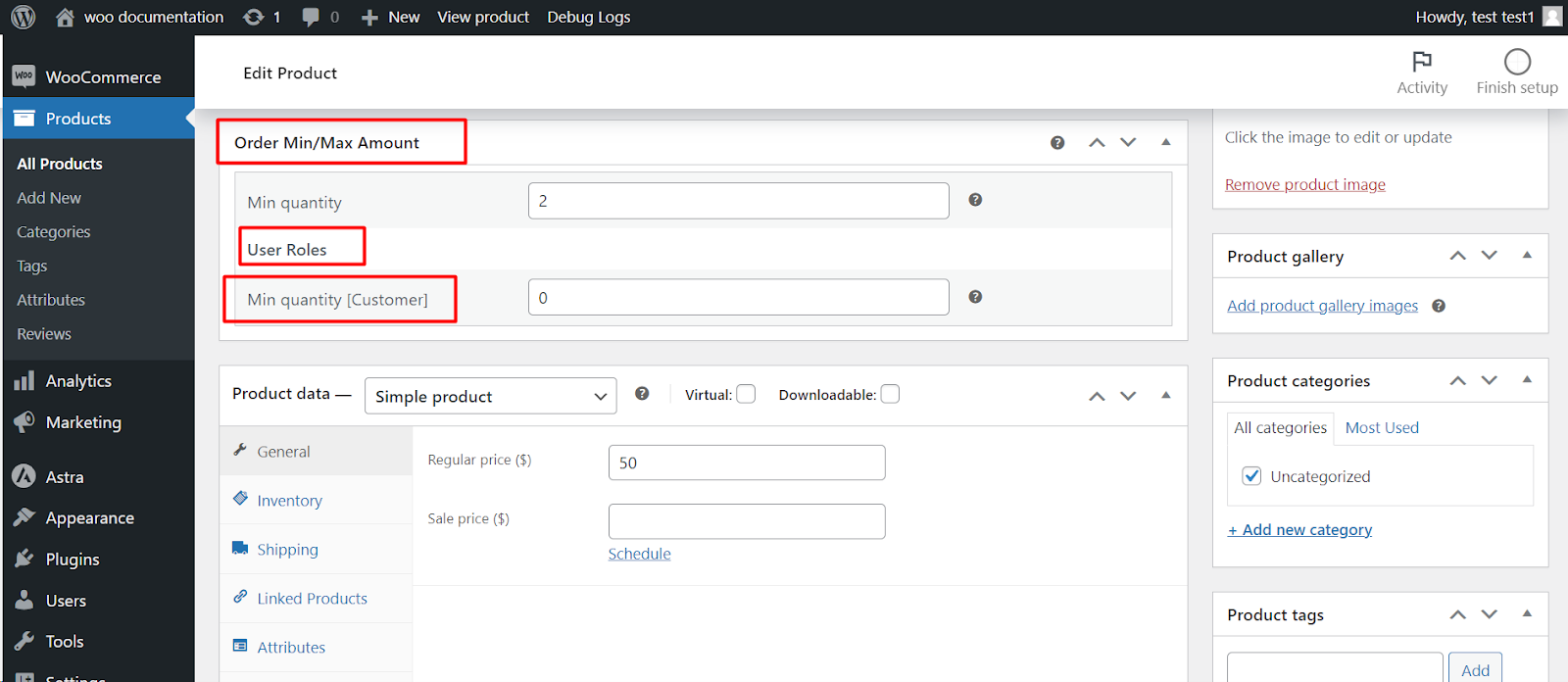
- Enable: Check this box to enable setting minimum quantities on individual product edit pages.
- List variations: Includ variable product variations in the minimum quantity options for each product.
Per product category #
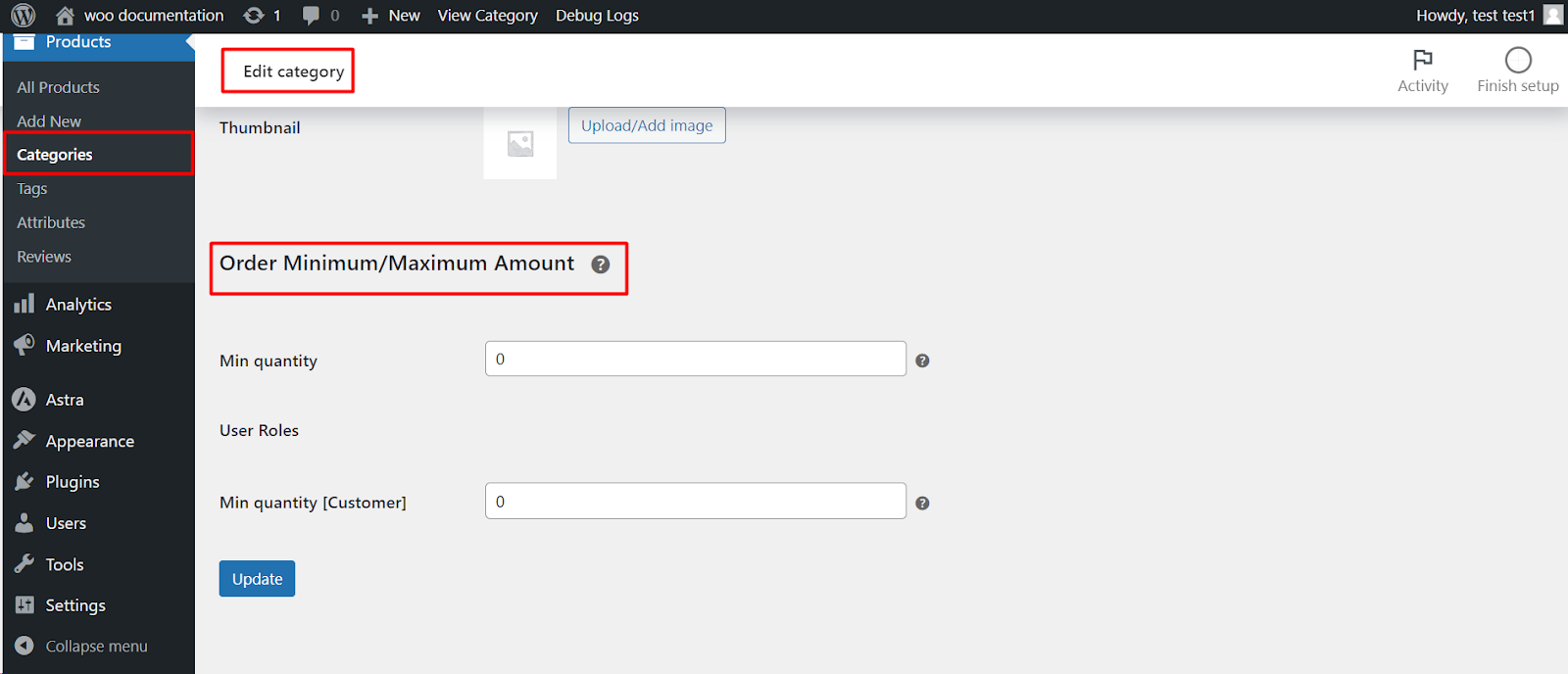
- Enable: Activate this option to set minimum quantities for entire product categories through their edit pages.
- Per product tag:
- Enable: This allows you to set minimum quantities for specific product tags, potentially promoting bundled products.
Remember #
- Save your changes after enabling the desired options.
- You can access the product edit pages or relevant category/tag edit pages to set specific minimum quantities.
- Customize messages displayed to users regarding “minimum quantity requirements” for a more informative shopping experience.
By leveraging product-specific minimum quantities, you can tailor your store’s order requirements to different product groups and potentially optimize inventory management, sales strategies, and overall customer experience.
Prefer watching? This short video summarizes the article in just a few minutes.