
Forums › Order Minimum/Maximum Amount Limits for WooCommerce – Support Forum › Cart notice styling issue
- Support forum for the Order Minimum/Maximum Amount Limits for WooCommerce.
- This topic has 7 replies, 3 voices, and was last updated 1 year, 8 months ago by
pablo-pacheco.
-
AuthorPosts
-
May 29, 2024 at 2:05 pm #143044
Paul Johnson
ParticipantOn page load the notice is styled correctly. If the customer selects Local Pick up the message dissapers. This is as expected.
If the user now selects Delivery, the message appear but does not pick up the correct styling.
May 29, 2024 at 8:50 pm #143059Hindi
ParticipantHello,
Please go to WooCommerce > Settings > Order Min/Max Amount > Messages and enable the Force refresh option and change the hook used to refresh the notice from the drop-down. Also, try to enable Advanced Options > Remove old notices and check if the issue remains.
If you are using a cache plugin, please try and disable it.
Please give these a try. If the problem persists, then kindly let me know.
June 1, 2024 at 9:45 am #143070ParticipantThank you, unfortunately this didn’t fix the issue.
On initial load of the cart page the message appears within the product table at the top. Screenshot here https://prnt.sc/jx5m2K9hDPM-
If the customer clicks local pickup the message disappears, all good.
If the customer clicks delivery again the message re-appears on the ajax reload but this time in a different position above the product table. Screenshot here https://prnt.sc/wdF3y2gqPmhg
I have tested with 2024 theme and the same thing happens.
https://prnt.sc/42B6SMK1wskx and here https://prnt.sc/ZMdV5BMS8Ujz
Please can you advise
June 2, 2024 at 8:06 pm #143190ParticipantHi Paul Johnson,
Could you please navigate to the following :
WooCommerce -> Settings -> Order Min/Max Amount -> Messages
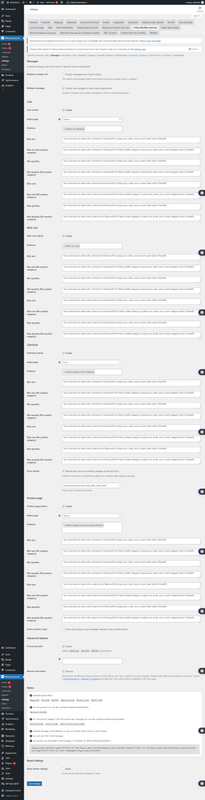
In this section, please try to apply the same settings as shown in the picture you have attached. Screenshot
If the issue persists after applying the settings, please let us know, and we can transfer your ticket to the Advanced Development team for further consideration.
Thank you for your patience and time.
Best regards,
June 3, 2024 at 7:04 pm #143232ParticipantYes all settings as as per screenshot although I am not using mini cart or product messages.
June 5, 2024 at 11:19 pm #143331ParticipantHi,
Can you please another theme such as Storefront?
Also, could you try to change the “Messages > Cart > Positions” option? Maybe, there could be some other position that works better for you.
June 14, 2024 at 8:10 pm #143806ParticipantApologies for the delay in responding but have Covid. I’ve found another position which is more suitable “After shipping calculator” however cannot find any css classes to style it. Any suggestions please.
June 24, 2024 at 6:19 pm #144497ParticipantHi,
Please, update the plugin to version 4.4.5 I just released.
Now, all the messages will be wrapped with a container having “alg-wc-oma-msg” as class name:
<div class="alg-wc-oma-msg">{content}</div> -
AuthorPosts
- You must be logged in to reply to this topic.