The Best Plugin to Import Content into WordPress

The Best Plugin to Import Content into WordPress
Copying content into WordPress one by one is a bit like moving books into a library shelf by hand, slow, tiring, and easy to make mistakes.
Now imagine if you had a cart that carried hundreds of books at once and placed them exactly where they belong! That’s what this plugin does for your WordPress site.
The Content Importer for WordPress & WooCommerce with Excel makes importing content simple and fast.
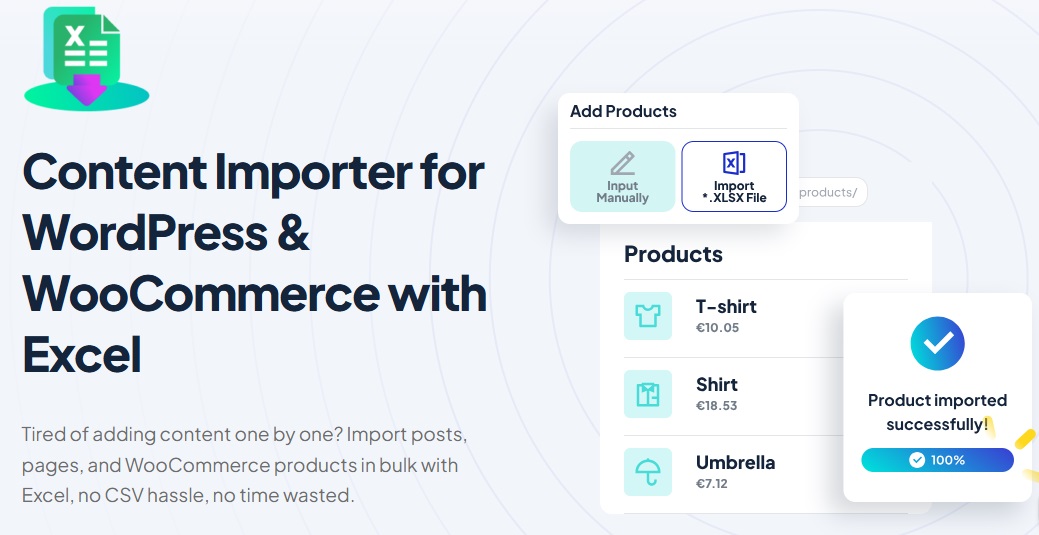
Instead of adding posts, pages, or products one at a time, you just prepare an Excel file, upload it, and let the plugin do the heavy lifting. It handles everything, so you don’t waste time repeating the same work over and over.
For anyone building or updating a WordPress site, this is the tool that turns hours of work into just a few minutes.
What You Can Import?
Think of your WordPress site as a big digital notebook. Instead of writing each page by hand, this plugin lets you bring everything in at once.
Here’s what you can import:
-
Posts – Got dozens of articles or blog updates? Just prepare them in Excel, and the plugin will import posts into WordPress all at once.
-
Pages – Whether it’s About, Contact, or service pages, you can import pages in bulk instead of creating each one manually.
-
WooCommerce Products – If you run a store, you can upload your entire product list, complete with descriptions, prices, and images.
-
Images and Media – No more broken pages, the plugin makes sure your images move with your content, so you don’t have to re-upload them.
-
SEO Details – Titles, descriptions, and slugs can all be imported to keep your site visible in search engines.
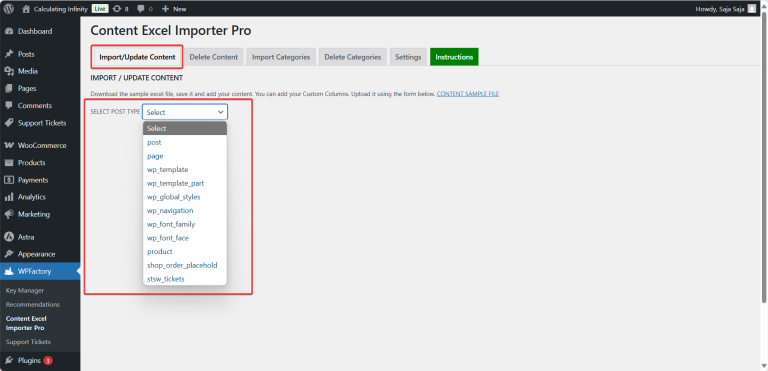
It doesn’t stop there, if you’re moving to a new website, the plugin also helps you migrate content from one WordPress site to another.
You can migrate WordPress content to a new site without losing formatting or links, even if you need to migrate blog posts from WordPress to WordPress with images included, it takes care of that too.
How It Works
Setting up and using the plugin is easier than you might think, you don’t need to be a tech expert, if you can fill out an Excel sheet, you’re already halfway there.
The plugin guides you through the process step by step, making it simple to upload your file, map your content, and import everything into WordPress in just a few minutes.
We’ve covered the setup and install process in detail in the following article: How to Import Content into WordPress & WooCommerce Using Excel
Key Benefits at a Glance
Why do people choose this plugin? Because it makes life easier, here are the biggest wins you get right away:
-
Saves Hours of Work
Instead of adding posts and pages one by one, you can import content into WordPress in bulk and finish in minutes. -
Works with All Kinds of Content
Import posts, import pages, WooCommerce products, images, and even SEO details, all from a single Excel file. -
Smooth Migration Between Sites
Need to migrate content from one WordPress site to another? Or migrate WordPress content to a new site? The plugin keeps everything in place, including links and formatting. -
Keeps Images Intact
When you migrate blog posts from WordPress to WordPress, images don’t get left behind. WordPress migrate posts with images is fully supported. -
Perfect for Blog Updates
Whether you want to import new posts or migrate blog posts, the plugin makes WordPress migrate content simple, accurate, and quick.
Download the Plugin Today
Why spend hours copying and pasting when you can finish the job in just a few clicks? The Content Importer for WordPress & WooCommerce with Excel takes care of the heavy lifting so you can focus on building your site, not wasting time.
Download the plugin today and start importing posts, pages, products, and even whole blogs into WordPress the easy way.
👉 Download Content Importer for WordPress & WooCommerce with Excel