5 Best WooCommerce Inventory Management Plugins for Easy Stock Control in 2026


Quick answer: WooCommerce tracks stock per product, but bulk stock editing, automated stock updates and inventory reports need a plugin. Stock & Inventory Updates Triggers automates stock changes based on order events, while Setary, Smart Manager and the others below add spreadsheet-style editing and reporting.
Whenever you dive into the e-commerce business online, reporting and record management must be your top priority. The reason is that without the inventory report and details, everything will be messed up. Remember that it’s not a piece of cake, but you have to put a lot of effort and dedication into everything you buy wholesale and sell to the customers. What’s now? Don’t worry! Inventory management plugins for wooCommerce have made businesses’ lives easier than ever.
An inventory management plugin for e-commerce takes all the heavy lifting, managing records for buying and selling products, giving a detailed stock report, showing history, and offering a lot of benefits. The plugin works like a virtual assistant where you need to put the details in pre-build rows and columns. Moreover, it will generate reports on its own without human effort.
In this comprehensive guide, we have shortlisted the top 5 inventory management plugins for e-commerce to help businesses manage everything without issues. So, let’s read on!\
1. Stock & Inventory Updates Triggers for WooCommerce by WPFactory

The Stock & Inventory Updates Triggers for WooCommerce plugin by WPFactory is a powerful tool that helps you manage your product stock levels more effectively. A number of order-related events can be used to customize how and when stock levels are adjusted for products with this plugin.
This plugin also allows you to set custom triggers to adjust stock levels based on specific events or conditions. For example, you could set up a trigger to reduce stock levels by 10% when a product is added to the cart.
Real-time Stock Updates
It ensures that changes in inventory are instantly reflected in your WooCommerce store. When a product is purchased, the stock count decreases immediately, preventing overselling. Real-time updates also improve customer experience by providing accurate information on product availability, reducing frustration caused by out-of-stock items.
Moreover, it aids in maintaining consistency across multiple sales channels, ensuring that all platforms display the same current stock levels.
Automated Triggers
It initiates inventory updates based on predefined conditions. For instance, setting triggers for low stock alerts prompts actions when a product’s stock falls below a specified threshold.
These triggers automate restocking processes or notify admins, streamlining inventory management. They can also be customized for events like new stock arrivals or seasonal demand changes, ensuring efficient inventory control.
Customizable Thresholds
This feature lets you set minimum stock levels for products. When inventory drops below these thresholds, alerts are triggered.
Adjusting these thresholds helps in proactive inventory management, preventing stockouts by enabling timely restocking. Individualized thresholds for different products allow tailored management based on varying demand patterns.
Scheduled Updates
Scheduled updates allow you to set up auto inventory checks, automate repetitive tasks, and help you avoid stockouts. It enables you to analyze sales trends and historical data, preventing potential discrepancies and disruptions in your inventory management.
Regular checks ensure an accurate representation of your inventory levels, keeping track of stock levels effectively.
Supplier Integration
It integrates with external systems or suppliers to update inventory based on real-time stock information. It automatically updates your inventory levels based on incoming stock, ensuring that your displayed stock numbers match what you actually have available. This can prevent overselling and maintain transparency with your customers.
Multi-channel Sync
Multi-channel sync keeps your inventory numbers up-to-date across all your sales channels. It provides your customers with a consistent shopping experience by updating quantities simultaneously and preventing overselling.
It synchronizes the product stock from your main store across all your platforms, providing real-time availability information.
Bulk Stock Management
It allows you to make changes to the inventory of multiple products at once. This streamlines inventory adjustments and saves time for store administrators.
You can add, remove, or update stock quantities efficiently without having to go through each product individually.
Reporting and Analytics
It gives you a comprehensive picture of your inventory performance, sales trends, and stock movements. It generates detailed reports showcasing data such as best-selling products, slow-moving items, stock turnover rates, and seasonal demand patterns.
By analyzing this information, you can make informed decisions regarding inventory stocking levels, identify opportunities for promotions or discounts on specific products, and optimize your inventory management strategy.
Error Handling and Notifications
It ensures that any discrepancies or issues in inventory updates are promptly identified and addressed. For instance, if there is a synchronization problem between your WooCommerce store and external inventory sources, the plugin can detect these errors and notify administrators.
Notifications can be customized to alert you about various types of issues, such as failed stock updates, inconsistencies in inventory counts, or technical errors affecting the accuracy of displayed stock levels.
Compatibility and Support
It ensures seamless compatibility with different WooCommerce setups and provides ongoing support and updates, keeping it up-to-date with evolving requirements. You can be confident that the plugin will work smoothly with your WooCommerce setup and you will have access to prompt technical support if needed.
2. Setary

Setary is a powerful WooCommerce bulk product editor featuring an intuitive, spreadsheet-style interface that lets you update unlimited products and variations in seconds. You can easily edit stock, prices, SKUs, images, and custom fields like ACF without repetitive clicks, apply bulk changes instantly, and even generate or refine product descriptions using built-in AI. With the ability to manage up to 10 stores from a single dashboard, Setary helps you save time, streamline your workflow, and maintain full control over your WooCommerce store.
It offers further benefits such as:
- Intuitive spreadsheet-style interface that makes managing products as easy as editing a table, reducing the need for repetitive clicks and page reloads.
- Bulk edit unlimited products and variations simultaneously, allowing you to update large catalogs in seconds instead of hours.
- Comprehensive field editing, including stock levels, prices, SKUs, images, and advanced custom fields like ACF, all in one place.
- Instant bulk actions and smart filters to quickly apply changes across selected products, improving efficiency and workflow control.
- Built-in AI tools to generate, optimize, or rewrite product descriptions at scale, helping maintain consistent and engaging content.
- Centralized dashboard that supports managing up to 10 WooCommerce stores, making it ideal for agencies or multi-store owners
3. Product Store Manager
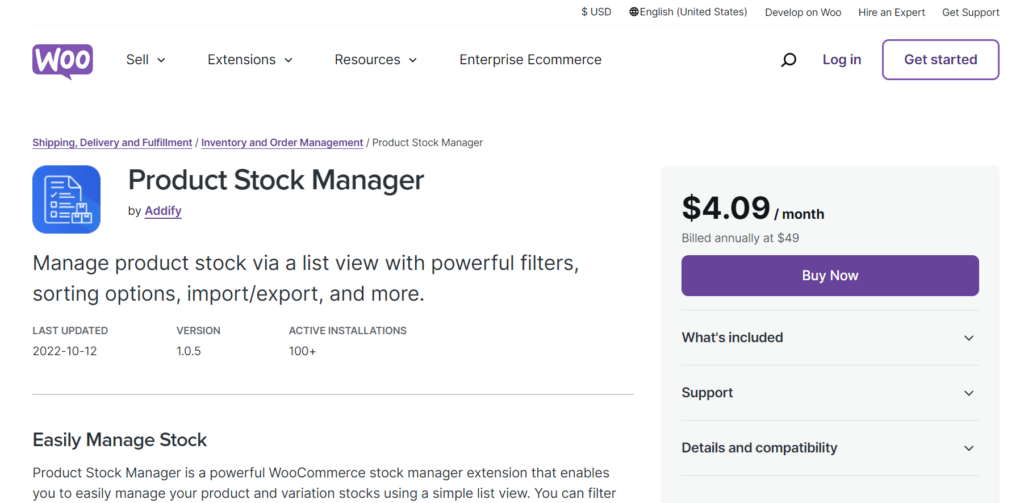
It is a powerful tool for inventory management with different filters and options. Don’t worry! If the products have variations, you can manage inventory with these comprehensive plugins. The powerful filter allows you to filter things based on filters, product, product type, price, stock quantity, category, and more. The maintained log file helps get all the insights in one tap. Its comprehensive features are:
- With managed and unmanaged stock options, you can add products and categories you want to manage.
- Get the stock status from the settings whether you want.
- Get backorder details and stock quantity logs after each sale you get. It means the plugins keep you updated all the time about the available stock.
- Restock history is also available, where you can filter and analyze things to make further store strategies.
- It offers other features like product names and SKUs, shipping classes, weight, tax status, special price, standard price, etc. Remember that these are additional features along with inventory management if you want to have them in your store.
4. Store Apps Smart Manager

As the name suggests, it’s a smart manager for WooCommerce and WordPress stores, which helps you do hours of work in seconds. An advanced and reliable WooCommerce inventory plugin. It further helps create subscriptions, coupons, discounts, and much more to get more inventory insights. Moreover, its Excel-like sheet editor in WordPress offers a lot of benefits for controlling the overall functionality. It offers further benefits such as: Reporting matters just as much as stock levels, and our guide covers exporting WooCommerce orders.
- Smart sheet and table editor to edit things and make changes while indulging in lengthy procedures.
- It has bulk stock management, including stock quantities, sale prices, regular prices, backorders, filters, deleted products, and much more.
- If you have made mistakes while entering the details in the sheet, the bulk revert options allow you to correct them easily.
- Admin columns and custom views for displaying and analyzing data.
- Duplicate and delete products easily and export the analytics report in CSV for further analysis and filtering.
5. PlainInventory Management
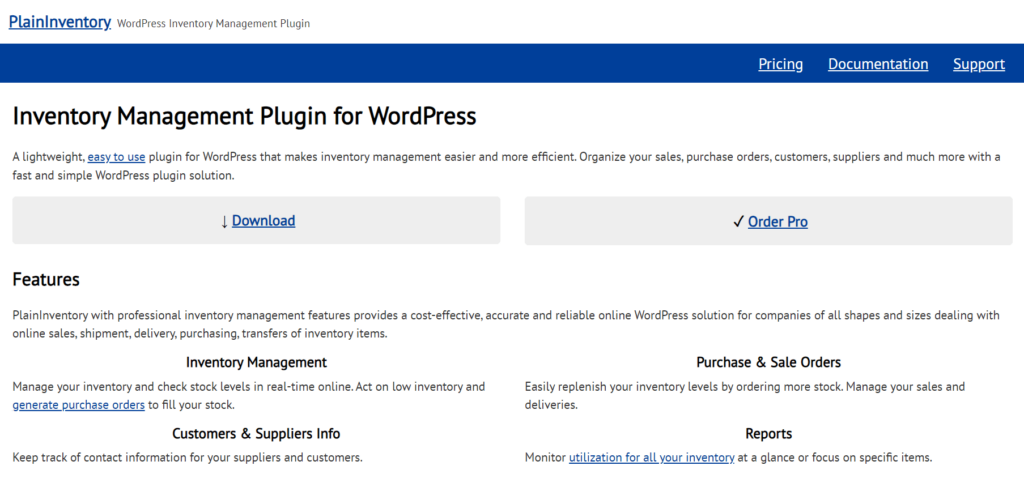
It is a lightweight inventory management plugin that is helpful for all store owners because of its ease of use. It is more efficient and doesn’t burden your store because of its comprehensive features. This professional inventory management allows manage and check stocks easily with the following benefits:
- It manages and offers real-time stock levels easily and online.
- After analyzing the real-time stock, order the further inventory based on calculations.
- It keeps track of the customers’ or buyers’ information for strategy making.
- Check the utilization of all your inventory with weekly, daily, and monthly reports with inventory history.
- It offers multiple language options so that you can understand the reports better in your language.
6. ZapInventory WooCommerce Inventory Management

It is a reliable plugin for easy integration for inventory management. You can have a look at all your inventory, import order details, customer feedback, customer biases, and much more with a single plugin. Here are some of its important perks for the business owners:
- Single-click integration with your online store.
- Real-time inventory details with import/export options.
- Two-way authorization for secure import and export details.
- It is an easy-to-use dashboard with all the common options on the home screen.
- Available for multi-store management from a single place.
Final Words
It’s all about the best inventory management plugins for WooCommerce. Stock Snapshot for the WooCommerce plugin is our favorite because it doesn’t offer additional options other than inventory management. Moreover, it’s affordable and easy to use for everyone. Moreover, you can try other plugins too and choose according to your requirements.