5 Best Multi-currency Payment Gateways Plugins for WooCommerce in 2026

Quick answer: WooCommerce charges in one currency by default. Payment Gateway Currency for WooCommerce converts prices and charges in a different currency for each payment gateway, with automatic or manual exchange rates. YayCurrency and YITH Multi-Currency Switcher add a customer-facing currency switcher, and CURCY and FOX Currency Switcher are popular free options.
Suppose a customer buys something on your online store but leaves because of payment problems.
A reliable and versatile payment gateway is necessary to grab all the customers, increasing your sales and long-term business. A store with several payment gateways and currency options will likely have more conversions than others.
Yeah, it’s one more feature that you have to take care of as an e-commerce store owner if you sell in many regions with multiple currencies used by your customers.
A reliable payment gateway plugin provides all the necessary payment options, currency conversions, and crucial points to run a successful business. However, finding a suitable payment gate is a real hassle, but don’t worry; we are here to assist you.
We have tested several payment gateway plugins for WooCommerce and shortlisted the best 5 payment gateway and currency plugins. This article will cover all their details, making your selection a breeze. Let’s begin!
1. Payment Gateway Currency for WooCommerce
Suppose you run an online business, and you receive conversions globally. It’s necessary to have an all-in-all Payment gateway plugin to run a successful business. Here comes the Payment Gateway Currency for WooCommerce plugin, which includes all the payment gateway tools, functions, and currency conversions.
It’s a great opportunity to leave all the heavy lifting on it and focus on the further store’s strategy. Amazingly, it will make payments smoother; that’s also helpful from an SEO perspective.
No more payment restrictions; where your customers come from any region, the plugin easily adapts to the customers’ preferences. In short, it streamlines the payment procedure for the customer and store with a user-friendly checkout, increasing overall user experience.
Let’s know more about it so that you can prevent hiccups in the payment process for your store:
Dynamic Currency Conversion by Payment Gateway
Online store global sensation is only possible with a reliable payment gateway. This plugin offers dynamic currency conversions by payment gateway by automatically tracking your geographical location with ISP. Do magic with the plugin and free yourself from payment problems.
The procedure is pretty simple: select the payment option, and the plugin will convert the currency within seconds. You can select your preferred currency if you own some other credit cards such as Euro or US Dollars. Yeah, enjoy a carpet shopping experience, increase SEO ranking, and boost customer satisfaction.
Restrict Currency to Specific Payment Gateway
It offers a lot of options for currency conversions, making payments smoother and quicker. In reality, not all the payments are equal; therefore, the customized selection comes into play. You can select and restrict currency conversion according to your store’s strategy and convenience. It means everything is under your control and customizable with this versatile plugin.
This way, you not only simplify the payment and payment options but also make your store an appealing place for the customers. So, don’t sit back; get it now for hassle-free international payments.
Manually or Automatically Update Rates
Finances management is crucial to run a successful online store. Payment gateways affect your overall revenue with conversions because the currency rates change aggressively nowadays. Managing currency rates is a real deal, which this plugin takes care of easily.
Grab customers from all over the planer with manual and automatic updates of the rates. If you set it to automatic payment, it fetches the present currency rate and applies according to your preferred setting. So, your business never declines due to currency conversions or payment issues.
Similarly, the manual option allows you to customize the rate according to your strategy, requirements, and other factors. Say goodbye to manual plugins and smooth the payments, maximizing profits.
Handle Shipping, Coupons, and Cart Fees Conversion
While doing international e-commerce, cart conversions are for a reliable shopping experience. Now extend the currency conversion beyond the product price and stand in a win-win situation regardless of the changing currency rates.
What does it actually mean? Coupons, cart fees, free shipping, and other promotions are undeniable. The plugin provides options for mentioned free shipping, coupons, and other conversion benefits. Cover all the shopping aspects and winning the hearts of customers and trust.
The plugin has made it a breeze to create coupons, handle shipping under different offers, and other cart fee conversions.
Full Compatibility with WooCommerce Analytics
Keeping an eye on the conversion and other stats is important; that’s why this plugin allows you to check the store and currency analytics. The all-in-all functions make the conversions handling a piece of cake with all the analytics available in one place.
This way, you can understand the customers’ behaviors and how they react to the currency conversion. It helps further the store’s strategy. Don’t decide blindly, but make a data-driven strategy with the Payment Gateway Currency WooCommerce plugin.
Convert Prices Before or After Checkout
You have the choice to set the currency conversion right at the product page or cart checkout. Further, you have the choice to display only the thank you or other customized messages wherever you want.
If you select the checkout option for currency conversion, the customers will be able to convert the currency according to their selected ones on the checkout page. This way, the Thank You message will be shown to the single product page or categories before the final conversion at the checkout.
Full Support for All Payment Gateways
No more traditional payment options such as PayPal and COD but any of the third-party payments according to your convenience. Extend the payment horizons and convert with any payment gateway aligned with your business preferences. Due to this functionality, it stands out from other payment plugins used for WooCommerce stores. With it, you can easily adopt payment diversity in today’s digital era.
Show Converted Prices Everywhere
Clarity and transparency is the key to success in online stores. Undoubtedly, it builds trust, increases engagement, and is necessary for customer satisfaction. Now showing the prices on the store is in your hands. It provides up to 20 location options for payment with email support.
It shows the customer clearly what they are paying without anything hidden. Show it on the product page, cart, or in emails, and boost your trust. Be confident and allow customers to trust your brand for online shopping and versatile payment options.
2. YayCurrency – WooCommerce Multi-Currency Switcher
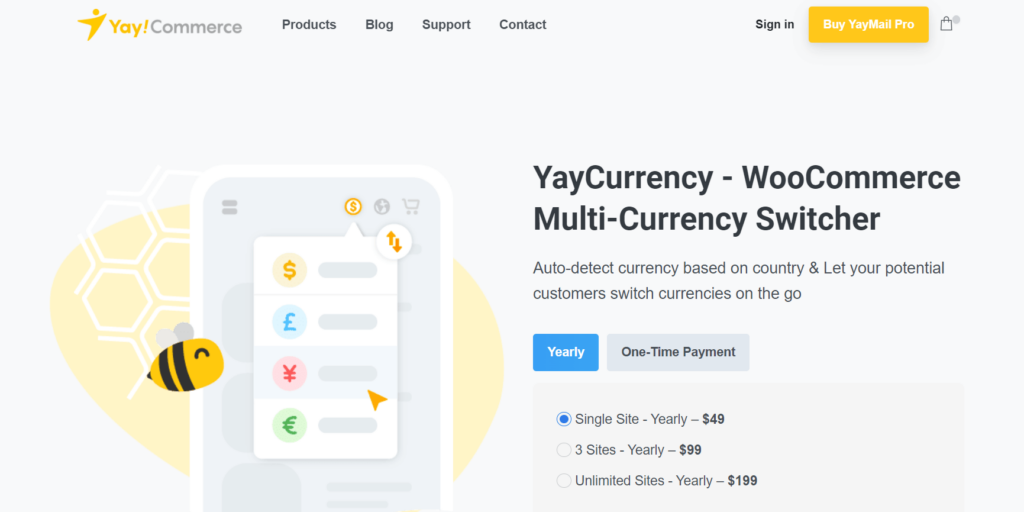
Another reliable and economical plugin for currency conversion worldwide. Let your customers choose and convert the currencies without issues. It’s all possible in one tap by selling your product to customers residing in different geographical locations. It correctly shows the payment options and total payment after detecting the location. It also provides an option for the customers to choose according to their preferences. It further provides:
- It’s a reliable currency switcher in one tap.
- Ease in displaying dynamic prices with different payment options.
- Flexible price format to choose according to the customers’ intent and location.
- Multiple display options so you can choose where to show the prices to bring more conversions.
- When the user updates the location or currency, the automatic calculator converts the prices automatically.
3. CURCY – Multi Currency for WooCommerce
CURCY by VillaTheme is one of the most widely used free multi-currency plugins for WooCommerce. It adds a currency switcher to your store and lets customers see prices and check out in their own currency.
- Currency switcher as a widget, shortcode or floating sidebar.
- Automatic exchange rate updates, or rates you set manually.
- Can detect a visitor’s currency from their location.
- Customers can pay in the selected currency.
- Free version on WordPress.org, with a premium version for more features.
4. FOX – Currency Switcher Professional for WooCommerce
FOX (formerly WOOCS) is another long-standing currency switcher for WooCommerce. It converts product prices into the customer’s chosen currency and supports several exchange rate sources.
- Currency switcher via widget, shortcode or block.
- Automatic exchange rate updates from multiple providers.
- Optional currency selection based on the visitor’s country.
- Checkout in the selected currency or in your base currency.
- Free version on WordPress.org, with a premium version for advanced options.
5. YITH Multi-Currency Switcher for WooCommerce
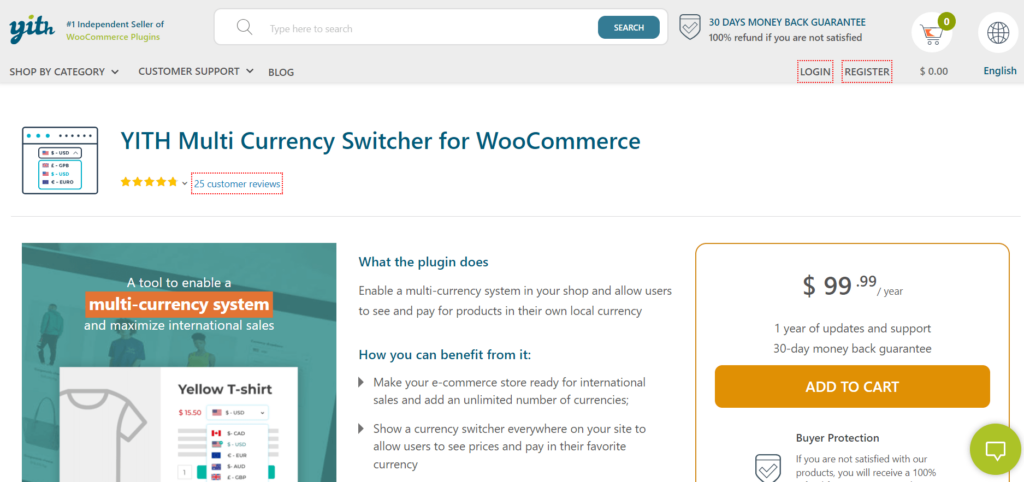
Lastly, this plugin helps integrate multi-currency payment options for the users. Maximize international sales by providing customized payment options, coupons, and display settings for full clarity and transparency. Here are the details of its benefits:
- An unlimited number of trendy currency options for international customers.
- Easily integrated currency switcher so everyone can check the payment locally.
- Automatic currency conversion by tracking the location of the customer.
- API integration to make everything automated with analytics.
- Settings for optional exchange fees are also available.
Bottom Line
In conclusion, payment and currency conversion plugins are necessary to target a broad audience.
If you own an e-commerce store, it’s time to expand it with reliable payment options, a payment switcher, and everything a customer needs while shopping. Payment Gateway Currency for the WooCommerce plugin is our top suggestion because it provides all-in-one functions for businesses and individuals.
Other mentioned plugins are also good and offer what’s needed, so, check your preferences and choose your payment gateway plugin accordingly.