Installing Change Add to Cart Button Text for WooCommerce takes a couple of minutes. The free version lets you rewrite the “Add to cart” button text for all products at once, per product type, per product, per category, per tag, per user role and per user. This guide covers installing the plugin and finding its settings after activation.
Before you begin #
- WooCommerce, installed and active.
- Access to your WordPress dashboard as an administrator.
Method 1: Install the free version from the WordPress plugin directory #
- Go to Plugins > Add New in your WordPress dashboard.
- In the search bar, type Change Add to Cart Button Text for WooCommerce.
- Confirm the author is WPFactory, then click Install Now.
- Click Activate to start using the plugin.
Method 2: Upload the Pro version manually #
The Pro version is delivered as a ZIP file after purchase. To install it:
- Download the Pro ZIP from your WPFactory account.
- Go to Plugins > Add New > Upload Plugin.
- Choose the ZIP file and click Install Now, then Activate.
- If the free version is already active, the Pro version replaces it automatically. You do not need to keep both active.
Opening the settings #
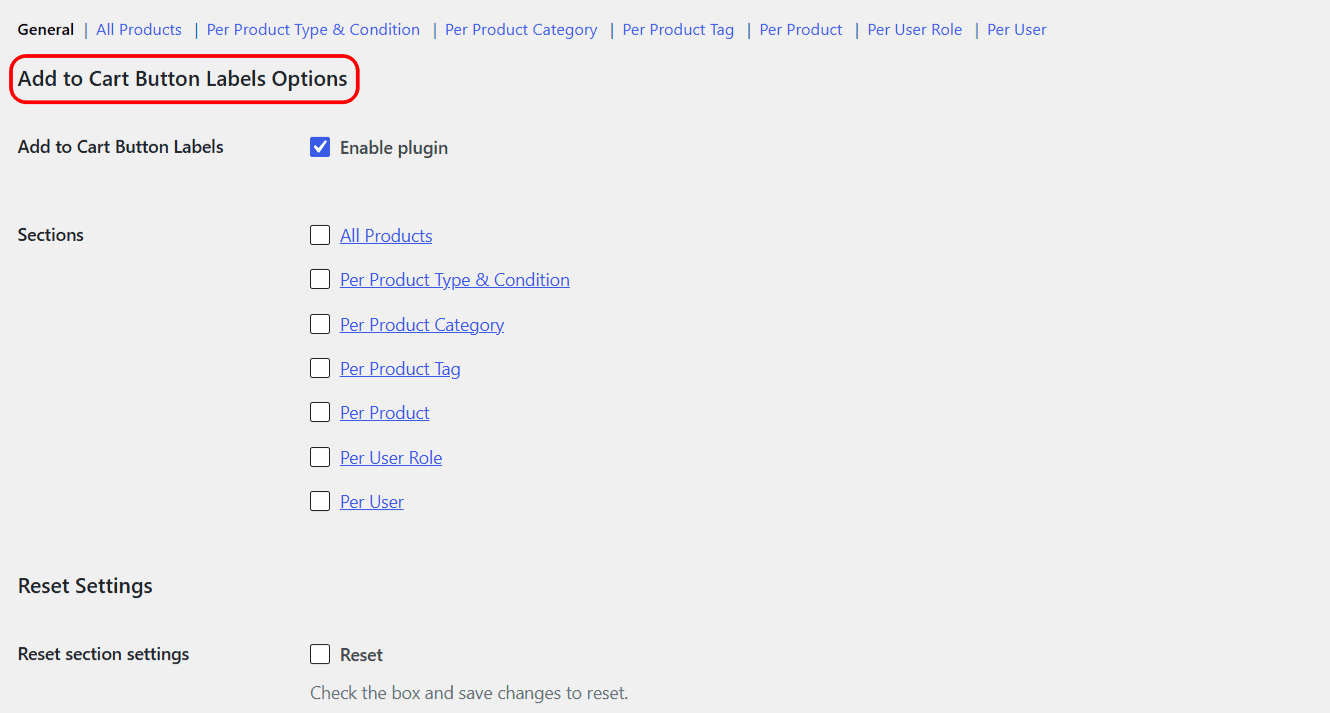
Once activated, the settings live at WPFactory > Add to Cart Button Labels (also reachable at WooCommerce > Settings > Add to Cart Button Labels). The options are split across sections you reach from the links at the top of the tab: General, All Products, Per Product Type & Condition, Per Product Category, Per Product Tag, Per Product, Per User Role and Per User.
Nothing changes on your store until you enable at least one section and enter a label, so activation on its own is safe.
Get more control #
The plugin is free to install and use. Change Add to Cart Button Text for WooCommerce Pro adds unlimited category, tag, user role and user groups, plus separate labels for on-sale products. See what Pro unlocks.