The Bulk Price Editor for WooCommerce tool has three groups of fields plus a small settings page. This reference explains each one, its option id, its default, and whether it is free or Pro. It uses the Price Update: Bulk Pricing Editor for WooCommerce Pro version so every field is shown.
Where the fields live #
- Settings: WPFactory > Bulk Price Converter (also at WooCommerce > Settings > Bulk Price Converter).
- The tool: WooCommerce > Bulk Price Converter, or the green Bulk price converter tool button on the settings page.
Settings page #
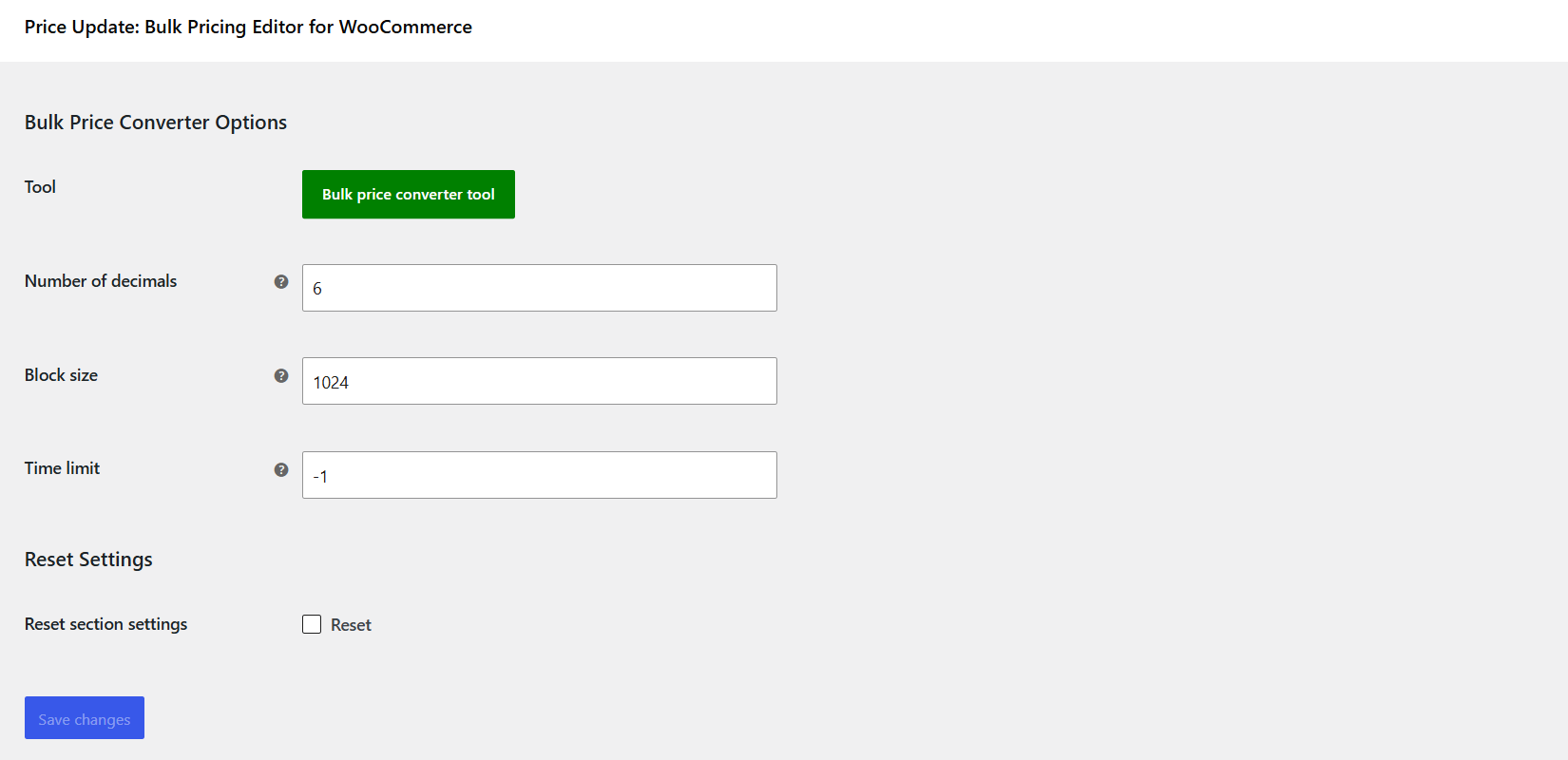
| Field | Option ID | Default | What it does |
|---|---|---|---|
| Number of decimals | alg_wc_bulk_price_converter_step |
6 |
Sets the decimal step of the tool’s number inputs. Final stored prices are still rounded to your store’s price decimals. |
| Block size | alg_wc_bulk_price_converter_block_size |
1024 |
How many products are loaded per query. Lower it if a large catalog times out. |
| Time limit | alg_wc_bulk_price_converter_time_limit |
-1 |
Max seconds per query. 0 means no limit, -1 uses the server default. |
| Reset section settings | alg_wc_bulk_price_converter__reset |
no |
Tick and save to reset these settings to their defaults. |
Tool: General Options #
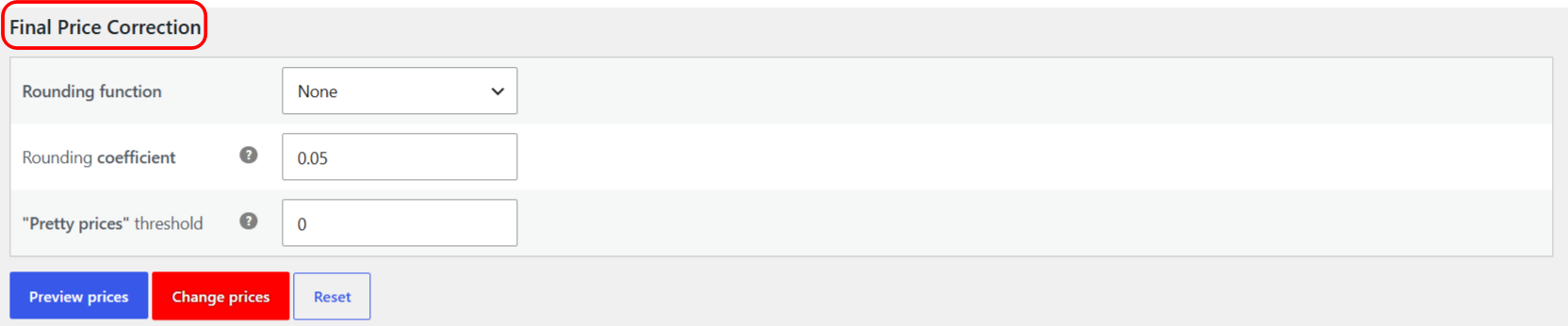
| Field | Option ID | Default | Free/Pro | What it does |
|---|---|---|---|---|
| Direct price | alg_wc_bpc_direct_price |
empty | Free | Sets every matching price to this exact value, ignoring the current price. Left empty means “no direct price”. |
| Percentage all product prices by | alg_wc_bpc_percentage_prices_by |
0 |
Free | Adds this percentage to each price. Use a negative value to discount: -20 takes 20% off, 10 adds 10%. |
| Multiply all product prices by | alg_wc_bpc_multiply_prices_by |
1 |
Free | Multiplies each price. 1.1 adds 10%, 0.8 takes 20% off. Must stay above 0, or the whole run is skipped. |
| Divide all product prices by | alg_wc_bpc_divide_prices_by |
1 |
Pro | Divides each price. 2 halves prices. Dividing by a value below 1 raises prices. |
| Add to all product prices | alg_wc_bpc_add_to_price |
0 |
Free | Adds a fixed amount to each price. |
| Subtract to all product prices | alg_wc_bpc_minus_to_price |
0 |
Pro | Subtracts a fixed amount from each price. |
| Price type to modify | alg_wc_bpc_price_types |
both |
Free | Both, Sale prices only, or Regular prices only. |
When you fill more than one field, they apply in a fixed order: Direct, then Percentage, Multiply, Divide, Add, Subtract, then any Final Price Correction. See the reference on how bulk price changes are calculated.
Tool: Products #

| Field | Option ID | Free/Pro | What it does |
|---|---|---|---|
| Products category | alg_wc_bpc_product_cats |
Free | Limit the change to one category. “Any” means all products; “None” means products with no category. |
| Products tag | alg_wc_bpc_product_tags |
Pro | Limit the change to one product tag. |
| Products in {attribute} | alg_wc_bpc_product_attribute_pa_{name} |
Pro | One dropdown appears per global attribute (for example Color). Limit the change to a single attribute term. |
Tool: Final Price Correction (Pro) #
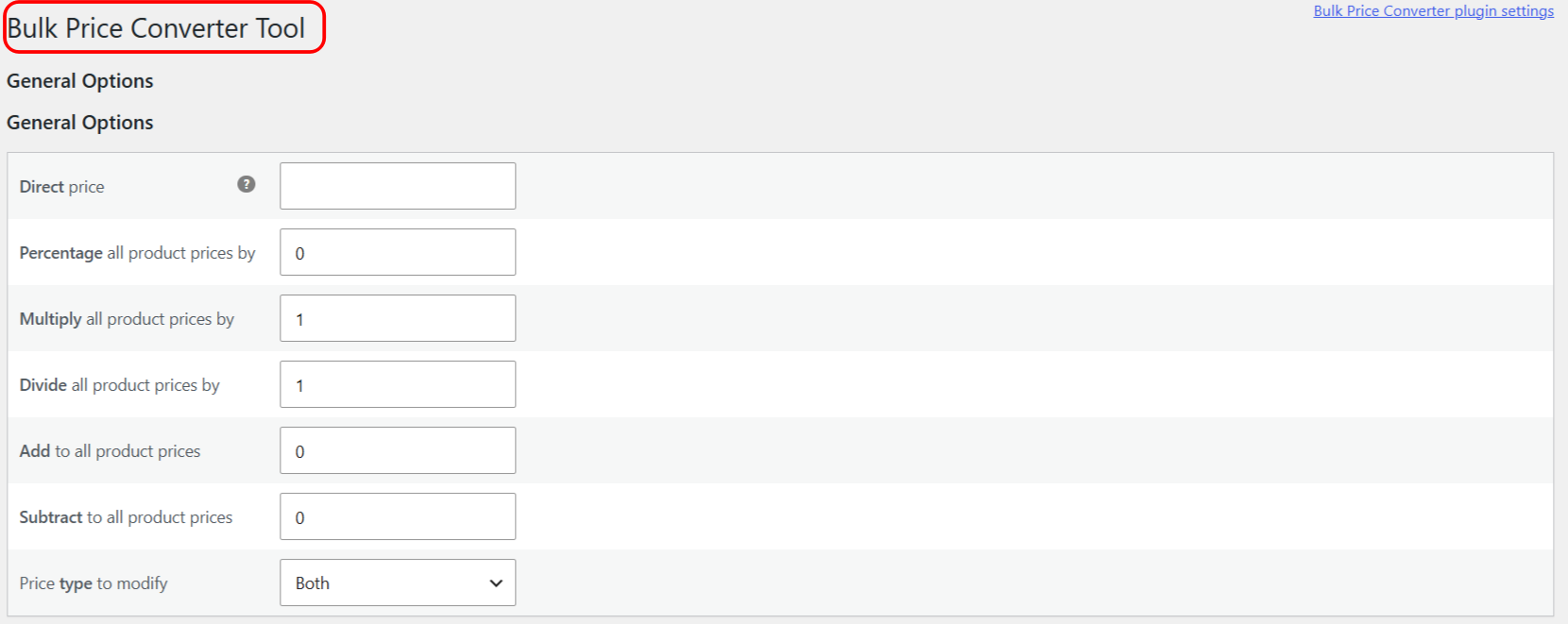
| Field | Option ID | Default | What it does |
|---|---|---|---|
| Rounding function | alg_wc_bpc_round_function |
none |
None, Round, Floor, or Ceil, applied to the nearest coefficient. |
| Rounding coefficient | alg_wc_bpc_round_coef |
0.05 |
The step to round to. 0.05 rounds to the nearest 5 cents. Ignored when Rounding function is None. |
| “Pretty prices” threshold | alg_wc_bpc_pretty_prices_threshold |
0 |
Nudges prices to charm endings (for example ending in 9). 0 turns it off. |
Preview, change, reset #
- Preview prices shows a results table of old and new prices without saving. This works in both free and Pro.
- Change prices writes the new prices. It asks “There is no undo for this action. Are you sure?” first.
- Reset reloads the tool with empty inputs. It does not restore any saved defaults.
Get more control #
Fixed price, percentage, multiply, add, price type, and category filtering are free. Price Update: Bulk Pricing Editor for WooCommerce Pro adds divide, subtract, tag and attribute filtering, and the rounding and pretty-price tools. See what Pro unlocks.