WooCommerce EU VAT: Validate VAT Numbers and Handle B2B Reverse Charge

Quick Answer: WooCommerce EU VAT
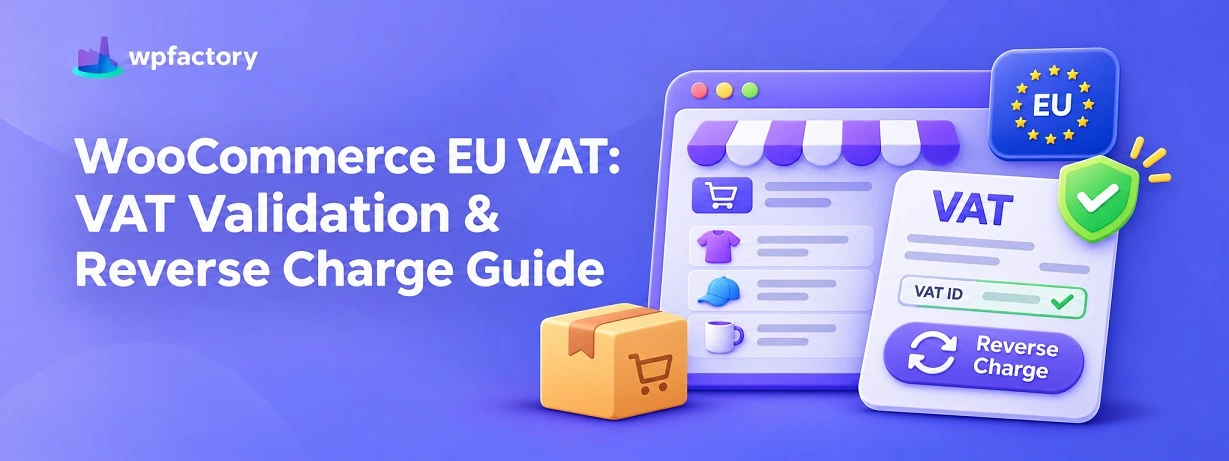
Handling WooCommerce EU VAT means charging the right VAT to the right customer.. regular VAT for consumers, and zero VAT for EU businesses that give a valid VAT number (the reverse charge). WooCommerce on its own can’t check whether a VAT number is real, so without help a store either charges business customers VAT it shouldn’t, or trusts numbers it never verified. The fix is a tool that validates the number against the EU’s official VIES service at checkout and applies the correct treatment, such as EU/UK VAT Manager.
- B2C sale: charge VAT as normal.
- B2B sale, valid VAT number, another EU country: reverse charge, VAT removed.
The checker further down tells you exactly which treatment any given sale needs, and the worked example shows a real cross-border order resolved step by step.
A business customer in Germany is trying to buy from your French store. They enter their VAT number, expecting to pay nothing in VAT, and your checkout charges them 20% anyway.
They email you, annoyed. You refund the VAT by hand, then do it again for the next B2B order, and the one after that.
This is the daily friction of selling across the EU without the right setup. VAT stops being one number in your settings and becomes a decision that changes with every customer.. where they are, whether they are a business, and whether their VAT number is real.
Getting WooCommerce EU VAT right means making that decision automatically and correctly, every time. This guide walks through what the rules actually require, where WooCommerce falls short on its own, and how to close the gap.
What EU VAT means for a WooCommerce store
VAT (Value Added Tax) is the consumption tax applied across the EU. For an online store, the rate and the treatment depend on who is buying and where they are.
Three situations cover most sales:
- Selling to consumers (B2C) | you charge VAT. Which country’s rate depends on your size and registration, but VAT is charged.
- Selling to a business in another EU country (B2B) | if the buyer has a valid VAT number, you remove VAT and the buyer accounts for it. This is the reverse charge.
- Selling to a business in your own country | VAT stays, even with a valid VAT number. A domestic sale is always taxed.
The hard part is the B2B case. You can only remove VAT if the customer’s number is genuine, and the only official way to know that is to check it against the EU’s VIES database. That check is where most stores come unstuck.
Why VAT number validation matters
VIES (VAT Information Exchange System) is the European Commission’s service for confirming that a VAT number is registered and active. It is the official reference point for the reverse charge.
Why does it matter so much? Because if you remove VAT for a number that turns out to be invalid, the missing VAT is your problem, not the customer’s. Tax authorities expect you to have verified the number at the time of sale.
A VAT number can be mistyped, expired, or simply made up. Reading it off an order and trusting it is a risk. Checking it against VIES, and storing the result with the order, is the evidence that protects you.
So a reliable WooCommerce EU VAT setup has to do two things at checkout.. collect the VAT number, and verify it live before deciding whether to charge VAT.
How the reverse charge works
The reverse charge is the mechanism that lets cross-border EU B2B trade happen without VAT changing hands twice.
When a business in one EU country buys from a business in another, and the buyer has a valid VAT number, the seller charges 0% VAT. The buyer then accounts for the VAT in their own country. Your invoice has to state that the reverse charge applies.
Here is the decision in plain terms:
- Buyer in another EU country, valid VAT number → reverse charge, 0% VAT.
- Buyer in another EU country, no valid number → treat as a consumer, charge VAT.
- Buyer in your own country → charge VAT regardless.
- Buyer outside the EU → generally an export, no EU VAT.
Simple to state, tedious to apply by hand on every order. That is exactly the kind of rule software should handle.
Where native WooCommerce falls short
WooCommerce has a solid tax engine. You can set tax rates per country and apply them at checkout. For a single-country store, that is often enough.
The gap opens the moment you sell B2B across the EU. On its own, WooCommerce does not:
- Validate VAT numbers against VIES: There is no built-in live check. You would be trusting whatever the customer types.
- Apply the reverse charge automatically: Removing VAT for the right customers, and only the right customers, is not something the core tax settings decide for you.
- Store the validation as evidence: No record is kept of whether a number was checked and confirmed.
- Keep VAT for domestic business sales: Handling the “same country” exception correctly takes extra logic.
None of this makes WooCommerce wrong. It is a general platform, and EU VAT validation is a specialist job. For that job, you add a plugin built for it.
The solution: EU/UK VAT Manager
EU/UK VAT Manager from WPFactory is built to close exactly this gap. It is used on 7,000+ stores and rated 4.8.
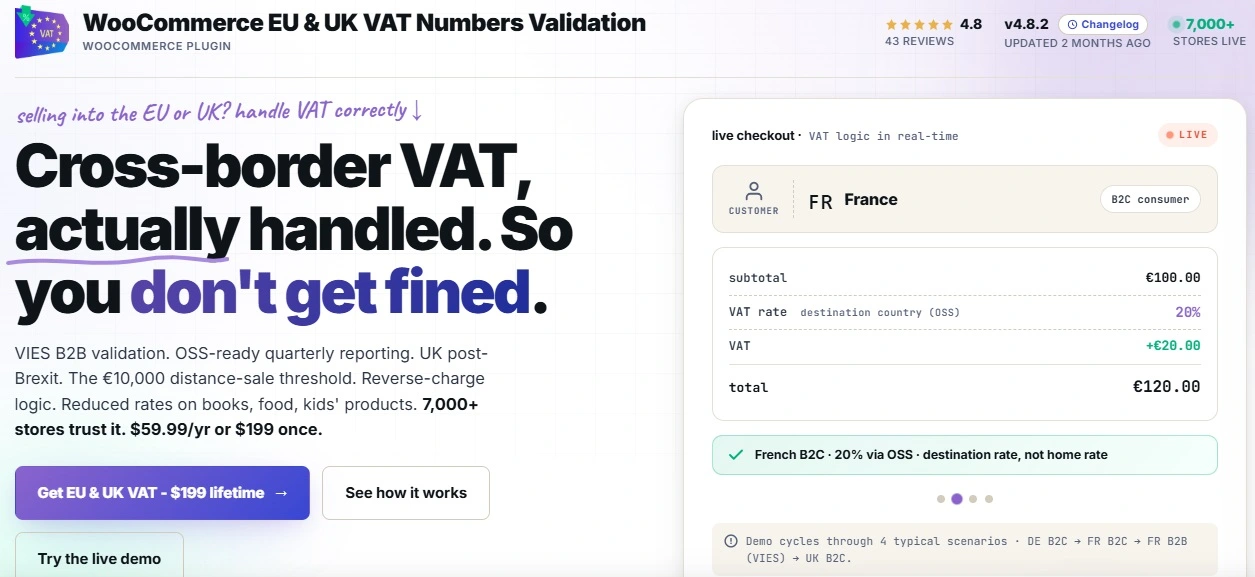
Here is what it adds, and why each piece matters.
- Live VIES validation
It adds a VAT number field at checkout and checks the number against the EU VIES service in real time, in about a second. A valid number from another EU country is treated as B2B; an invalid or missing one is treated as B2C.
- Automatic reverse charge
When the number checks out, VAT is removed and the order is handled under the reverse charge, with the result recorded on the order. For UK B2B, it handles GB-prefix numbers too.
- Correct domestic handling
It keeps VAT for sales inside your own country, so a local business with a VAT number is still charged correctly, as the rules require.
- EU VAT rate import
A one-click importer loads current rates for all 27 EU states plus the UK, and the rates update automatically as laws change.
- Rules by country and role
ou can skip validation for chosen countries, always keep or always exempt VAT for certain user roles, and allow checkout for local VAT numbers that VIES does not cover.
One honest note on scope:
The free version covers the core: VIES validation and reverse charge. OSS reporting, UK handling, the €10,000 threshold tracker, and reduced-rate category mapping are Pro features. The plugin produces per-country breakdowns you can export for an OSS return, but it does not file returns, and it does not cover the separate IOSS scheme for low-value imports. For VAT number validation and the reverse charge, which is what most EU-trading stores need first, it is built for the job.
How to install and set up EU/UK VAT Manager
Setup is quick. The steps below follow the plugin’s own documentation.
Install the plugin
- In WordPress, go to Plugins → Add New.
- Search for EU VAT for WooCommerce, find the plugin by WPFactory, and click Install Now, then Activate.
- For the Pro version, buy and download it from the plugin page, then upload it under Plugins → Add New → Upload Plugin.
Turn it on and set the rules
- Go to WooCommerce → Settings → EU VAT (also under the WPFactory menu).
- In the General sub-tab, enable the plugin.
- Confirm your store’s base country under WooCommerce → Settings → General → Store Address. The plugin uses this to keep VAT on domestic sales.
- For the block-based checkout, enable the checkout block field in the Advanced section of the settings so the VAT number field appears.
Once active, the VAT number field shows at checkout, numbers are validated live against VIES, and the reverse charge is applied automatically for valid cross-border B2B orders.
A worked example: a German business buying from a French store
Here is the full decision on a real order. Your store is based in France. A business in Germany places a 500 EUR order and enters a VAT number.
| Step | What happens | Result |
|---|---|---|
| 1. Number entered | Customer types their German VAT number at checkout | Field captured |
| 2. VIES check | Plugin validates it live against VIES | Confirmed valid, in under a second |
| 3. Country check | Germany is a different EU country from France | Cross-border B2B |
| 4. Reverse charge | VAT removed, note added to the order | 0% VAT, 500 EUR total |
| 5. Evidence | Validation result stored with the order | Audit trail kept |
By hand, that is five judgment calls and a VIES lookup on every B2B order. Automated, it happens while the customer checks out, and you never touch it.
Stop refunding VAT you should never have charged
Validate every EU VAT number against VIES and apply the reverse charge automatically with EU/UK VAT Manager, trusted by 7,000+ stores and rated 4.8. Core validation is free, and a one-click importer loads current EU rates for you.
Manual VAT vs. native WooCommerce vs. a VAT plugin
There are three ways to handle WooCommerce EU VAT. Here is how they compare for cross-border B2B selling.
| Capability | Manual | Native WooCommerce | VAT Manager |
|---|---|---|---|
| Collect a VAT number at checkout | Yes, by hand | Partially | Yes |
| Live VIES validation | You check the EU site yourself | No | Yes, automatic |
| Automatic reverse charge | No | No | Yes |
| Keep VAT on domestic B2B | If you remember | Manual setup | Yes |
| Validation stored as evidence | On you | No | Yes |
| Best for | A rare B2B order | Single-country stores | Regular EU B2B |
It is worth reading every row. The split is not always where store owners expect, and the “validation stored as evidence” line is the one a tax authority cares about most.
Check the VAT treatment for any sale
Not sure what a given order needs? Pick your store country, the customer’s country, and whether they have a valid VAT number, and the checker below tells you the correct treatment.
The checker shows the rule. The plugin applies it on every order without you deciding each time, which is the difference between knowing the answer and never having to think about it.
Related resources
These guides go deeper on parts of WooCommerce EU VAT:
- EU/UK VAT Manager plugin page – full feature list, pricing, and the money-back guarantee.
- EU VAT for WooCommerce on WordPress.org – download and try the free version.
Get WooCommerce EU VAT right from the first order
For automatic VIES validation, correct reverse charge, and current EU rates without manual checks, EU/UK VAT Manager is built for the job. The core validation is free on the WordPress directory.
Every Pro purchase is backed by a 14-day money-back guarantee.
FAQs About WooCommerce EU VAT
Does WooCommerce validate EU VAT numbers on its own?
No. Native WooCommerce collects tax by country but has no built-in live check against VIES. To validate a VAT number in real time and apply the reverse charge, you need a plugin like EU/UK VAT Manager.
What is the reverse charge in WooCommerce EU VAT?
The reverse charge means you charge 0% VAT to a business in another EU country that gives a valid VAT number, and the buyer accounts for the VAT themselves.
It applies only to cross-border EU B2B sales, not to customers in your own country.
How do I add a VAT number field to WooCommerce checkout?
EU/UK VAT Manager adds the field automatically once enabled. For the block-based checkout, turn on the checkout block field in the plugin’s Advanced settings so it appears at checkout.
Do I charge VAT to a business in my own country?
Yes. A domestic sale keeps VAT even if the buyer has a valid VAT number. The reverse charge only removes VAT for valid business customers in a different EU country.
Does the plugin handle OSS or IOSS?
It produces per-country VAT breakdowns you can export for an OSS return, but it does not file returns, and it does not cover the separate IOSS scheme for low-value imports. Its core strength is VAT number validation and the reverse charge.
What happens if VIES is down when a customer checks out?
You choose the fallback.. charge VAT, or apply the reverse charge and verify later. This keeps checkout working during the occasional VIES outage without skipping the validation step entirely.