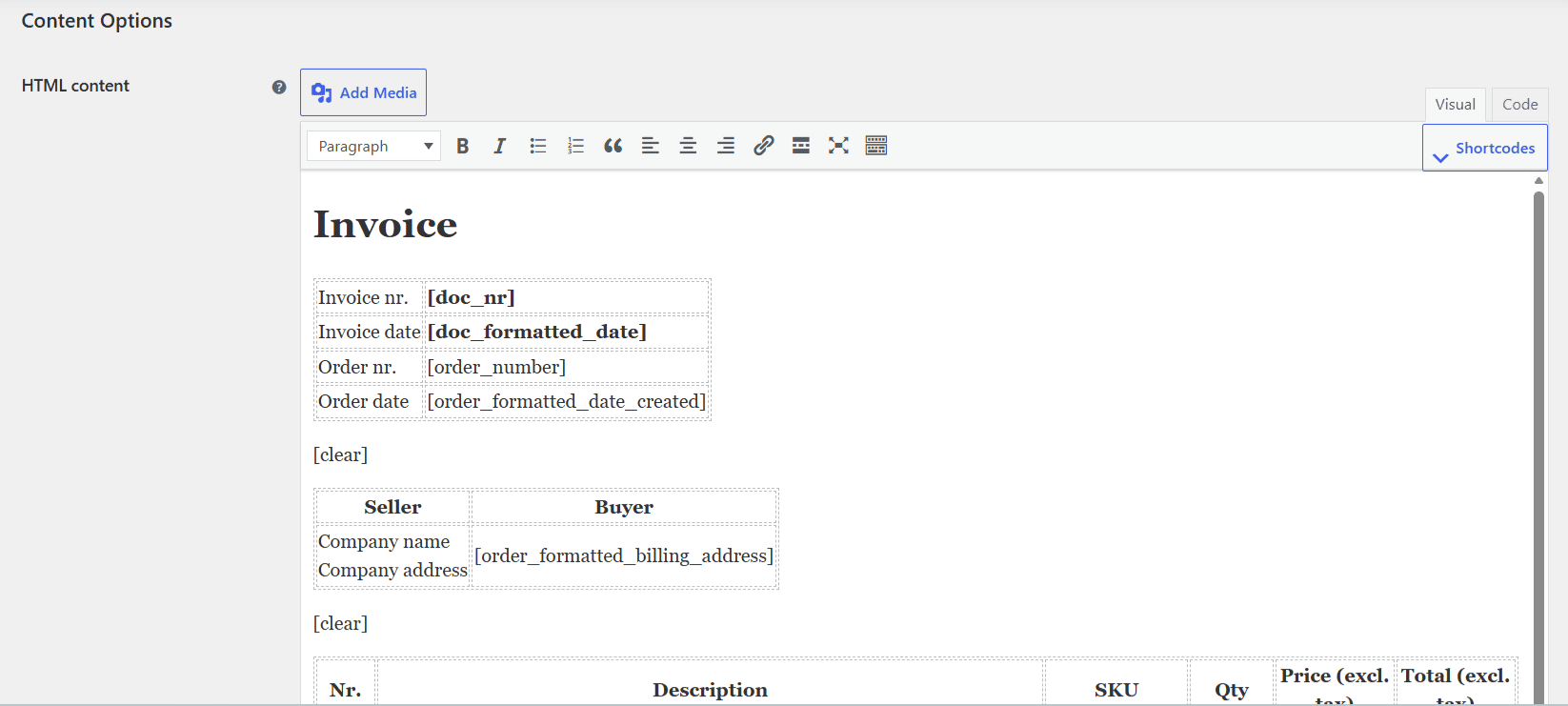
To add loops and conditions to PDF invoices in PDF Invoices & Packing Slips Generator for WooCommerce, edit the document’s HTML content field under WPFactory > PDF Invoicing. Wrap rows in [each_item] to loop over line items, use [each_refund] for refunds, and use [if] with value1, operator, and value2 to show content only when a test passes.
Edit these in the HTML content field of the document, under WPFactory > PDF Invoicing (also reachable at WooCommerce > Settings > PDF Invoicing).
Loop over line items #
Wrap a template row in [each_item] … [/each_item]. The item shortcodes inside resolve for each product on the order.
[each_item]
<tr>
  <td>[item_name]</td>
  <td>[item_qty]</td>
  <td>[item_total format="price"]</td>
</tr>
[/each_item]
Useful [each_item] attributes: type (comma-separated list of line_item, fee, shipping, tax, coupon; default line_item), product_id (limit to certain products), and before/after (markup added only when at least one item matches).
Loop over refunds #
Use [each_refund] … [/each_refund] with the refund shortcodes [refund_nr], [refund_total], and [refund_reason]:
[each_refund]
<p>Refund [refund_nr]: [refund_total format="price"] - [refund_reason]</p>
[/each_refund]
Show content conditionally #
The [if] shortcode compares two values and outputs its contents only when the test passes. It requires value1, operator, and value2. Use curly braces around nested shortcodes inside the attributes.
[if value1="{order_shipping_total}" operator="greater" value2="0"]
<p>Shipping: [order_shipping_total format="price"]</p>
[/if]
Supported operators: equal, not_equal, less, less_or_equal, greater, greater_or_equal.
Note: inside [if] attributes, write nested shortcodes with curly braces ({order_total}), which the plugin converts to square brackets before evaluating. Item shortcodes such as [item_name] only return a value inside an [each_item] loop.
Layout helpers #
[line]: a horizontal rule in the document’s line color.[clear]: an empty paragraph to add vertical space.[break]: a single line break.[page_break]: starts a new page.[paragraph]…[/paragraph]: wraps content in a paragraph.
Use cases #
- Show a “Shipping” line only when the order was shipped.
- List refunds on a credit note.
- Print a fees or taxes table by passing
typeto[each_item].
Get more control #
The template engine is free. PDF Invoices & Packing Slips Generator for WooCommerce Pro lets you build distinct templates for multiple document types. See what Pro unlocks.