This settings reference lists every option in Download Plugins and Themes in ZIP from Dashboard, with each option’s admin label, stored option key, type, default value and whether it is free or Pro. Use it as a lookup when configuring Download Plugins and Themes or when reading the values from code.
All settings live at WPFactory > Download plugins and Themes. A Settings link on the Plugins screen (under this plugin) opens the same page. Every option is stored in the database with the prefix alg_download_plugins_dashboard_, so the field id plugins_add_main_dir is stored as alg_download_plugins_dashboard_plugins_add_main_dir.
Directory #
| Label | Option key (without prefix) | Type | Default | Free/Pro |
|---|---|---|---|---|
| Add plugin directory | plugins_add_main_dir |
Yes / No | Yes | Free |
| Add theme directory | themes_add_main_dir |
Yes / No | Yes | Free |
Version #
| Label | Option key (without prefix) | Type | Default | Free/Pro |
|---|---|---|---|---|
| Append plugin version | plugins_append_version |
Yes / No | No | Free |
| Append theme version | themes_append_version |
Yes / No | No | Free |
| Version separator character | version_separator_char |
Text (1 character) | . |
Free |
Tools #
The Tools section holds the two free Download all buttons rather than saved options. The buttons trigger the alg_download_plugin_all and alg_download_theme_all download actions. This section also shows your current WordPress memory limits, which matter for large sites.
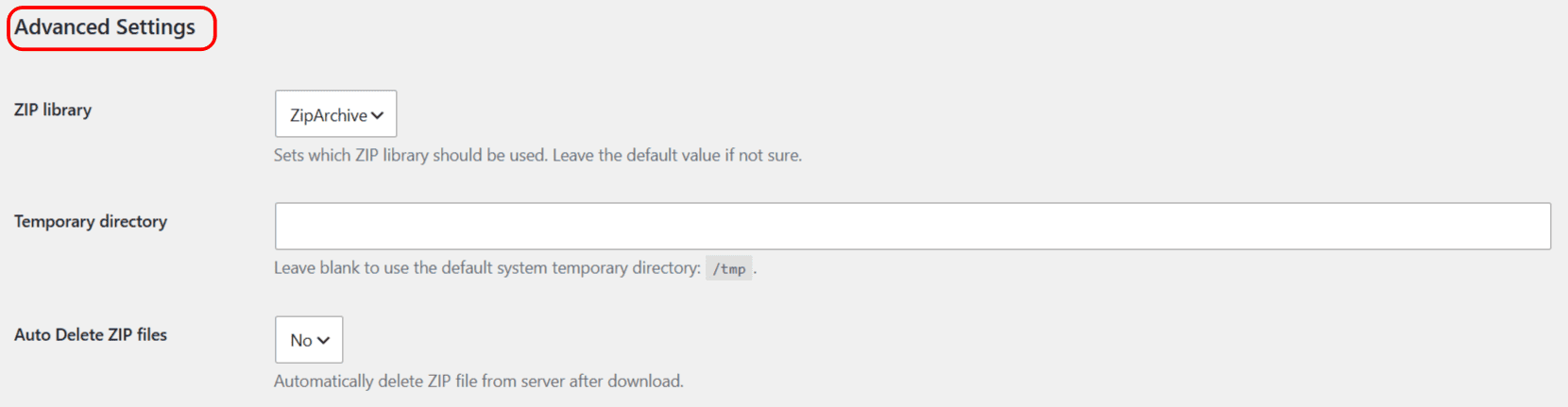
Advanced Settings #
| Label | Option key (without prefix) | Type | Default | Free/Pro |
|---|---|---|---|---|
| ZIP library | zip_library |
Select: ZipArchive / PclZip | ZipArchive (if available, otherwise PclZip) | Free |
| Temporary directory | temp_dir |
Text | Empty (system temp directory) | Free |
| Auto Delete ZIP files | delete_zip |
Yes / No | No | Pro |
Download plugin link (Pro) #
These options style the per-plugin download link on the Plugins screen. They are Pro only.
| Label | Option key (without prefix) | Type | Default | Free/Pro |
|---|---|---|---|---|
| Use custom color | download_plugin_btn_use_custom_color |
Yes / No | No | Pro |
| Custom color | download_plugin_btn_color |
Color | #2271b1 |
Pro |
| Font weight | download_plugin_btn_font_weight |
Text | 400 |
Pro |
| Text | download_plugin_btn_text |
Text | Download ZIP | Pro |
Periodical Downloads (Pro) #
These options drive scheduled downloads. They are Pro only. For a walkthrough, see How to schedule automatic plugin and theme downloads.
| Label | Option key (without prefix) | Type | Default | Free/Pro |
|---|---|---|---|---|
| Periodical plugins downloads | plugins_bulk_period |
Select (interval) | Do not download | Pro |
| Periodical themes downloads | themes_bulk_period |
Select (interval) | Do not download | Pro |
| Plugins downloads path | plugins_bulk_dir |
Text | uploads/plugins-archive |
Pro |
| Themes downloads path | themes_bulk_dir |
Text | uploads/themes-archive |
Pro |
| Append plugin date & time | plugins_append_date_time |
Yes / No | No | Pro |
| Append theme date & time | themes_append_date_time |
Yes / No | No | Pro |
| Plugins output file(s) | plugins_output_files |
Select: each / all / both | Each plugin’s zip | Pro |
| Themes output file(s) | themes_output_files |
Select: each / all / both | Each theme’s zip | Pro |
| Plugins single ZIP file name | plugins_single_zip_file_name |
Text | plugins |
Pro |
| Themes single ZIP file name | themes_single_zip_file_name |
Text | themes |
Pro |
Note: the period options for periodical downloads are: Do not download, once a minute, hourly, twice daily, daily, weekly, and every 4 weeks.
Get the Pro options #
The Directory, Version, Tools, ZIP library and Temporary directory settings are free. The Download plugin link styling, Auto Delete ZIP files and Periodical Downloads options are unlocked by Download Plugins and Themes in ZIP from Dashboard Pro. See what Pro unlocks.