To customize WooCommerce Add to Cart button labels, use Change Add to Cart Button Text for WooCommerce. It replaces the default “Add to cart” text with your own wording, and lets you target that wording as broadly or as narrowly as you need. This article is the map: what each section does, and where to go next.
Where the settings live #
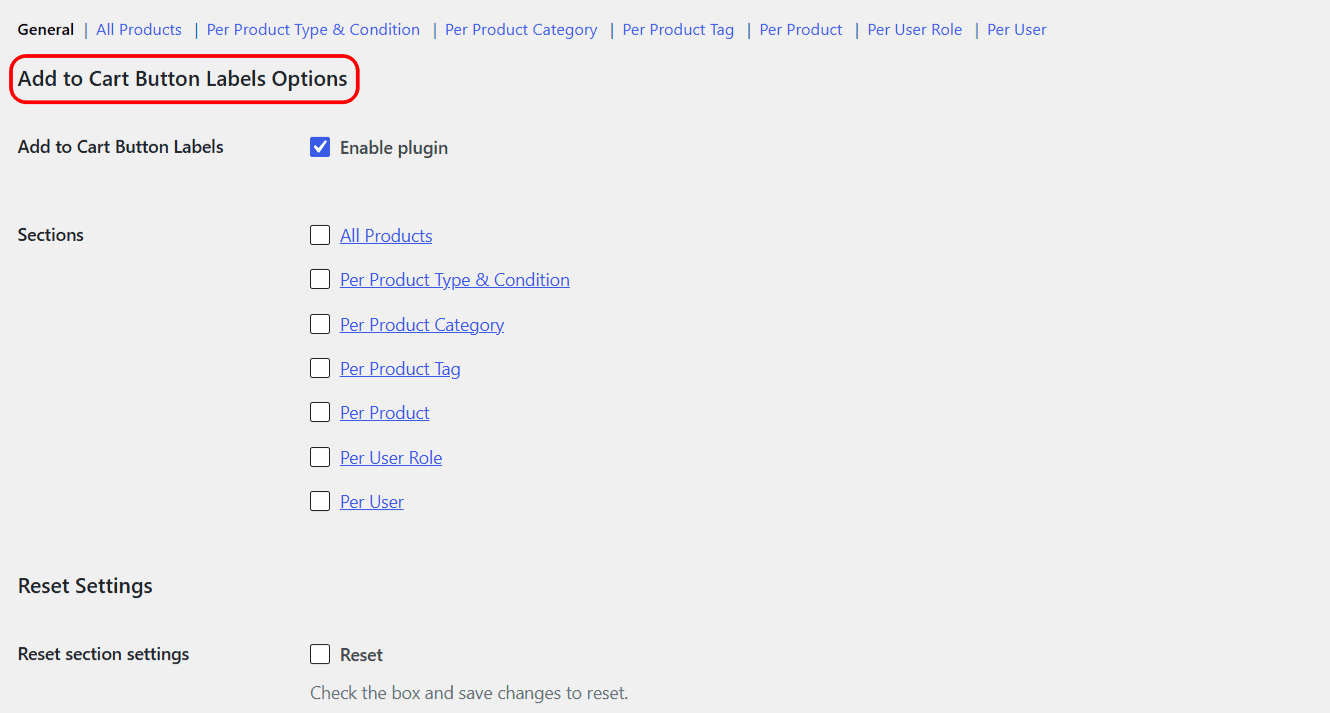
Go to WPFactory > Add to Cart Button Labels (also reachable at WooCommerce > Settings > Add to Cart Button Labels). The links across the top of the tab switch between sections. Each section has its own Enable section checkbox, so you turn on only the targeting you actually use.
The seven targeting sections #
| Section | What it sets the label for | Free/Pro |
|---|---|---|
| All Products | Every product at once, one label. | Free |
| Per Product Type & Condition | Simple, variable, external, grouped and other types, plus conditions like empty price, free product, already in cart. | Free (the “On sale” condition is Pro) |
| Per Product Category | Products in chosen categories. | Free (one group; more groups are Pro) |
| Per Product Tag | Products with chosen tags. | Free (one group; more groups are Pro) |
| Per Product | One individual product, set on its edit page. | Free |
| Per User Role | Visitors in chosen roles, including logged-out guests. | Free (one group; more groups are Pro) |
| Per User | Named individual users. | Free (one group; more groups are Pro) |
Which label wins #
You can enable several sections at once. They are applied in a fixed order, and the last section that matches the current product and visitor wins. The order runs from broad to specific: All Products, then Per Product Type & Condition, Per Product Category, Per Product Tag, Per Product, Per User Role, and finally Per User. So a Per User label overrides a Per Product label, which overrides an All Products label.
Dynamic labels with shortcodes #
Every label field accepts shortcodes, so you can drop the product title, price, stock or the customer name straight into the button text, for example Buy now for [alg_wc_atcbl_product_price]. The full list is in the shortcodes reference.
Resetting a section #
Each section has a Reset section settings checkbox at the bottom. Tick it and save to clear that section back to defaults.
Get more control #
Most of this is free. Change Add to Cart Button Text for WooCommerce Pro adds unlimited category, tag, user role and user groups, plus separate labels for on-sale products. See what Pro unlocks.