To stop customers from checking out until their cart meets your order limits, use the checkout options in Order Minimum/Maximum Amount Limits for WooCommerce. Order Min/Max Amount can block the checkout page, block the order from being placed, or grey out the “Proceed to checkout” button. This guide covers each real option on the General tab.
Where these options live #
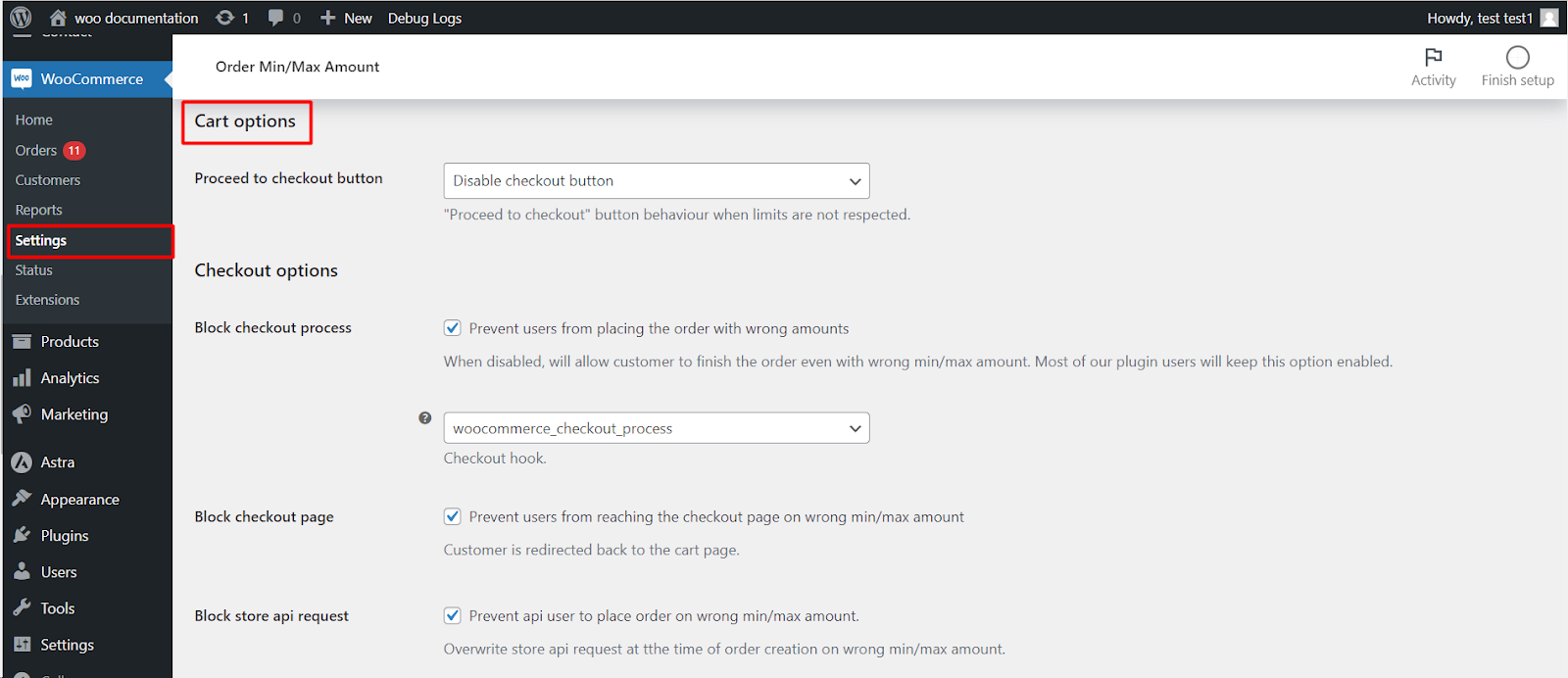
Go to WPFactory > Order Min/Max (also reachable at WooCommerce > Settings > Order Min/Max Amount) and open the General tab. The Checkout options group holds the settings below.
| Label | Option ID | Default | What it does |
|---|---|---|---|
| Block checkout page | alg_wc_oma_block_checkout |
No | Redirects the customer away from the checkout page while the limits are not met. |
| Block checkout process | alg_wc_oma_block_checkout_process |
Yes | Stops the order from being placed if the cart still breaks a limit. |
| Block checkout hook | alg_wc_oma_block_checkout_hook |
woocommerce_checkout_process |
Which WooCommerce hook the block runs on. Switch to woocommerce_after_checkout_validation if your theme needs it. |
| Disable proceed to checkout button | alg_wc_oma_disable_block_checkout_btn |
Do not disable | Set to Disable checkout button to grey out the cart’s “Proceed to checkout” button when a limit is broken. |
| Cart block notices | alg_wc_oma_cart_block_notices_as_errors |
No | Shows cart block messages as WooCommerce errors rather than plain notices. |
Recommended setup #
- Leave Block checkout process on, so an order that breaks a limit can never be placed.
- Turn on Block checkout page if you also want to keep customers on the cart page until they fix the order.
- Optionally set Disable proceed to checkout button to Disable checkout button for a clear visual cue.
- Click Save changes.
Note: if you use the Pro Fees feature to let customers pay their way past a limit instead of being blocked, turn Block checkout process off, or the order will still be stopped.
Need a hand? #
Our team answers every ticket on the Order Min/Max Amount support forum.