Table of Contents
The Pro version of Custom Checkout Fields for WooCommerce lifts the free version’s single-field limit so you can build a complete checkout form. This page explains what Pro unlocks and how to use it.
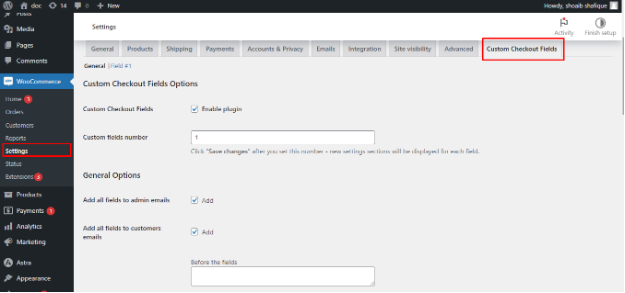
The one thing Pro changes #
In the free version, the Custom fields number setting on the General tab is locked to 1. Pro makes it editable, with a range of 1 to 100. Set the number, click Save changes, and a new Field #2, Field #3, and so on tab appears, each with the same full set of options as Field #1.
Every field keeps the full option set #
There is no reduced “extra field” here. Each of your up to 100 fields supports:
- Any of the 19 field types, including datepicker, timepicker, select, multiselect, radio, country, and state.
- Placement in the Billing, Shipping, Account, or Order notes section with a priority.
- Visibility rules by category, tag, product, user role, cart amount, shipping class, country, or another field’s value.
- A fixed or percent fee triggered when the field is filled in.
- Input limits, styling classes, and prepopulate-from-account behavior.
Set it up #
- Go to WPFactory > Custom Checkout Fields (also reachable at WooCommerce > Settings > Custom Checkout Fields).
- On the General tab, set Custom fields number to how many fields you need.
- Click Save changes. New field tabs appear.
- Configure each new field on its own tab.
Typical uses for multiple fields #
- A delivery date field plus a delivery time field plus a “leave at door” checkbox.
- Separate billing and shipping instructions.
- Several optional paid add-ons, each with its own fee.
Ready to build your checkout form? #
Upgrading to Custom Checkout Fields Pro unlocks up to 100 fields, each with the complete option set. Get Custom Checkout Fields Pro.