Each field in Custom Checkout Fields for WooCommerce can add a fee to the cart total when the customer fills it in. This is useful for optional paid services such as gift wrapping, express handling, or engraving. This guide covers the Fee Options group.
How the fee triggers #
The fee is added whenever the field’s value is not empty at checkout. For a checkbox, that means the box is ticked; for a text or select field, that means the customer entered or chose something. If the field is left empty, no fee is added. A fee value of 0 is ignored.
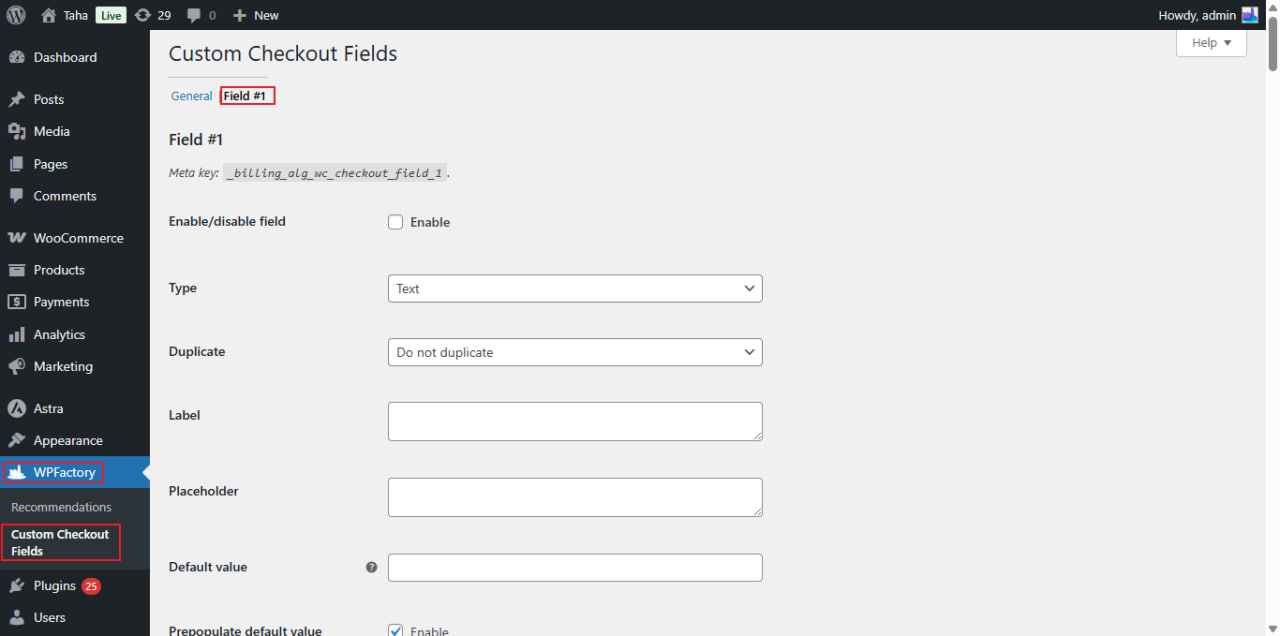
Open the Fee Options #
- Go to WPFactory > Custom Checkout Fields (also reachable at WooCommerce > Settings > Custom Checkout Fields).
- Open the field tab you want to attach a fee to, and scroll to Fee Options.
Options reference #
| Label | Option ID | Default |
|---|---|---|
| Fee value | alg_wc_ccf_fee_value_1 |
0 |
| Fee type | alg_wc_ccf_fee_type_1 |
Fixed |
| Percent fee: Cart total | alg_wc_ccf_fee_percent_total_1 |
Subtotal after discounts |
| Add shipping cost to cart total | alg_wc_ccf_fee_percent_shipping_1 |
No |
| Fee title | alg_wc_ccf_fee_title_1 |
Empty |
| Is fee taxable | alg_wc_ccf_fee_taxable_1 |
Yes |
Fixed vs percent fees #
- Fixed: a flat amount in your store currency. It can be positive (a surcharge) or negative (a discount).
- Percent: a percentage of the cart. When you choose Percent, use Percent fee: Cart total to pick the base:
- Subtotal before discounts calculates against the cart subtotal.
- Subtotal after discounts calculates against the discounted subtotal.
Enable Add shipping cost to cart total to include shipping in the base amount.
Notes #
- Fee title is the label shown on the cart and checkout totals next to the fee. Keep it clear, for example “Gift wrapping”.
- Combine a fee with a checkbox field for a simple opt-in charge, or with a Select field to offer tiered options.
Get more fields #
You can attach a fee to your single free field. Custom Checkout Fields for WooCommerce Pro lets you run up to 100 fields, each with its own fee, so you can offer several paid add-ons at checkout. Get Custom Checkout Fields Pro.