Slugs Manager: Delete Old Permalinks from WordPress Database finds the old slugs WordPress stores each time you change a post’s URL and lets you remove them in bulk, with Pro adding automatic clean ups and slug regeneration. Everything is on one page at WPFactory > Slugs Manager; there is no WooCommerce settings tab.
What Slugs Manager does #
A slug is the last part of a URL that points to a post or page. When you rename a post or edit its permalink, WordPress keeps the previous slug as an _wp_old_slug record so it can redirect the old URL to the new one. These records pile up over time and can block you from reusing a slug. Slugs Manager lists every _wp_old_slug record, for all post types, and removes the ones you choose.
Slugs Manager works on post-level old slugs only. It does not read or delete old category or tag slugs (_wp_old_term_slug).
Install and activate #
- Free: in Plugins > Add New, search for Slugs Manager, then click Install Now and Activate.
- Pro: download the Pro zip from your WPFactory account, go to Plugins > Add New > Upload Plugin, choose the zip, click Install Now and activate it. Pro is a complete plugin: when it is active, the free copy stops loading, so you can deactivate and delete the free version.
Only administrators (users with the manage_options capability) can open the page. For more detail, see How to Install Slugs Manager.
First setup: remove old slugs #
There is nothing to configure before your first clean up.
- Back up your database.
- Go to WPFactory > Slugs Manager.
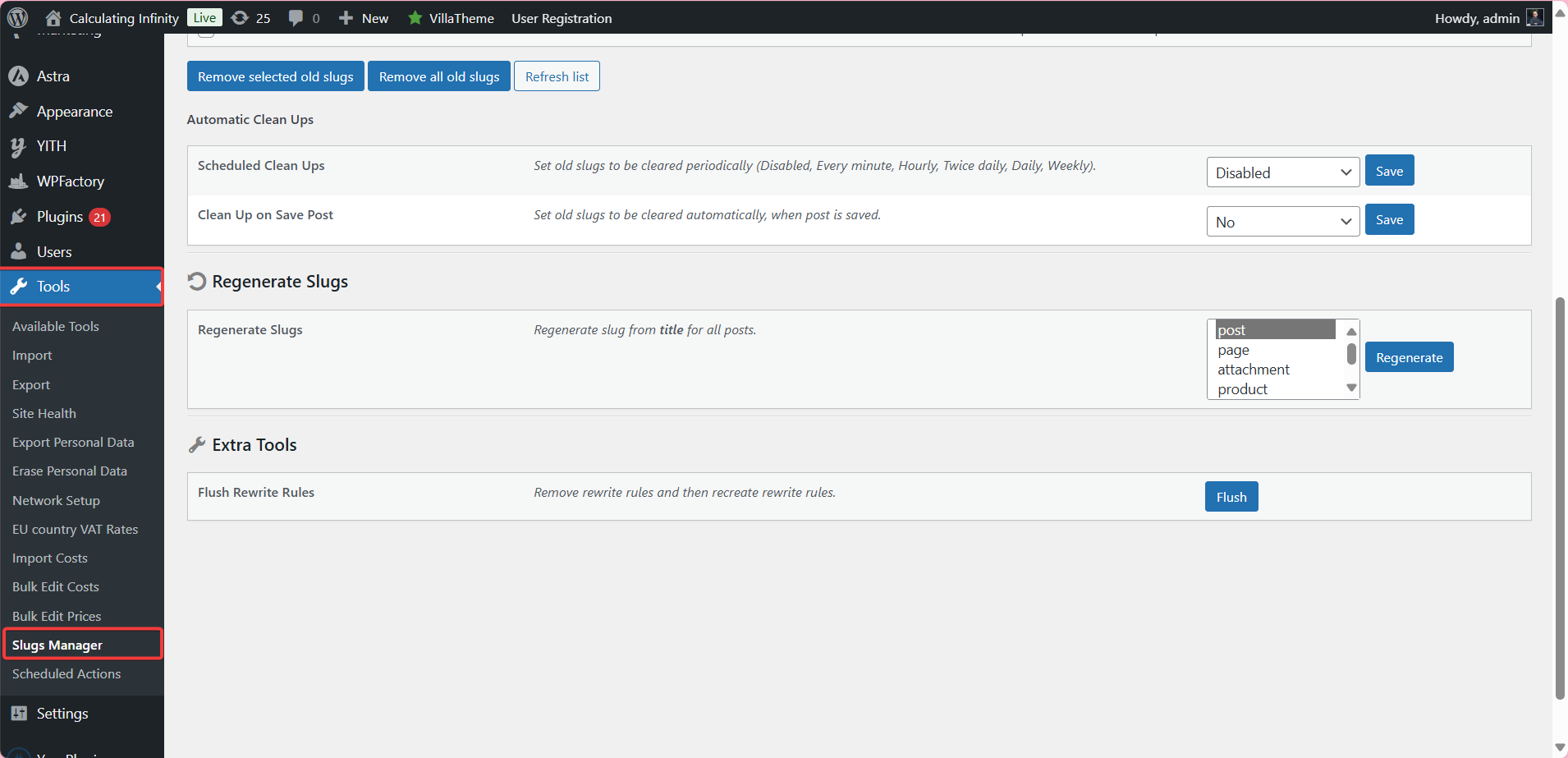
- Review the Old Slugs table. It shows Old Slug, Post ID, Post Title, Post Type and Current Slug for each record, with a count of how many were found.
- Tick the rows you want to delete and click Remove selected old slugs, or click Remove all old slugs to clear every record. Confirm the Are you sure? prompt.
- Click Refresh list to rescan the database. When nothing is left, the page shows No old slugs found in database.
Note: _wp_old_slug records are what let WordPress send an old URL to its current one. After you remove them, old URLs can return 404 errors. If an old URL still gets traffic, set up a 301 redirect with a redirect tool before you clean up.
Main features #
Old Slugs table (free) #
Scan, review and delete old slugs selectively or all at once, as shown above. If the table is empty when you expect results, see Slugs Manager Shows “No Slugs Found” – How to Fix.
Flush Rewrite Rules (free) #
Under Extra Tools, the Flush button removes and recreates WordPress rewrite rules, which fixes many permalink 404s after URL changes. See How to Flush WordPress Rewrite Rules.
Automatic Clean Ups (Pro) #
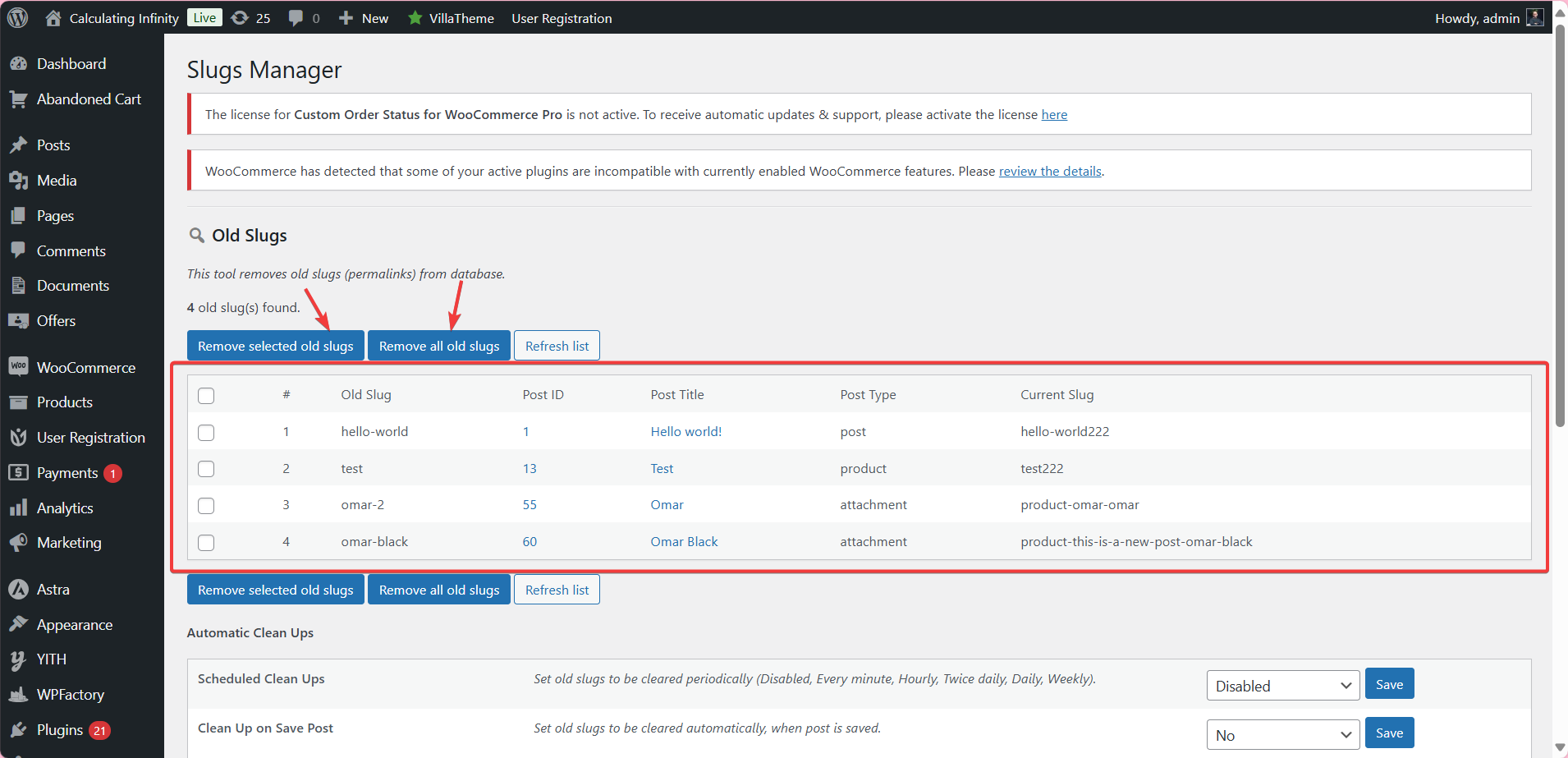
Scheduled Clean Ups clears old slugs on a schedule (Disabled by default; Every minute, Hourly, Twice daily, Daily or Weekly). Clean Up on Save Post (default No) clears a post’s old slugs each time it is saved. See Automatically Delete Old Slugs.

Regenerate Slugs (Pro) #
Rebuilds the current slug of every post in the post types you select (default post) from its title. It does not touch stored old slugs, and there is no undo. See How to Regenerate WordPress Slugs from Post Titles.
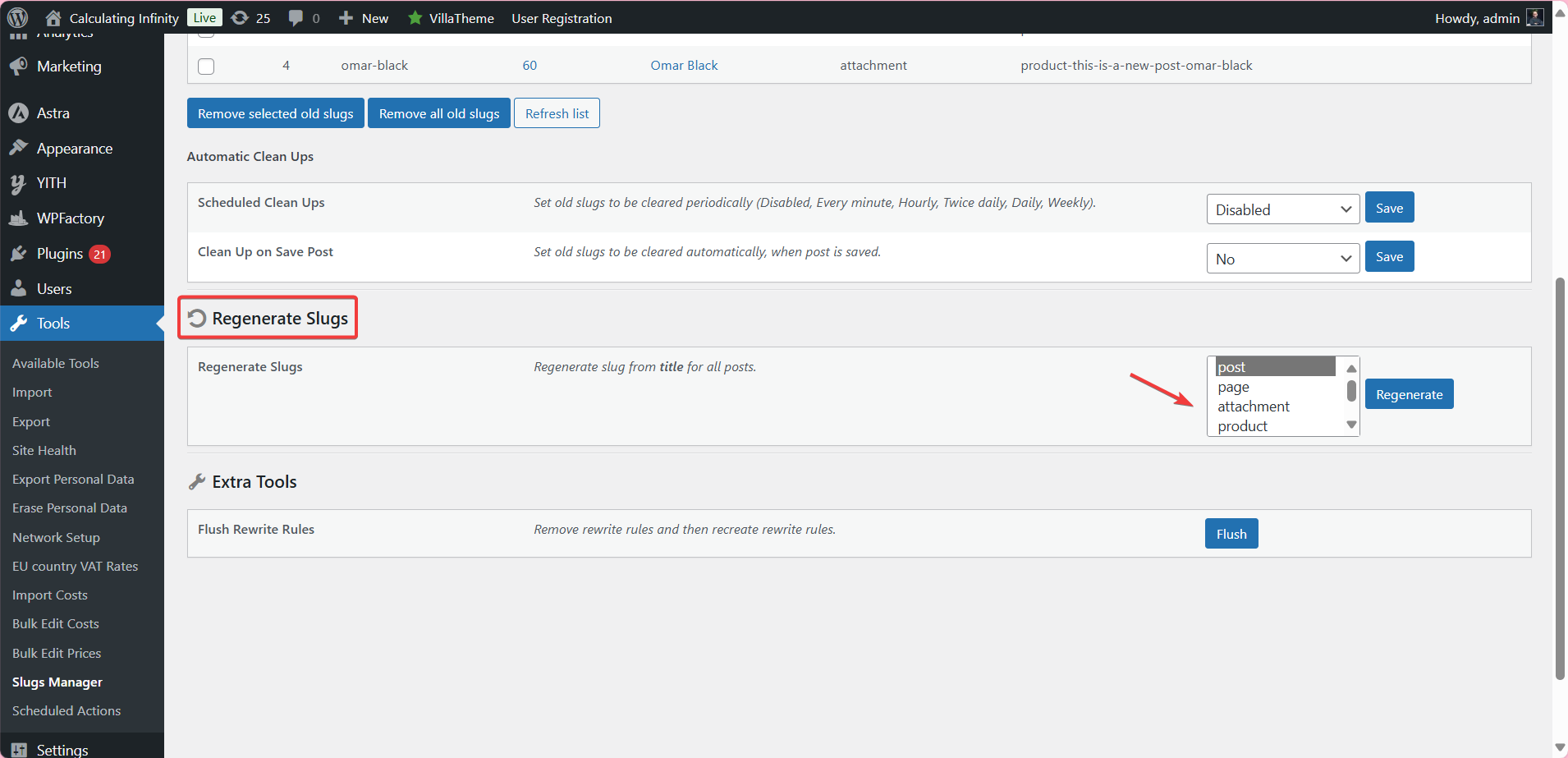
For every option on the page, see the Slugs Manager Settings and Options Reference. Developers can find the cron event and API in the Slugs Manager Developer Reference.
Free vs Pro #
| Feature | Free | Pro |
|---|---|---|
| Old Slugs table: remove selected, remove all, refresh | Yes | Yes |
| Extra Tools: Flush Rewrite Rules | Yes | Yes |
| Scheduled Clean Ups | No | Yes |
| Clean Up on Save Post | No | Yes |
| Regenerate Slugs | No | Yes |
FAQ #
Will removing old slugs break my old links? #
It can. WordPress uses _wp_old_slug to redirect an old post URL to the current one. Once the record is deleted, that old URL may return a 404. Add 301 redirects for any old URLs that still get visits before you clean up.
Does Slugs Manager remove old category or tag slugs? #
No. It only reads and deletes the post-level _wp_old_slug key. Old term slugs are stored under a different key and are not touched. See Does Slugs Manager Handle Taxonomy Slugs?.
Can I limit the Old Slugs table to one post type? #
No. The scan returns every old slug record for all post types. You choose which rows to delete by ticking them. The post type selector on the page belongs to Regenerate Slugs only.
Scheduled Clean Ups is set but nothing happens. Why? #
Scheduled Clean Ups runs through WP-Cron. If DISABLE_WP_CRON is set to true in wp-config.php, Slugs Manager shows a warning that the schedule will not work. Remove the constant or trigger WP-Cron from a server cron job.
Can I undo a clean up or a slug regeneration? #
No. Both actions change the database directly, which is why each one asks for confirmation. Restore from your database backup if you need to reverse them.
Get more control #
Scanning and removing old slugs is free. Slugs Manager: Delete Old Permalinks from WordPress Database Pro adds scheduled clean ups, clean up on save post and slug regeneration from titles. See what Pro unlocks.
Need a hand? Our team answers every ticket on the Slugs Manager support forum.