Table of Contents
This is the complete list of settings for Variation Swatches for WooCommerce – Color & Image Swatches, with each option’s exact ID, type, default, and free or Pro status. All of them live on one screen at WooCommerce > Settings > Variation swatches.
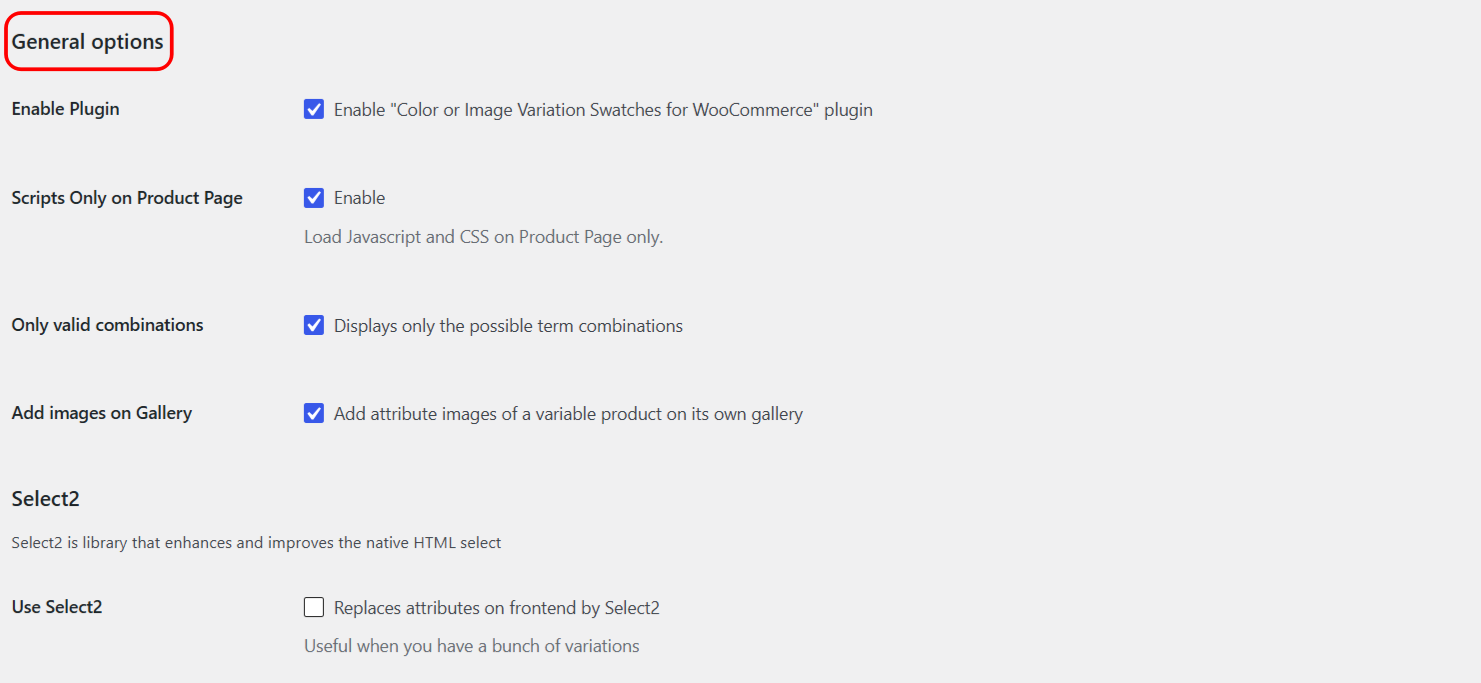
General options #
| Label | Option ID | Type | Default | Free/Pro |
|---|---|---|---|---|
| Enable Plugin | alg_wc_civs_enable |
Checkbox | Yes | Free |
| Scripts Only on Product Page | alg_wc_civs_scripts_on_product_page |
Checkbox | Yes | Free |
| Only valid combinations | alg_wc_civs_possible_combinations |
Checkbox | Yes | Pro |
| Add images on Gallery | alg_wc_civs_add_images_on_gal |
Checkbox | Yes | Pro |
Select2 section #
| Label | Option ID | Type | Default | Free/Pro |
|---|---|---|---|---|
| Use Select2 | alg_wc_civs_use_select_2 |
Checkbox | No | Pro |
| Load Select2 | alg_wc_civs_enqueue_select_2 |
Checkbox | Yes | Pro |
Term-level fields (per attribute value) #
These are not on the settings screen. They appear on each attribute term under Products > Attributes > Configure terms, and only when the attribute type calls for them.
| Attribute type | Field | Term meta key |
|---|---|---|
| Color | Color picker | alg_wc_civs_term_color_color |
| Image | Image uploader | alg_wc_civs_term_image_image_id |
| Label | Text field | alg_wc_civs_term_label_label |
Related guides #
- Variation Swatches general options and Pro settings
- Developer reference: hooks, meta keys and CSS classes
Get the Pro options #
The two General options are free; the Select2 pair, Only valid combinations, and Add images on Gallery are Pro. See what Variation Swatches Pro unlocks.