5 Top WooCommerce Plugins to Customize Customer Accounts in 2026

Quick answer: WooCommerce’s My Account page has fixed tabs and layout. To add or reorder tabs, change the design or show custom content, use a My Account customization plugin. The options below are Customize My Account for WooCommerce by ThemeGrill, YITH WooCommerce Customize My Account Page, WooCommerce Customize My Account Pro, and User Notes by UsersInsights.
Bring your WooCommerce experience to new heights with the ultimate customization powerhouse! Introducing the Best Customize My Account for WooCommerce Plugins, specially designed to revolutionize your online store’s user experience.
There are countless ways to customize your online store, but these plugin stands out as the best solution for customization, transforming boring accounts into personalized stores according to your specifications.
Did you know that most people, about 9 out of 10, prefer shopping where things feel personalized? Businesses that use this kind of personal touch can sell up to 20% more – it is like having a shop that knows exactly what you want before you even say it!
These plugins aren’t complicated. It is like having a super helpful friend while you shop online. It fixes up your account to suit you, gives suggestions based on what you like, and even says hi using your name when you log in. It is all about making your online shopping awesome and making sure you want to come back for more.
1. Customize My Account for WooCommerce by ThemeGrill
Next is Customize My Account for WooCommerce – a powerful plugin that empowers you to personalize and enhance the My Account page within your WooCommerce store. Developed by the renowned WordPress theme developer ThemeGrill, this plugin offers a comprehensive suite of features that cater to diverse customization needs.
- The plugin has a built-in Dashicon picker that allows you to use Dashicons for WooCommerce My Account Endpoints.
- The plugin has a user-friendly design editor tool that allows you to customize the look and feel of the account page without any coding knowledge.
- You can change the font, font size, color, background color, image, border, padding, margin, and more of the account page.
- You can change the labels of endpoints, add icons to them, and display custom content (text, media, or a form) on them.
- You can set groups to show by default, which will make the group menu open on the page load.
- You can add, remove, and reorder links, endpoints, and group endpoints.
2. WordPress User Notes by UsersInsights

The WordPress User Notes by Users Insights provides a convenient way to manage and share internal information about your WordPress users. It allows you to add custom notes to individual user profiles, enabling you to keep track of important details, preferences, interactions, and other relevant information.
- Note down individual user preferences, settings, or customizations to provide better-tailored experiences.
- Easily filter and search through User Notes using various criteria, such as user roles, dates, keywords, or custom filters you define. This streamlines the process of finding specific notes or retrieving information from a large collection.
- Identify and analyze the behavior, interactions, and preferences of users through comprehensive reports on user notes. In addition to being able to export these reports to CSV files, they can be used for further analysis and record keeping.
- Access geolocation data associated with user logins, allowing you to track user activity from different geographical locations. You can use this information to tailor content and services based on user demographics.
- Create and manage custom user fields to capture additional information beyond the default WordPress user profile. This flexibility enables you to gather specific data relevant to your project or business needs.
3. YITH WooCommerce Customize My Account Page
The second last is YITH WooCommerce Customize My Account Page – a powerful plugin that empowers you to transform the default “My Account” page into a personalized and engaging hub for your customers. With this versatile tool, you can effortlessly modify the layout, add custom sections, and incorporate a variety of rich content, including texts, images, videos, downloadable files, and discount codes.
- By using the drag-and-drop interface of this plugin, you can easily create customized account pages. You can add, remove, and rearrange different sections on the My Account page, such as the order history, download links, and account details.
- You can customize the look and feel of your custom account pages using a variety of options. If you want to match your brand or website, you can change the colors, fonts, and layouts.
- Certain user roles can be restricted access to your custom account pages. In this way, sensitive information, such as account information or order history, can be protected.
- This plugin integrates with a variety of other plugins, such as WooCommerce Subscriptions and WooCommerce Membership. This allows you to create custom account pages that are specific to these plugins.
4. WooCommerce Customize My Account Pro By Sysbasics
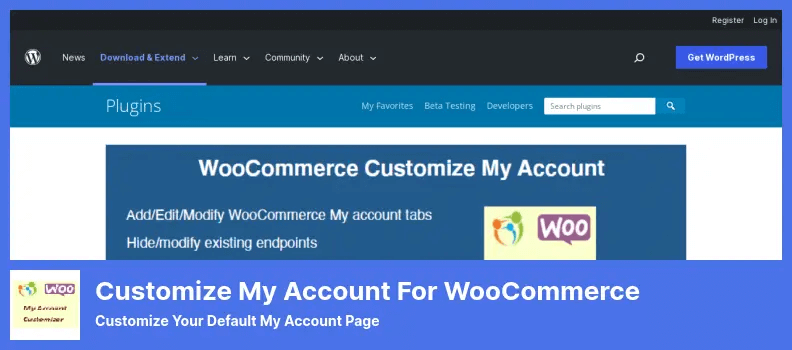
Our last choice is WooCommerce Customize My Account Pro by SysBasics. Users can reorder, hide, and modify existing endpoints with ease using a drag-and-drop interface. You can also add new endpoints, create endpoint groups, and reorder them as needed.
- It allows you to hide any of the core WooCommerce endpoints, such as the Orders, Downloads, and Addresses endpoints. The purpose of this is to hide endpoints that you don’t want your customers to see.
- It provides the ability to edit the endpoint keys for your custom endpoints to make them compatible with third-party plugins.
- With Elementor, a popular drag-and-drop page builder for WordPress, you can create custom endpoint templates.
- You can use it to show the user’s avatar on their My Account page. This can help to personalize the experience for your customers.
Final Words
Choosing the best “Customize My Account” plugin for your WooCommerce store depends on what you need and what works best for you. There are a few popular ones like “Customize My Account for WooCommerce by Wp-Factory”, “YITH WooCommerce Customize My Account Page,” and “WooCommerce Account Pages.”
The most important things to think about are what features you want, how easy it is to use if it works well with your other tools if there is good support available if you need help, and what other people say about it in their reviews.