WooCommerce Minimum Order Quantity vs Amount (+Free Tool)

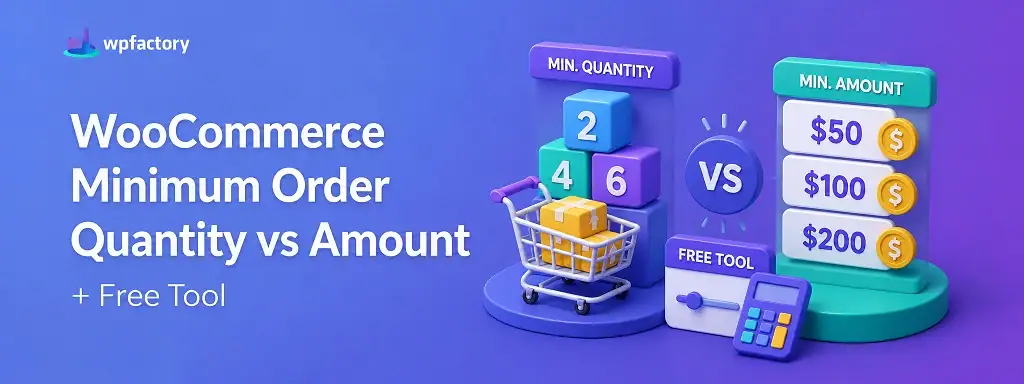
Quick Answer: Minimum Order Quantity vs Minimum Order Amount
A WooCommerce minimum order quantity sets how many units a customer must buy, counted in items. A minimum order amount sets how much the cart must total, counted in money. They sound like two names for the same rule, and the fastest way to tell which your store needs is the free picker tool further down, but the short version is this:
- Minimum order quantity → works at the product level, on the number of units (handled by a Quantity Manager plugin).
- Minimum order amount → works at the cart level, on the total value (handled by an Order Min/Max Amount plugin).
Pick the wrong one and the exact orders you meant to block slide straight through to checkout. The decision tool and downloadable cheat-sheet below settle it for your specific store.
Two store owners hit the same wall on the same day.
The first keeps getting orders for two units of a product that only makes sense to pack and ship in sixes. The second keeps getting $12 orders that cost more to fulfil than they bring in.
Both reach for “a minimum order rule.” Both install a plugin. One of them fixes the problem in two minutes. The other spends a week wondering why nothing changed.
The difference was never the plugin. It was knowing whether the problem was about units or about value, because a WooCommerce minimum order quantity and a minimum order amount solve two different halves of that sentence.
This guide draws the line clearly, shows you which side your store sits on, and walks through setting up either one.
What a WooCommerce Minimum Order Quantity Actually Does
A minimum order quantity is a floor on the number of units. It says: “you cannot buy fewer than X of this item.”
It lives on the product. Set a minimum order quantity of 6 on a bag of coffee, and a shopper who tries to check out with 3 is stopped and told to add more.
This is unit thinking. It does not care what the cart is worth. Six units at $2 or six units at $200, the rule is satisfied either way, because it counts items and nothing else.
That makes a WooCommerce minimum order quantity the right tool when your constraint is physical or packaging based: case packs, print runs, wholesale carton sizes, anything measured in “how many.”
What a Minimum Order Amount Actually Does
A minimum order amount is a floor on money. It says: “your cart cannot total less than X before you check out.”
It lives on the whole cart, not on any single product. Set a minimum order amount of $100, and a shopper sitting at $80 is told they need $20 more, no matter how those items are split.
This is value thinking. It does not care how many units are involved. One expensive item or twenty cheap ones, the rule only asks whether the total clears the line.
That makes a minimum order amount the right tool when your constraint is economic: fulfilment cost, shipping viability, or a spend threshold you set for wholesale accounts.
Minimum Order Quantity vs Minimum Order Amount: The Core Difference
Here is the whole distinction in one line, quantity counts units, qmount counts money, quantity sits on the product, amount sits on the cart.
Read the comparison below with your own store in mind. The row that makes you think “that’s exactly my problem” is pointing you at the rule you need.
| Question | Minimum Order Quantity | Minimum Order Amount |
|---|---|---|
| What does it count? | Units (items) | Money (cart total) |
| Where does it apply? | Per product | Whole cart |
| Typical trigger | “Sell only in packs of 6” | “No orders under $100” |
| Best for | Packaging, case packs, print runs | Fulfilment cost, shipping viability |
| Ignores… | Cart value | Unit count |
| WPFactory plugin | Quantity Manager | Order Min/Max Amount |
One caution worth flagging: these two rules are not rivals. Plenty of stores need both at once, and setting one does nothing to enforce the other. More on that once you have seen each in action.
Free download: Minimum Order Quantity vs Minimum Order Amount Cheat-Sheet (PDF)
A one-page decision guide you can keep beside you while you configure your store. Two columns, real scenarios, and the exact rule to reach for in each case.
A Worked Example: Same Store, Two Different Rules
Numbers make the split obvious. Picture a store selling candles, sold individually at $8 each, and packed in boxes of 6.
The owner has two separate worries. Tiny orders that are not worth packing, and broken boxes that waste packaging. Watch how each rule handles a set of incoming carts.
| Cart | Units | Total | Min qty = 6? | Min amount = $60? |
|---|---|---|---|---|
| A | 3 candles | $24 | Blocked | Blocked |
| B | 6 candles | $48 | Allowed | Blocked |
| C | 8 candles | $64 | Allowed | Allowed |
Look at cart B. The quantity rule waves it through because six units clear the bar, while the amount rule stops it because $48 falls short of $60.
That single row is the whole lesson. A WooCommerce minimum order quantity and a minimum order amount can disagree about the very same cart, which is why choosing the one that matches your actual worry matters so much.
Need to enforce a minimum order quantity per product?
Set minimums, maximums, and pack-size steps on any product, category, or your whole catalog with WooCommerce Quantity Manager. Used by 10,000+ stores and rated 5.0 stars. If your goal is a spend floor instead, that job belongs to Order Min/Max Amount Limits.
Which One Does Your Store Need?
If you can describe your problem out loud, you can pick the rule. The test is the noun at the end of your sentence.
“I need customers to buy at least six” ends in a count, so that is a minimum order quantity. “I need orders to be worth at least a hundred” ends in a value, so that is a minimum order amount.
Try it with your own store using the helper below. Pick the statement that sounds like you, and it names the rule and the plugin to reach for.
How to Set a Minimum Order Quantity in WooCommerce
WooCommerce has no native setting for this, so you will use Quantity Manager. The flow is quick.
Install and activate the plugin, then open the WPFactory → Quantity menu and switch on the Minimum Quantity tab.
Set your value under “All Products” to cover the whole catalog, or open a single product and set it there for a per-product rule. If you sell in packs, set the Step tab to the same number so partial packs become impossible.
Save, and the rule is live. A shopper below the minimum now sees a prompt instead of a checkout button. For a deeper walkthrough, see our guide on how to force a minimum order quantity in WooCommerce.
→ How to Set Min & Max Quantity in WooCommerce
How to Set a Minimum Order Amount in WooCommerce
This one runs through Order Min/Max Amount, and it lives in a different place.
Install and activate, then go to WooCommerce → Settings → Order Min/Max Amount. Enable the plugin, choose “minimum” as the limit type, and pick “sum” as the amount type.
Enter your floor, say $100, then use the Message tab to write what customers see and where. Save, and any cart under the line is held back until it clears.
For the full set of options, our guide on limiting order minimum and maximum amounts covers the advanced cases.
When You Actually Need Both
Some stores are not choosing between the two rules at all. They need each one guarding a different gap.
A wholesale coffee roaster is the classic case. Beans have to move in 5 kg increments, which is a minimum order quantity, and every order has to clear $250 to be worth roasting and shipping, which is a minimum order amount.
Neither rule can do the other’s job. The quantity rule never checks the total, and the amount rule never checks pack sizes. Run both plugins together and each covers its own blind spot.
If your store has both a packaging constraint and an economic one, treat them as two separate setups rather than hunting for a single switch that does everything.
Common Scenarios by Store Type
Where each rule earns its keep, at a glance:
- Wholesale and B2B: often both, a per-unit floor plus a minimum spend, split by user role.
- Grocery and bulk goods: minimum order amount, since delivery only pays off above a threshold.
- Print and packaging: minimum order quantity with a step, matching production runs.
- Handmade and small-batch: minimum order quantity to avoid unpacking effort on tiny orders.
- High-ticket single items: usually neither, or a light minimum order amount for accessories.
Related Resources
Go deeper on either side of the rule with these guides:
- WooCommerce Quantity Rules: The Complete Guide
- WooCommerce Minimum Order Quantity: Set It Per Product, Category or Cart
- WooCommerce Minimum Order Amount for Better Profit Margins
- How to Set a Minimum Order Amount by Category in WooCommerce
Set the right WooCommerce minimum order quantity or amount today
Reach for Quantity Manager when the rule is about units, and Order Min/Max Amount Limits when it is about cart value. Running a wholesale store? Use both side by side.
Every WPFactory plugin ships with a 14-day money-back guarantee, so you can set your rules, watch the wrong orders stop, and decide with nothing at risk.
Frequently Asked Questions
What is the difference between minimum order quantity and minimum order amount in WooCommerce?
A minimum order quantity limits the number of units of a product a customer must buy, and it applies per product. A minimum order amount limits the total value of the cart before checkout, and it applies to the whole order. One counts items, the other counts money.
Does WooCommerce have a built-in minimum order quantity?
No. Core WooCommerce accepts any quantity from 1 upward and offers no native minimum. To set a WooCommerce minimum order quantity you need a plugin such as Quantity Manager. Quantity rules also underpin promotions like a WooCommerce BOGO offer.
Can I use both a minimum order quantity and a minimum order amount together?
Yes, and many wholesale stores do. The two rules are independent, so you set the per-unit floor in Quantity Manager and the spend floor in Order Min/Max Amount, and each enforces its own condition.
Which rule should I use to stop unprofitable small orders?
Usually a minimum order amount, because profitability is about cart value rather than unit count. If the problem is specifically about packaging or pack sizes, a minimum order quantity is the better fit.
How do I set a minimum order quantity per product rather than for the whole store?
Open the individual product in Quantity Manager and set the minimum there instead of under “All Products.” That applies the rule to that product alone and leaves the rest of your catalog untouched.
Can I set a minimum order amount by user role?
Yes. Order Min/Max Amount lets you assign different minimums to different roles, so wholesale accounts can face a spend floor that retail customers never see.