5 Best WooCommerce Conversion Optimization Plugins to Boost Sales

Quick answer: Conversion optimization plugins fix specific leaks in the buying journey: upsell and cross-sell popups, abandoned cart recovery, discount rules, conditional payment methods and wishlists. The five below are compared in a table, followed by A/B testing and heatmap tools to measure what works.
Imagine that you fill a bucket with water, but it has a hole. All the water will leak out no matter how much you fill it, right?
The same thing applies to your store. No matter how many visitors come, if your store has certain problems, your cash will remain empty.
Imagine that you fill a bucket with water, but it has a hole; no matter how much water you pour in, it keeps leaking out.
The same thing happens to your store. If you attract thousands of visitors to your store, and your traffic grows month after month, but your store has friction points, these visitors will keep slipping away without buying.
So, it doesn’t matter how much traffic you get, because it doesn’t bring any sales as long as the leaks exist in your store.
Therefore, this is where WooCommerce conversion optimization plugins come in to help you solve problems at every stage of the customer’s journey on your store. So, in this article, we will explore the best WooCommerce conversion optimization plugins that help you improve conversion rate, average order value (AOV), and recover lost sales.
What Are WooCommerce Conversion Optimization Plugins
WooCommerce Conversion Optimization plugins are additional tools designed to help store owners convert visitors into buyers by modifying, improving, and removing obstacles customers may encounter throughout their shopping journey.
These plugins don’t solve just one specific problem; instead, each plugin targets a specific issue or stage in the customer experience. In other words, they work across multiple touchpoints to optimize the entire path from browsing to purchase.
These touchpoints include:
- Checkout pages
- Product pages
- Cart stage
- Post-purchase
- Analytics layer
So, the main goal of these plugins is to maximize the value of existing traffic and generate more revenue without increasing ads and marketing spend.
For example, a customer browsed and added products to their cart, but their journey ended on the checkout page without completing the purchase. This often happens because of too many required fields or a complicated checkout process.
In this case, a checkout optimization plugin helps simplify the experience by reducing the number of required fields or making some of them optional. This makes the checkout process faster, easier, and less frustrating.
Why WooCommerce CRO Plugins Matter for Sales Growth?
Some store owners think that traffic is more important than the conversion rate. Okay, let’s go through an example to understand which one is more important.
Imagine there are two WooCommerce stores, each receiving around 5,000 visitors per month. The first store converts 1% of its visitors into customers; on the other hand, the second store converts 3% of its visitors every month, this mean its generate three times as many sales.
So, traffic is essential for bringing people into your store, but without conversions, it doesn’t generate real revenue. Therefore, traffic without sales is simply wasted potential and marketing spend.
WooCommerce conversion optimization plugins help you fix gaps in your store, such as checkout friction, slow-loading pages, confusing navigation, a poor mobile experience, and a lack of trust signals. This leads to a better customer experience, increased sales, and a higher conversion rate.
Key reasons CRO plugins matter:
1. Achieving a higher return on investment (ROI)
You can increase the conversion rate by 1% to 2%, achieving a higher return on investment than focusing solely on traffic, without increasing advertising spend.
2. Reducing the cart abandonment rate
Most CRO plugins help reduce cart abandonment by improving the user experience through the checkout page and making it simpler, easier, and faster.
3. Increase the Average Order Value
CRO plugins include upselling and cross-selling tools at checkout, as well as plugins such as product offers, bulk discounts, bundles, product recommendations, popups, best seller highlight, and other conversion-focused tactics that help increase Average Order Value.
4. Improved User Expereince
The simpler and more streamlined the checkout process is, the higher the likelihood of conversion. A single-page checkout containing only the essential fields and offering payment methods that align with customers’ preferences and are widely used in their country creates a smoother, more intuitive shopping experience.
This reduces friction, minimizes cart abandonment, and increases the chances of completing a purchase.
Best WooCommerce Conversion Optimization Plugins
1. WooCommerce Sales Bump: Upsell, Cross-sell & Related Products Popup
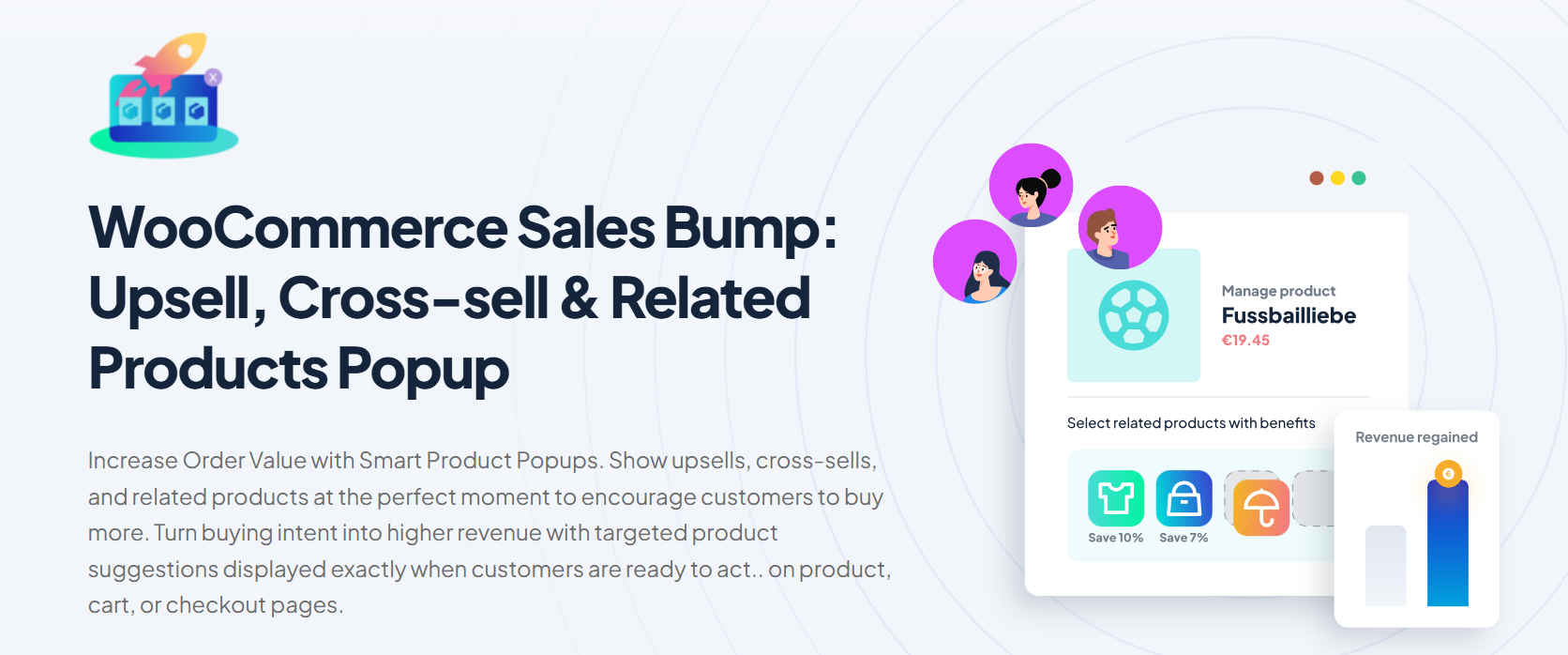
This plugin is based on a strategy of displaying additional products that customers may purchase during their buying journey. These plugins include complementary products, which we call Cross-sell, related to what the customer has already added to the cart, as well as higher value alternatives (upsells), both of which help increase Average Order Value.
The products are displayed via smart pop-ups that appear at key moments in the shopping process, encouraging customers to make additional purchases.
The popups can be displayed in several areas of the store, including:
- When clicking on Add to Cart.
- Inside the cart page.
- During checkout.
- After completing the order (Thank you page).
This plugin is considered a CRO plugin because it helps increase the AOV by displaying additional relevant products. Also, it increases revenue without requiring new customer acquisition, as it focuses on maximizing sales from existing shoppers. By strategically showing product recommendations at key moments, it encourages impulse buying and helps improve overall store performance.
Key Features
- Upsell Like a Pro
- Smart Popups That Sell for You
- Cross-Sell Recommendations That Make Sense
- Flexible Styling and Control
- Target Smart, Sell Smarter
- Style That Sells
- Works with Variable & Grouped Products
- Mobile-Responsive Popups
Pricing
2. Abandoned Cart Recovery for WooCommerce by
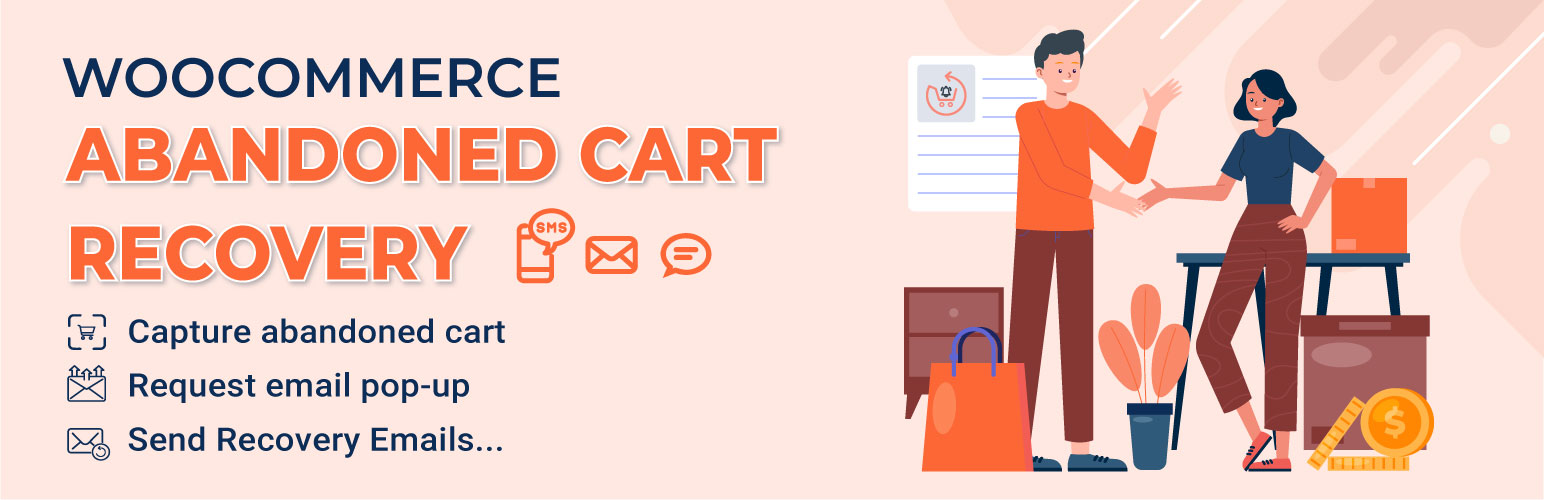
This plugin is based on the idea of recovering customers who ere vary close to making a purchase but didn’t complete the order. So, when a customer adds products to the cart and doesn’t finish the checkout process within a specific period of time, the plugin attempts to bring them back to complete their purchase through email and SMS recovery messages.
The main goal of this plugin is to reduce cart abandonment, increase conversion rates, and to recover lost customers.
Key Features
- Track the member cart.
- Abandoned Cart time for Members.
- Track guest cart.
- Abandoned Cart time for the guest.
- Abandoned Table.
- Cart status: an abandoned cart has 2 statuses, abandoned and recovered.
- Capture the email address after the customer enters their email at checkout page.
Pricing
Both free and premium versions are available. The premium version costs $40 / year and includes one year of updates and support, along with a 14-day money-back guarantee.
3. Discounts Rules for WooCommerce by FlyCart
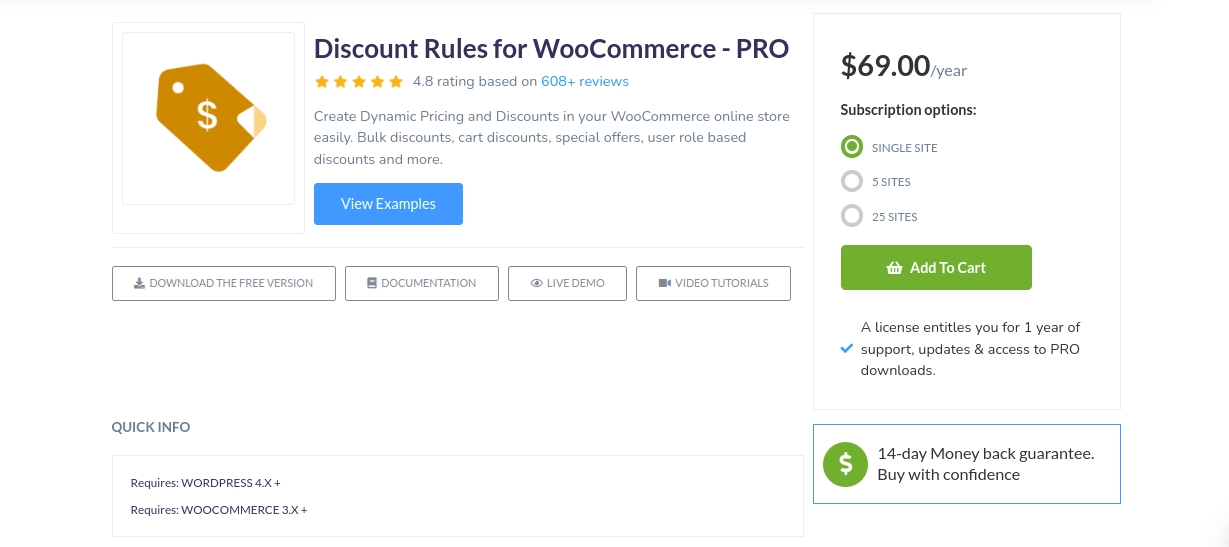
These flexible discount rules help optimize pricing strategies, encourage larger purchases, and improve overall store performance.
This plugin helps store owners create a smart and diverse discount system to increase sales and conversions. Its concept is based on the ability to create a discount system that suits your store, relying on specific rules instead of having a fixed discount.
This means that instead of having a fixed discount for all products and customers, the discount rate varies depending on the product and the quantities purchased by the customer.
This plugin offers multiple types and strategies of discounts, including:
- Bulk & Quantity Discounts.
- Buy One Get One (BOGO).
- Product & Category Discounts.
- User Role Discounts, Conditional / Smart Discounts.
- First Order Discounts.
- and Shipping-Based Discounts.
Key Features
- Discount Table on Product Pages.
- Advanced Formatting for discount table layout.
- Alerts in cart when a discount is applied. It’s configurable.
- “You saved” message in line items/totals.
- Exclude products on SALE from discount rules.
- SALE Badge for discounted products.
Pricing
Both free and premium versions are available. The premium version costs $85 / year and includes one year of updates and support, along with a 14-day money-back guarantee.
4. WooCommerce Conditional Payment Methods
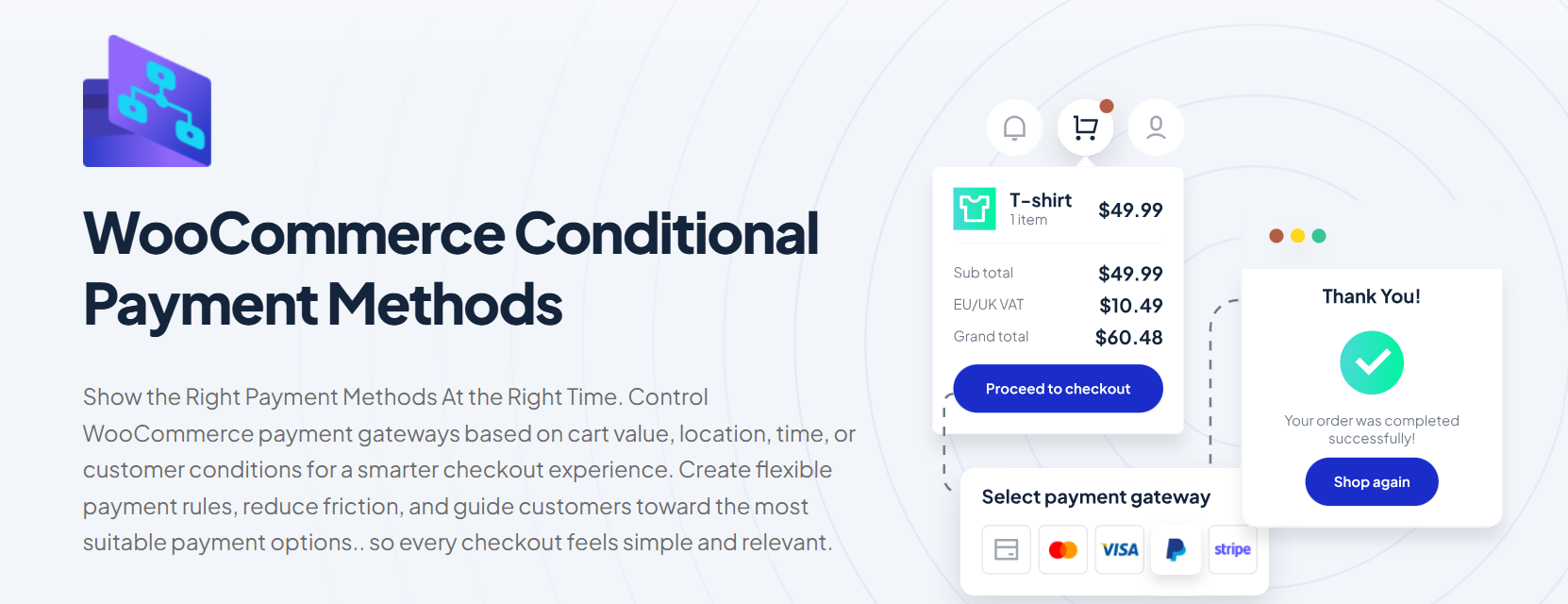
One of the most important reasons that makes customers abandon carts is the lack of suitable or familiar payment methods in their region. This plugin allows you to show or hide the payment method you want based on:
- Cart value.
- Location.
- Time.
- Customer conditions.
As a result:
- It improves the user experience by reducing friction.
- Guiding customers toward the most appropriate payment options.
- Ensures that customers only see payment methods relevant to their situation.
This makes the checkout process faster, clearer, and more intuitive.
Key Features
- Enable Payment Methods Based on Cart Total.
- Schedule Payment Methods by Date & Time.
- Show Payment Methods Based on Language.
- Control Payment Methods by User IP.
- Personalized Payment Options by User ID.
- Match Payment Methods to Currency.
Pricing
Both free and premium versions are available. The premium version costs $49 / year and includes one year of updates and support, along with a 14-day money-back guarantee.
5. TI WooCommerce Wishlist By templateinvaders

One of the things that is important for customers is the ability to keep products they liked and to return them later, instead of searching for them agin among many products and losing them. This is exactly what the Wishlist plugin offers.
It allows customers to save their desired products in a favorites list, making it easier to return to them at any time and purchase them.
This leads to:
- Improves user experience.
- Reduce customer drop-off.
- Ultimately helps increase sales and improve conversion rates.
Key Features
- Select the Wishlist page or set it under the WooCommerce My Account section.
- Storewide stats for each product on the “Add to Wishlist” button.
- Wishlist products counter.
- Position of the “Add to Wishlist” button on the product page and catalog.
- Shortcode for the “Add to Wishlist” button to place it anywhere on the page.
- Predefined icons for the “Add to Wishlist” button.
- Upload your custom “Add to Wishlist” button icon.
Pricing
Both free and premium versions are available. The premium version costs $79 / year and includes one year of updates and support, along with a 14-day money-back guarantee.
Comparison Table
| Plugin | Core Function | Main CRO Strategy | Key Features | Pricing (Premium) |
|---|---|---|---|---|
| WooCommerce Sales Bump: Upsell, Cross-sell & Related Products Popup | Displays targeted product suggestions via smart popups | Increase AOV through upsells, cross-sells, and impulse buying at key moments | Smart popups (Add to Cart, Cart, Checkout, Thank You page), upsell & cross-sell offers, related products, flexible design control, mobile responsive, variable & grouped products support | $49 / year |
| Abandoned Cart Recovery for WooCommerce by VillaTheme | Recovers lost customers who abandoned their carts | Reduce cart abandonment and recover lost sales via reminders | Email & SMS recovery, cart tracking (guest & members), abandoned cart status, email capture popup, coupon incentives, detailed abandoned cart reports, automation rules | $40 / year |
| Discount Rules for WooCommerce by FlyCart | Creates dynamic pricing and discount rules | Increase conversions and AOV through smart pricing strategies | Bulk & quantity discounts, BOGO offers, category & product discounts, user role pricing, conditional discounts, cart-based rules, first order discounts, shipping-based discounts, discount tables, “You Saved” messages | $85 / year |
| WooCommerce Conditional Payment Methods | Controls available payment options based on conditions | Reduce checkout friction by showing relevant payment methods | Enable/disable payment methods by cart total, location, currency, time, language, user role, IP address, user ID, and personalized checkout experience | $49 / year |
| TI WooCommerce Wishlist | Allows customers to save favorite products for later purchase | Improve purchase intent and retention through wishlists | Multiple wishlists, public/private lists, social sharing, wishlist counters, add-to-wishlist button customization, analytics, shortcode support, product tracking, email promotions | $79 / year |
WooCommerce A/B Testing and Experimentation Tools
Some companies make changes, modify the checkout page, their store design, or implement new optimization tools without proper monitoring or testing to see if this is the best solution to the problem and actually improve results. Because sometimes, they may invest time and resources into solutions that don’t effectively address the underlying problem.
This is where A/B testing tools become valuable. They allow you to test two versions of a page, button, or offer against each other with real traffic to find the best solution.
So, now we will go over the most important testing tools that will help you identify which variation performs better and delivers the best result for your WooCommerce store.
| Tool | Best For | Key Features | WooCommerce Integration | Pricing |
|---|---|---|---|---|
| Nelio A/B Testing | WordPress & WooCommerce A/B testing | Test product pages, checkout pages, headlines, CTAs, pricing, and layouts | Native WordPress integration with WooCommerce support | Paid plans available |
| VWO Testing Platform | Advanced experimentation | A/B testing, multivariate testing, funnel analysis, visitor segmentation | Works with WooCommerce via script integration | Free & paid plans |
| Optimizely Web Experimentation | Enterprise-level testing | A/B testing, personalization, feature experimentation, analytics | Compatible with WooCommerce stores | Custom pricing |
| Convert Experiences | Privacy-focused A/B testing | Split testing, multivariate testing, audience targeting, and reporting | Easy WooCommerce integration through tracking code | Paid plans |
Heatmaps, Session Replay, and Behavioral Analytics for WooCommerce
A/B Testing alone isn’t enough, as it does not provide detailed insights and in-depth analytics. While Heatmaps and Behavioral Analytics tools offer much more precise data, such as where users click, scroll, and drop off, how long they stay on a page, where they stop during the checkout process, and other critical behavioral patterns. Therefore, we will now explore the most important behavior analysis tools.
| Tool | Best For | Key Features | WooCommerce Benefits | Pricing |
|---|---|---|---|---|
| Microsoft Clarity | Free behavioral analytics | Heatmaps, session recordings, rage clicks, dead clicks, scroll tracking | Identify checkout friction and UX issues | Free |
| Hotjar | User behavior analysis | Heatmaps, session recordings, surveys, and feedback widgets | Understand customer journeys and drop-off points | Free & paid plans |
| Lucky Orange | Conversion optimization insights | Heatmaps, session replay, live chat, visitor recordings, funnels | Discover where shoppers abandon carts | Paid plans |
| Mouseflow | Advanced session replay | Heatmaps, funnel analysis, form analytics, and user journey tracking | Analyze checkout and product page performance | Free & paid plans |
Common WooCommerce Conversion Mistakes to Avoid
Sometimes store owners think that simply installing CRO plugins is enough to improve their store’s performance and that everything will automatically get better, but it’s bigger than that. There are still several important factors and mistakes they often overlook.
1. Installing too many CRO plugins
Some stoer owners think that problems can be solved by installing more plugins, but the opposite is often true. You don’t need every CRO plugin; instead, you only need the one that directly solves your specific issue.
For example, if you are facing complexity in the checkout process, you just need a plugin like WooCommerce Additional Checkout Fields Customizer to control and customize the fields you want.
Always remember that having too many plugins leads to overlapping functionality, which can slow down your site and create conflicts.
2. Ignoring mobile checkout
Recent studies say that 60% of users shop through their mobile phones. And cart abandonment on mobile can reach up to 85% in some cases. So, just like you care about how your store performs on desktop, you also need to pay attention to how it performs on mobile.
This includes optimizing the layout, improving page speed, ensuring a smooth and intuitive checkout process, and enhancing overall usability on mobile devices.
3. Sending traffic to a slow store
One of the most frustrating things for customers is slow-loading pages. If a page takes even a few seconds to load, the customer might leave. So, one of the most important things to improve the conversion rate is to make sure that your site’s pages are fast. Install WP Rocket or a performance plugin before running paid traffic.
4. Using a generic checkout layout
WooCommerce offers a default checkout page without any customization, which can make you lose a lot of sales. So, make sure to use plugins that help you customize the checkout page to fit your store and the information you need from the customers.
5. Skipping cart abandonment recovery
Did you know that some sales can come from cart recovery? You can install a cart recovery plugin like Abandoned Cart Recovery for WooCommerce by VillaTheme. So, your revenue doesn’t stay on the table.
Frequently Asked Questions (FAQs)
Q: What are the best WooCommerce plugins to increase conversions?
A: The best WooCommerce conversion optimization plugins depend on your biggest bottleneck. For most stores, start with a checkout optimization plugin (FunnelKit or CartFlows), add cart abandonment recovery (Omnisend), and ensure GA4 tracking is in place. Layering in performance optimization (WP Rocket) and A/B testing tools completes a strong foundation.
Q: Which WooCommerce plugin is best for checkout optimization?
A: FunnelKit is widely considered the best checkout optimization plugin for WooCommerce, offering drag-and-drop checkout builders, order bumps, one-click upsells, and built-in A/B testing. CartFlows is a strong alternative with a larger user base and similar feature set. Both offer free versions. Offer design matters as much as checkout design, and a WooCommerce BOGO promotion is a simple place to start.
Q: How does GA4 ecommerce tracking improve WooCommerce conversions?
A: GA4 ecommerce tracking gives you accurate data on which traffic sources, landing pages, and products drive the most conversions. With this data, you can reallocate budget to high-converting channels, identify funnel drop-off points, and make data-driven decisions about which CRO experiments to run first.
Q: Are no-code WooCommerce plugins good for small businesses?
A: Yes – most of the best WooCommerce CRO plugins are explicitly built for no-code use. Tools like FunnelKit, WP Rocket, Omnisend, and GA4 tracking plugins offer visual configuration interfaces that require no developer involvement. Small businesses can build a fully optimized CRO stack in a single afternoon.
Q: What is the difference between FunnelKit and CartFlows?
A: FunnelKit and CartFlows are both checkout funnel builders for WooCommerce with similar core features. FunnelKit has stronger built-in A/B testing and analytics; CartFlows has a larger user base and more third-party integrations. Both offer free core plugins with premium upsells. Your choice often comes down to which page builder you use – FunnelKit integrates more tightly with Elementor; CartFlows works well with Divi.
Q: Do WooCommerce performance plugins improve conversions?
A: Yes – page speed is a documented conversion factor. A 1-second delay in load time can reduce conversions by up to 20% on mobile. Plugins like WP Rocket, Smush (image optimization), and a CDN solution directly reduce page load time, which improves both user experience and search engine rankings.
Q: What are the best B2B WooCommerce conversion plugins?
A: For B2B WooCommerce stores, the most impactful conversion plugins include wholesale pricing plugins (for tiered/role-based pricing), quote request plugins (replacing ‘Add to Cart’ with ‘Request a Quote’), and account management tools (for restricted catalog access). [Add specific plugin recommendations here based on your reviewed tools.]
Conclusion
Improving your WooCommerce conversion rate doesn’t require many plugins or a big budget. What is really needed is choosing the right plugin for the store and the issue you’re facing based on your analysis using behavioral analysis tools and heatmaps.
All you have to do is analyze the problem you’re facing using analysis tools, then select the appropriate solution, whether it’s checkout optimization, cart recovery, upselling and cross-selling, or other CRO tools. After implementation, A/B Testing should be used to determine the most effective approach for your store.
The no-code WPFactory stack outlined in this guide provides growing WooCommerce stores with a systematic approach to CRO, covering pricing strategies, checkout customization, upselling and cross-selling, and payment gateway customization.