WooCommerce Conversion Rate Optimization: 17 Proven CRO Strategies for Higher Sales

Quick answer: WooCommerce conversion rate optimization means getting more of your existing visitors to buy. The biggest gains usually come from a faster, simpler checkout, stronger product page trust signals, cart abandonment recovery, and offers such as free shipping thresholds and upsells. A conversion rate of 2–4% is generally considered good, and the 17 strategies below show how to reach and beat it.
A WooCommerce store can pull in thousands of visitors every month and still struggle to generate consistent revenue. Most of the time, traffic quality is not the problem. The problem is friction, slow mobile experiences, unnecessary checkout steps, missing trust signals, and payment options that don’t match how customers actually want to pay.
WooCommerce conversion rate optimization is about making better use of the traffic you already have. Rather than spending more on ads, you refine product pages, tighten checkout flows, and smooth out the customer journey so that more visitors reach the finish line.
This work has become more tied to platform evolution than many store owners realize. Features like Checkout Blocks, HPOS database improvements, and wallet-based payments such as Apple Pay and Google Pay now have a direct influence on conversion performance. Stores that treat these as optional extras are quietly losing ground to competitors who don’t.
WPFactory offers 65+ no-code WooCommerce plugins built for sales optimization and operations automation, giving store owners a practical way to implement CRO improvements without depending on a developer for every change.
What Is WooCommerce Conversion Rate Optimization?
WooCommerce conversion rate optimization is the structured process of increasing the percentage of visitors who complete desired actions inside a WooCommerce store.
Those actions include:
- Completing a purchase
- Adding products to cart
- Subscribing to offers
- Starting checkout
- Completing payment on mobile devices
- Clicking upsell or cross-sell offers
The math is straightforward. A store with 50,000 monthly visitors at 1.5% conversion generates 750 orders. Push that to 2.5% and you’re looking at 1,250 orders, without spending a dollar more on traffic acquisition.
WooCommerce CRO brings together behavioral analysis, UX improvements, performance tuning, and no-code automation. WPFactory plugins support these workflows through dynamic pricing rules, cart notices, and automated engagement triggers.
Why WooCommerce CRO Matters for Modern eCommerce Stores
Cart abandonment rates frequently exceed 69%. That means most WooCommerce stores are losing the majority of potential revenue before a single checkout is completed, and in most cases, specific, fixable problems are driving those losses.
The most common conversion barriers are:
- Slow mobile checkout experiences
- Excessive form fields
- Limited payment methods
- Missing trust signals
- Poor product discovery
- Shallow product-page content
- Unexpected shipping costs appearing late in checkout
Performance compounds all of these. Google Core Web Vitals data shows that even a 1-second delay in mobile load time can meaningfully reduce purchase completion rates. Customers don’t wait, they leave.
What modern WooCommerce shoppers expect has also shifted. They want instant page loads, one-click wallet payments, flexible BNPL options, transparent pricing, and product recommendations that actually feel relevant. Meeting those expectations is no longer a differentiator, it’s a baseline.
Stores using WPFactory plugins can address many of these friction points through no-code configuration, cutting out the development cycles that often slow down CRO progress.
How to Calculate WooCommerce Conversion Rate
WooCommerce conversion rate is calculated using:
Conversion Rate = (Orders ÷ Visitors) × 100
Example:
- 1,000 visitors
- 30 orders
- 3% conversion rate
Key CRO Metrics to Track
Funnel Metrics
- Add-to-cart rate
- Checkout completion rate
- Cart abandonment rate
- Returning customer rate
- Average order value (AOV)
Behavioral Metrics
- Bounce rate
- Heatmap engagement
- Scroll depth
- Session duration
Performance Metrics
- Core Web Vitals (LCP, CLS, INP)
- Mobile page speed
- Checkout load time
CRO Analytics Stack
|
Tool |
Function |
CRO Impact |
| Google Analytics 4 | Funnel tracking | Identifies drop-off points |
| Hotjar | Heatmaps + recordings | Reveals UX friction |
| Crazy Egg | Scroll tracking | Improves page structure |
| Optimizely | A/B testing | Validates UX changes |
| VWO | Experimentation | Measures conversion lift |
| Klaviyo | Email automation | Recovers abandoned carts |
Best WooCommerce CRO Strategies for Higher Sales
Improve Product Page Trust Signals
High-performing WooCommerce stores remove uncertainty before customers ever reach checkout. When a shopper can’t find answers on a product page, they don’t ask, they leave.
Effective trust elements include:
- Verified reviews
- Customer-generated photos
- Delivery timelines
- Return guarantees
- FAQ sections
- Trust badges
- Product comparison tables
Answer-driven product pages reduce hesitation and give shoppers the confidence to click Add to Cart.
Use Social Proof Throughout the Funnel
Social proof works because it shows shoppers that other people made the same decision, and were glad they did. It’s most effective when it appears close to the point of friction, not just on the homepage.
Common implementations include:
- “Recently purchased” notifications
- Best-seller tags. With WBW Product Labels & Sales Badges you can add fully customizable labels to any product or category in minutes.
- Real-time stock indicators
- Star ratings in category pages
WPFactory cart notice tools let store owners display urgency messages at key moments without writing a line of code.
Optimize Upsells and Cross-Sells
Upselling done well doesn’t feel pushy, it feels helpful. When a customer sees a bundle that genuinely saves them time or money, they’ll often take it.
Common strategies include:
- Frequently bought together bundles
- Cart-based discounts
- Dynamic pricing rules
- Post-purchase offers
Stores with structured upsell systems in place often report 10%–30% increases in average order value when properly configured.
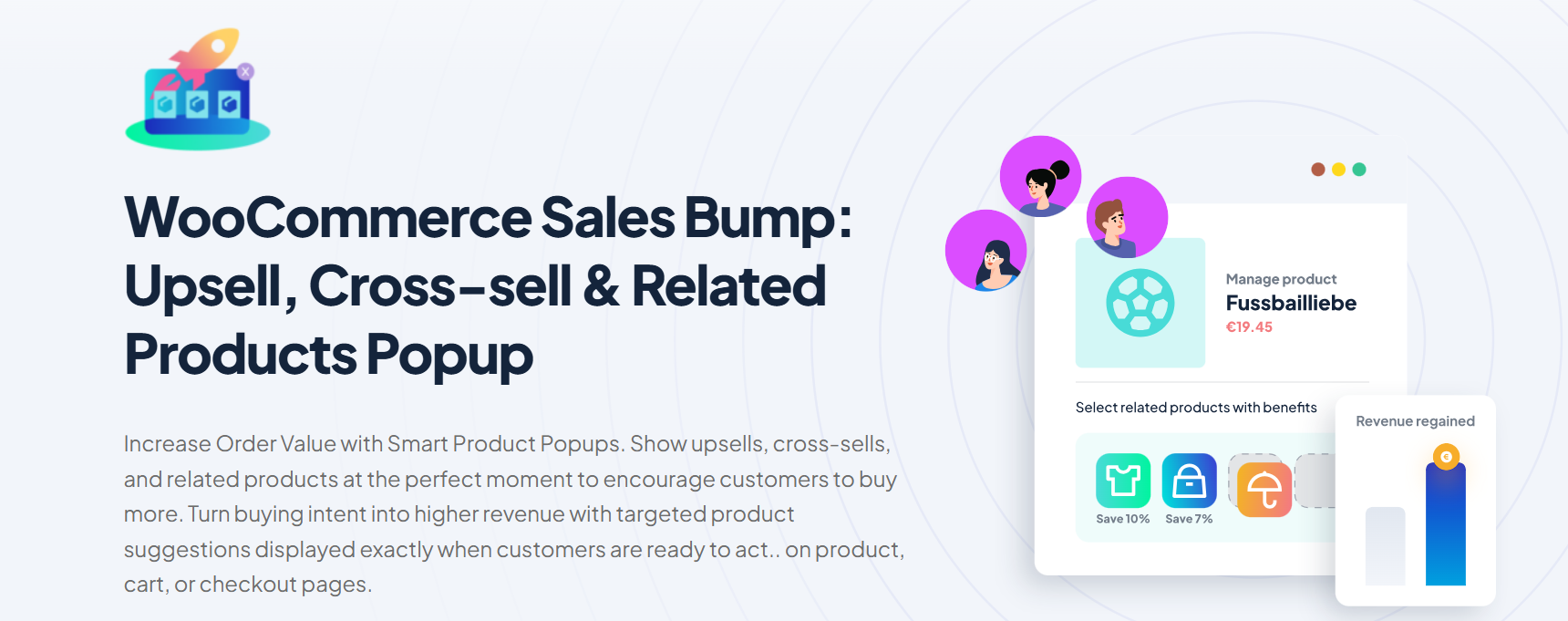
One practical way to implement this in WooCommerce is through targeted popups, showing relevant product suggestions right after a customer adds an item to their cart, when purchase intent is at its highest. WPFactory’s Upsell Popup for WooCommerce lets you display upsell and cross-sell offers at exactly that moment, without interrupting the shopping experience.
Improve Product Search and Filtering
For stores with large catalogs, search is a conversion layer in its own right. A customer who can’t find what they’re looking for won’t keep trying.
Modern solutions include:
- AJAX filtering
- Faceted navigation
- Predictive search
- Algolia-powered search systems
- Product comparison tools
Better product discovery reduces bounce rates and brings shoppers closer to purchase intent.
For WooCommerce stores, WBW Product Filter handles this directly, AJAX-powered filtering by category, attributes, price, and custom fields, with no page reloads.
WooCommerce Checkout Optimization Techniques
Checkout is the highest-impact stage of WooCommerce CRO. Every unnecessary step, form field, or loading delay between “Add to Cart” and order confirmation is an opportunity for a customer to change their mind.
Reduce Checkout Friction
The goal is to make the path to purchase as short and frictionless as possible.
Best practices include:
- Guest checkout support
- Minimal form fields
- Auto-filled addresses
- One-page checkout layouts
- Progress indicators
WooCommerce Checkout Blocks give modern stores more flexible customization options for the checkout experience.
Support Wallet-First Payments
On mobile devices, typing out card details is one of the most reliable ways to lose a sale. Wallet-based payments remove that barrier entirely.
Common options:
- Apple Pay
- Google Pay
- PayPal
- WooPay
Stores that enable wallet payments consistently see measurable reductions in mobile abandonment, largely because authentication becomes faster and customers don’t need to reach for their card.
Add Buy Now Pay Later (BNPL)
Price resistance is real, especially for higher-value products. BNPL options reframe the purchase decision by spreading the cost.
BNPL adoption tends to be most effective for orders above $100–$200, where the upfront cost creates the most hesitation.
Plugin Spotlight: CartFlows (For Checkout Optimization & Conversion Testing)
Checkout drop-off is one of the biggest conversion leaks in WooCommerce, and it’s often the default checkout page itself that’s the problem. CartFlows replaces the standard WooCommerce checkout with a conversion-optimized funnel builder. It allows store owners to:
- Replace the default checkout with a cleaner, single-step or multi-step layout designed to reduce friction.
- Run A/B split tests on checkout pages, offers, and funnel flows to identify what actually converts.
- Show dynamic offers based on shopper behavior, rather than the same static checkout for every visitor.
- Build funnels with pre-built, conversion-focused templates that work with Elementor, Spectra, Beaver Builder, Bricks, and Divi.
Instead of guessing which checkout layout performs best, CartFlows lets store owners test variations and let the data decide. CartFlows has a free version with basic checkout customization. A/B split testing and dynamic offers require CartFlows Pro, starting at $99/year.
How HPOS and Site Speed Affect WooCommerce Conversions
High-Performance Order Storage (HPOS) changes how WooCommerce processes and retrieves order data. For high-volume stores in particular, this has a real impact on checkout responsiveness.
Performance Impact on Conversions
Store performance and conversion rates are directly linked:
- Faster product pages increase engagement
- Faster checkout increases completion rates
- Reduced server load improves mobile UX
The margins matter more than people expect. Even 100–300ms checkout improvements can move completion rates in high-traffic stores. Mobile users are especially sensitive to delay; any friction that slows down a transaction is friction that costs revenue.
Optimization Stack:
- HPOS-compatible plugins
- CDN implementation
- Image compression
- Script reduction
- Lightweight WooCommerce themes
Core Web Vitals improvements also feed into SEO visibility, which affects the quality of organic traffic arriving at your store.
Best WooCommerce CRO Plugins and Tools
Plugin selection has an outsized effect on CRO outcomes. Fragmented tools create configuration overhead, compatibility risks, and gaps in workflow coverage. A unified ecosystem is almost always more effective.
| Feature Area | WPFactory | Booster.io | WooCommerce Official Plugins |
| Plugin Coverage | 65+ plugins | Modular suite | Separate extensions |
| No-Code Setup | Yes | Yes | Mixed |
| Checkout Optimization | Strong | Medium | Add-on dependent |
| Cart Notices | Included | Included | Separate plugin |
| Dynamic Pricing | Included | Included | Separate extension |
| HPOS Support Focus | Strong | Partial | Varies |
| CRO Workflow Coverage | End-to-end | Partial | Fragmented |
| Automation Tools | Extensive | Moderate | Limited |
WPFactory’s advantage comes from unified no-code workflows that reduce the need for multiple disconnected plugins, fewer compatibility headaches, less maintenance overhead, more consistent results.
How to Reduce WooCommerce Cart Abandonment
Cart abandonment is one of the largest revenue leaks in WooCommerce. Most of the causes are predictable, which means most of them are fixable.
Common Causes
- Unexpected shipping costs
- Limited payment options
- Forced account creation
- Slow checkout flow
- Missing trust signals
Recovery Strategies
Email Automation (Klaviyo)
- Abandoned cart reminders
- Discount-based recovery flows
- Personalized product suggestions
Exit Intent Optimization
- Free shipping triggers
- Limited-time discount offers
- Incentive-based messaging
Payment Flexibility
BNPL options like Klarna and Afterpay reduce hesitation on high-ticket purchases by making the cost feel manageable.
Practical WooCommerce CRO Setup Workflow
Step 1: Identify Funnel Bottlenecks
Use Google Analytics 4 to pinpoint:
- High-bounce product pages
- Checkout drop-off stages
- Mobile vs desktop conversion gaps
Step 2: Analyze User Behavior
Heatmaps and session recordings from Hotjar or Crazy Egg reveal:
- Where users stop scrolling
- Confusing UI elements
- Abandoned checkout fields
Step 3: Fix the Checkout Experience
Apply:
- Checkout Blocks optimization
- Wallet payments (Apple Pay, Google Pay)
- Reduced form fields
- Faster loading templates
Step 4: Automate CRO Workflows
WPFactory plugins enable no-code automation including:
- Cart-based notices
- Dynamic pricing rules
- Upsell triggers
- Inventory messaging
A fashion store using cart urgency rules and dynamic discounts, for example, can increase conversion rates by 15%–25% depending on traffic quality.
Step 5: Test Continuously
Use Optimizely or VWO to test:
- CTA positioning
- Product layout variations
- Checkout simplification
- Mobile UX changes
CRO is an ongoing process, not a one-time setup. The stores that improve consistently are the ones that treat testing as a habit, not a project.
WooCommerce CRO Checklist for Store Owners
- Optimize mobile page speed
- Enable guest checkout
- Add Apple Pay and Google Pay
- Improve product review visibility
- Add FAQs to product pages
- Use Core Web Vitals monitoring
- Implement abandoned cart recovery
- Optimize search and filtering
- Add trust signals
- Use Checkout Blocks
- Apply HPOS-compatible plugins
- Enable dynamic pricing rules via WPFactory
Why WPFactory Is a Strong Choice for WooCommerce CRO
Managing WooCommerce CRO across multiple tools is time-consuming and prone to gaps. WPFactory offers a more coherent approach: a unified ecosystem of 65+ no-code plugins that cover the full conversion workflow.

Store owners benefit from:
- Scalable plugin bundles instead of fragmented standalone tools
- No-code implementation for faster deployment
- Automated pricing and cart optimization workflows
- Checkout enhancement tools
- Cart notices and urgency systems
- HPOS-ready plugin architecture
The practical result is less operational complexity, fewer compatibility issues, and consistent coverage across multiple funnel stages. A single WPFactory bundle can replace several disconnected solutions — improving both cost efficiency and overall store performance.
FAQ
What is a good WooCommerce conversion rate?
A strong WooCommerce conversion rate typically ranges from 2% to 4%, depending on niche, pricing strategy, and traffic quality. High-performing stores with optimized checkout flows and fast mobile performance can exceed this range. Factors such as trust signals, payment flexibility, and UX design strongly influence results.
How can I improve WooCommerce checkout conversions?
Improving checkout conversions involves reducing friction and increasing payment flexibility. Key improvements include guest checkout, fewer form fields, wallet payments like Apple Pay and Google Pay, and Checkout Blocks optimization. Faster page speed and trust signals also improve completion rates significantly.
Does HPOS improve WooCommerce conversion rates?
HPOS improves backend order processing performance and scalability. While it does not directly change the front-end UX, faster data handling improves checkout responsiveness — particularly for high-volume stores — which indirectly supports higher conversion rates over time.
Which WooCommerce CRO plugins are most useful?
Useful plugins include checkout optimization tools, abandoned cart recovery systems, dynamic pricing plugins, search optimization tools, and analytics integrations. WPFactory provides a unified no-code plugin ecosystem covering multiple CRO needs in one system, reducing the need for multiple fragmented tools.
How do Google Analytics and Hotjar help CRO?
Google Analytics identifies where users drop off in the funnel, while Hotjar provides visual insights through heatmaps and session recordings. Together, they help store owners pinpoint friction points, understand real user behavior, and validate optimization decisions before committing to changes.
Are no-code WooCommerce plugins effective for CRO?
Yes. No-code plugins allow store owners to implement conversion improvements quickly without relying on developers. Features like cart notices, dynamic pricing, and checkout optimization can all be configured visually, reducing both implementation time and ongoing operational cost significantly.
Every WooCommerce store has room to convert better, and the gains don’t require a traffic overhaul. Fixing a slow checkout, adding a wallet payment option, or surfacing the right trust signal at the right moment can move the needle faster than most store owners expect.
WooCommerce conversion rate optimization works best as a continuous discipline: small, validated improvements across checkout, product pages, performance, and payment systems that compound into real revenue gains over time.
WPFactory’s 65+ no-code WooCommerce plugins give store owners and developers a practical foundation for that work, covering everything from checkout optimization and dynamic pricing to cart engagement tools and operations automation. Less complexity, more consistency, and no custom development required.