Beyond the basic VAT field, the EU/UK VAT Manager for WooCommerce offers customer-choice options, visibility rules and display placement. These all live on the General sub-tab at WPFactory > EU VAT (also reachable at WooCommerce > Settings > EU VAT).
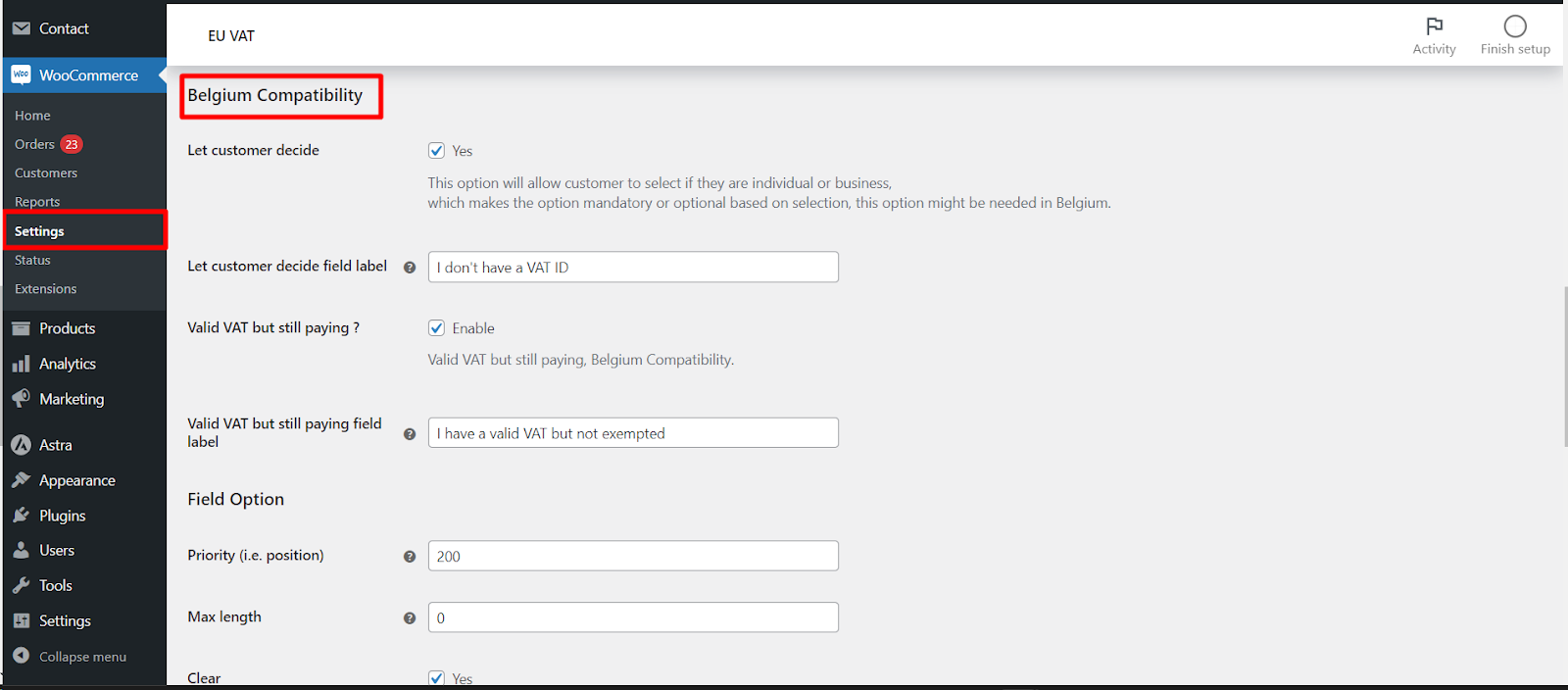
Let customer decide #
When the VAT field is set to Required, you can still let a customer declare they are a private individual so the field becomes optional for them. Enable Let customer decide (alg_wc_eu_vat_field_let_customer_decide) and set the checkbox label with Field label (alg_wc_eu_vat_field_let_customer_decide_label, default I don’t have a VAT ID). This option requires the VAT field to be set to Required.
Valid VAT but not exempted #
Some buyers hold a valid VAT number but must still pay VAT (a scenario that can apply in Belgium). Enable Valid VAT but still paying? (alg_wc_eu_vat_belgium_compatibility) to add a checkbox letting them opt to keep VAT, with the label set by alg_wc_eu_vat_belgium_compatibility_label.
Visibility options #
| Label | Option ID | Default | Free/Pro |
|---|---|---|---|
| Show field for selected countries only | alg_wc_eu_vat_show_in_countries |
(all countries) | Pro |
| Show field for selected user roles only | alg_wc_eu_vat_show_for_user_roles |
(all roles) | Pro |
| Show/hide by billing company | alg_wc_eu_vat_show_hide_by_billing_company |
No | Free |
| Hide EU VAT field from checkout | alg_wc_eu_vat_hide_eu_vat |
No | Free |
Note that country and user-role targeting are Pro. Showing or hiding the field by whether the billing company is filled in, and fully hiding the field (for page-builder checkouts), are free.
Display options #
- Display (
alg_wc_eu_vat_display_position): where the confirmed VAT number appears, After order table (default) or In billing address. - Display template (
alg_wc_eu_vat_field_display_template): the wording used for the “In billing address” placement. Supports the%eu_vat_number%placeholder. - Show VAT details in checkout (
alg_wc_eu_vat_show_vat_details): pulls the business name and address returned by VIES into the checkout.
The Priority, Max length, Clear, CSS class and Label CSS class field settings are all part of the free version.
Get more control #
EU/UK VAT Manager for WooCommerce Pro adds country-level and user-role visibility for the VAT field. See what Pro unlocks.