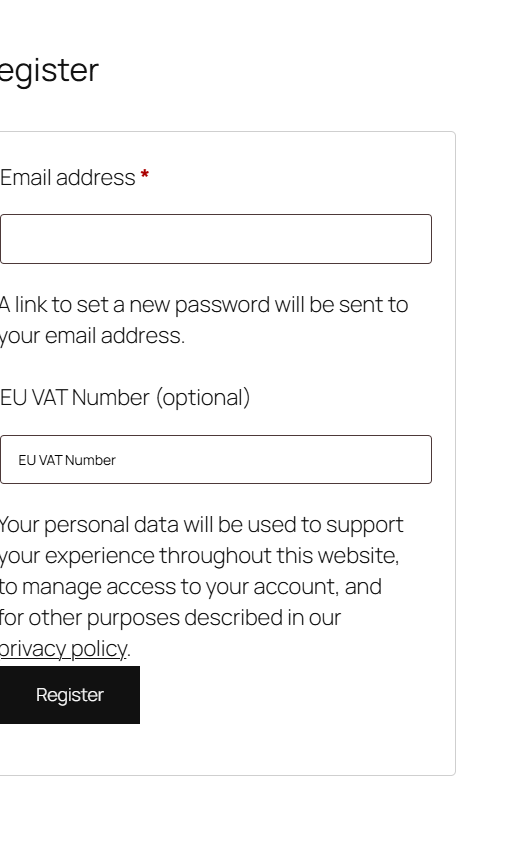
To add the EU VAT field to the registration form, go to WPFactory > EU VAT (also reachable at WooCommerce > Settings > EU VAT), General sub-tab, enable Add EU VAT field to sign-up form, and save. EU/UK VAT Manager for WooCommerce then shows the field on the My Account registration form. This is a free feature.
Turn it on #
- Go to WPFactory > EU VAT (also reachable at WooCommerce > Settings > EU VAT), on the General sub-tab.
- Enable Add EU VAT field to sign-up form (
alg_wc_eu_vat_field_signup_form). - Save changes.
The field now appears on the WooCommerce registration form (My Account) using the same label and placeholder as the checkout field.
Validate the number at sign-up #
To validate the number when the account is created, go to the Validation sub-tab and confirm Validate at sign-up form (alg_wc_eu_vat_validate_sign_up_page) is set to Yes. It is on by default. You can also enable Validate in “My account” (alg_wc_eu_vat_validate_my_account) so a saved number is re-checked when the customer edits their account details.
Options reference #
| Label | Option ID | Default | Free/Pro |
|---|---|---|---|
| Add EU VAT field to sign-up form | alg_wc_eu_vat_field_signup_form |
No | Free |
| Validate at sign-up form | alg_wc_eu_vat_validate_sign_up_page |
Yes | Free |
| Validate in “My account” | alg_wc_eu_vat_validate_my_account |
No | Free |
Get more control #
This feature is free. EU/UK VAT Manager for WooCommerce Pro adds targeting so the field shows only for the countries or user roles you choose. See what Pro unlocks.