Add conditions to your WooCommerce wholesale pricing #
To add conditions to wholesale pricing in Price by Quantity & Bulk Quantity Discounts for WooCommerce, go to WPFactory > Product Price by Quantity. Enable Other cart discounts on the General tab to stop stacking, set role tiers on the User Roles tab, and limit the store-wide rule with Required products or Excluded products under All Products.
Where to configure it #
Go to WPFactory > Product Price by Quantity (also reachable at WooCommerce > Settings > Product Price by Quantity).
1. Avoid discount stacking (General tab) #
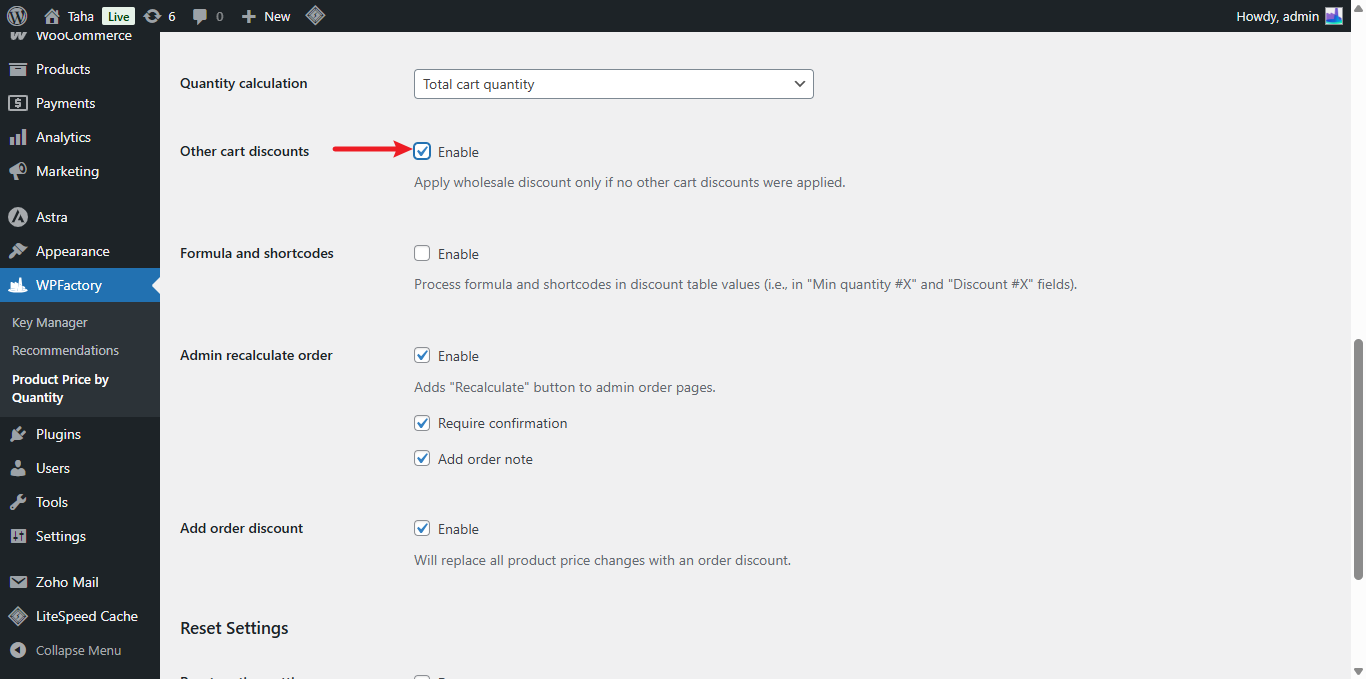
To stop quantity discounts from stacking with coupons or other cart discounts, enable Other cart discounts (alg_wc_wholesale_pricing_apply_only_if_no_other_discounts, default No) on the General tab. When enabled, the quantity discount is skipped for any cart that already has a coupon or a discount applied.
2. Pricing by user role (User Roles tab) #
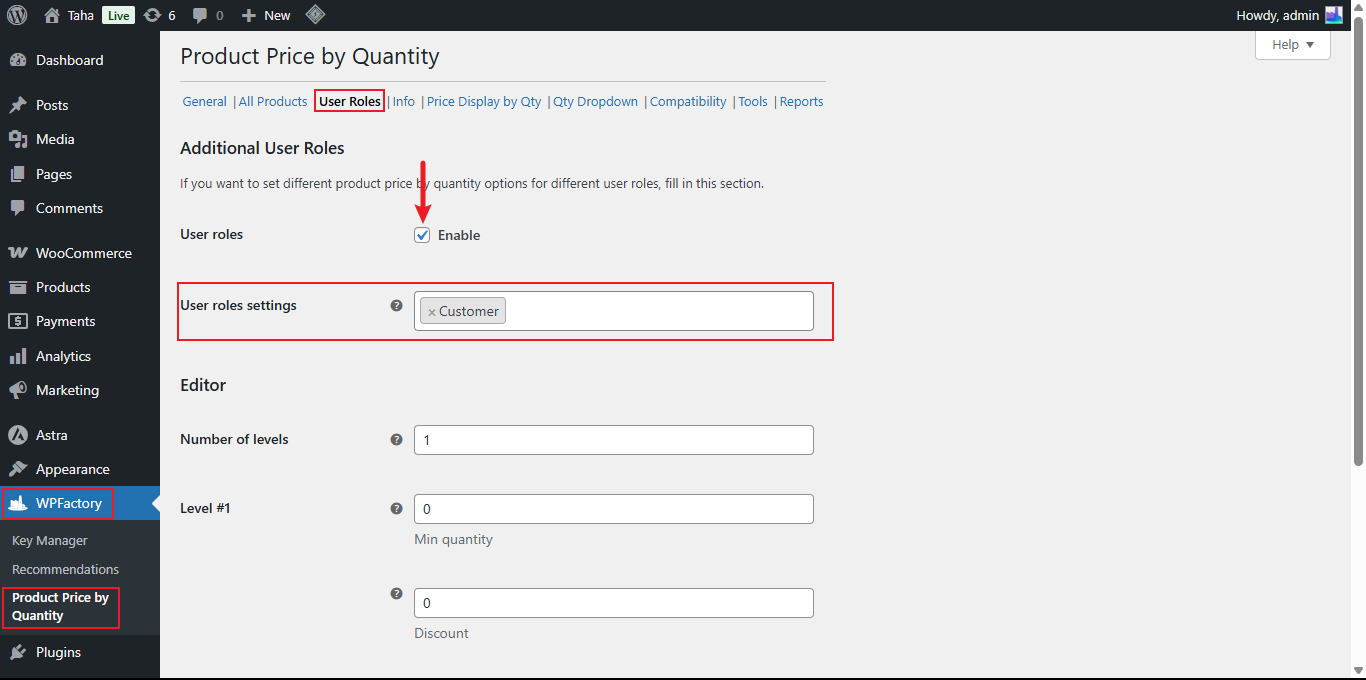
On the User Roles tab, turn on User roles (alg_wc_wholesale_pricing_by_user_role_enabled, default Yes), then pick the roles in User roles settings (alg_wc_wholesale_pricing_by_user_role_roles). After you save, a separate levels block appears for each selected role, so wholesalers or VIP members can get their own tiers. Customers outside those roles fall back to the standard All Products rule.
3. Limit the store-wide rule to certain products (All Products tab) #
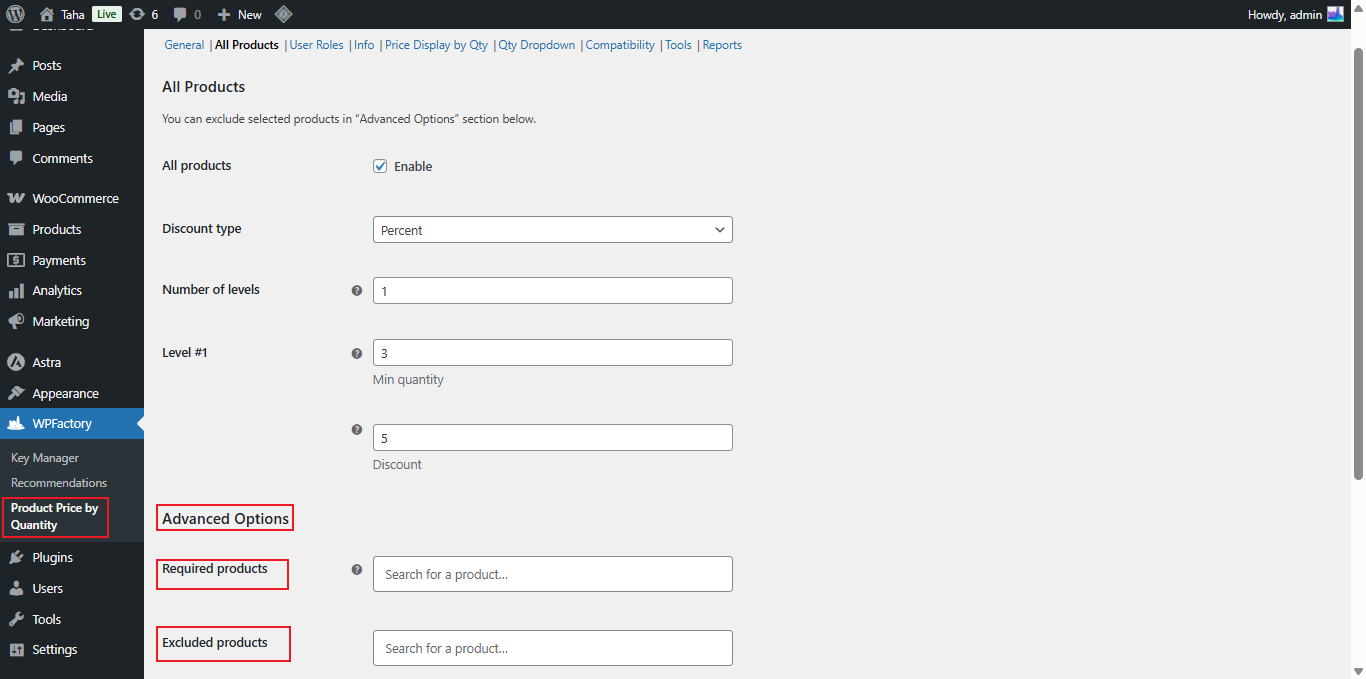
Under All Products > Advanced Options you can scope the store-wide rule:
| Setting | Option ID | What it does |
|---|---|---|
| Required products | alg_wc_wholesale_pricing_products_to_include |
If set, the store-wide rule applies only to the products you list here. Ignored when empty. |
| Excluded products | alg_wc_wholesale_pricing_products_to_exclude |
The listed products ignore the store-wide rule. |
Note: “Required products” is an allowlist for the store-wide (All Products) rule, not a cart requirement. It restricts which products the global levels apply to; it does not force other products into the cart. These options affect the All Products rule only.
Use cases #
- Protect margins during a sitewide sale by pausing quantity discounts when a coupon is used.
- Give a “Wholesaler” role deeper tiers than retail customers.
- Apply the store-wide rule to a single product line using Required products.
Get more control #
Discount stacking control and user-role pricing are free. Price by Quantity & Bulk Quantity Discounts for WooCommerce Pro adds per-category, per-tag and per-variation rules for even finer targeting. See what Pro unlocks.