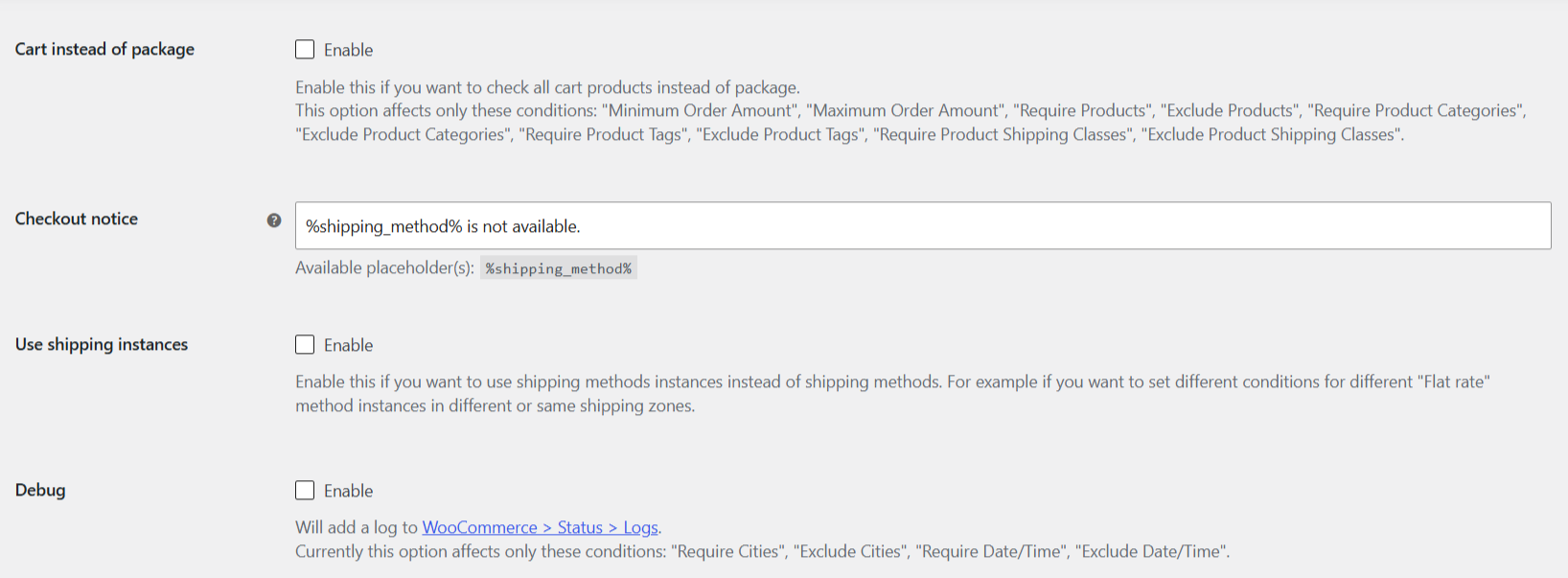
To set shipping conditions per shipping method instance, so a Flat rate in one zone can have different rules from a Flat rate in another zone, enable “Use shipping instances” in Conditional Shipping for WooCommerce: Restrict Shipping Options by Anything. This is the one Pro feature of the plugin, and it changes how every condition value is targeted.
Before you start #
- WooCommerce, active, with at least one shipping zone and shipping method set up.
- Conditional Shipping for WooCommerce: Restrict Shipping Options by Anything Pro, this is a Pro feature. In the free version the option is a disabled checkbox.
How it works #
By default, Conditional Shipping applies each condition to a shipping method TYPE globally. If you set a minimum order amount on Flat rate, it applies to every Flat rate instance in every shipping zone at once, because they all share the same method type.
Enabling “Use shipping instances” makes each condition value settable per method INSTANCE instead. An instance is a specific method inside a specific zone, for example the Flat rate in your “Domestic” zone versus the Flat rate in your “International” zone. With this option on, those two become separate rows you can configure independently, so the same method type can carry different conditions across zones.
Step-by-step setup #
- Go to WPFactory > Conditional Shipping (also reachable at WooCommerce > Settings > Conditional Shipping).
- On the General section, enable Use shipping instances (
wpjup_wc_cond_shipping_use_instances). - Save changes.
- Open any condition section, for example Order Amount. The value fields now list each shipping method instance separately, one per zone, instead of one field per method type.
- Set the condition value only on the instances you want to restrict, then save.
Options reference #
| Label | Option ID | Type | Default | Free/Pro |
|---|---|---|---|---|
| Use shipping instances | wpjup_wc_cond_shipping_use_instances |
Checkbox | No | Pro |
Use cases #
- Different free-shipping thresholds per zone: require a higher minimum order amount for the Flat rate in a distant zone than in your local zone.
- Restrict a method in one region only: hide a specific Local pickup instance for certain cities without touching pickup in other zones.
- Zone-specific date or time windows: allow a same-day method only in the zone where you can actually deliver same day.
Ready to set this up? #
This is a Pro feature of Conditional Shipping. If you are still on the free version, upgrading takes a couple of minutes and unlocks per shipping-instance conditions along with the rest of the plugin. Get Conditional Shipping Pro.