How to Price WooCommerce Products by Margin and Keep What You Planned

Quick Answer: Price WooCommerce Products by Margin
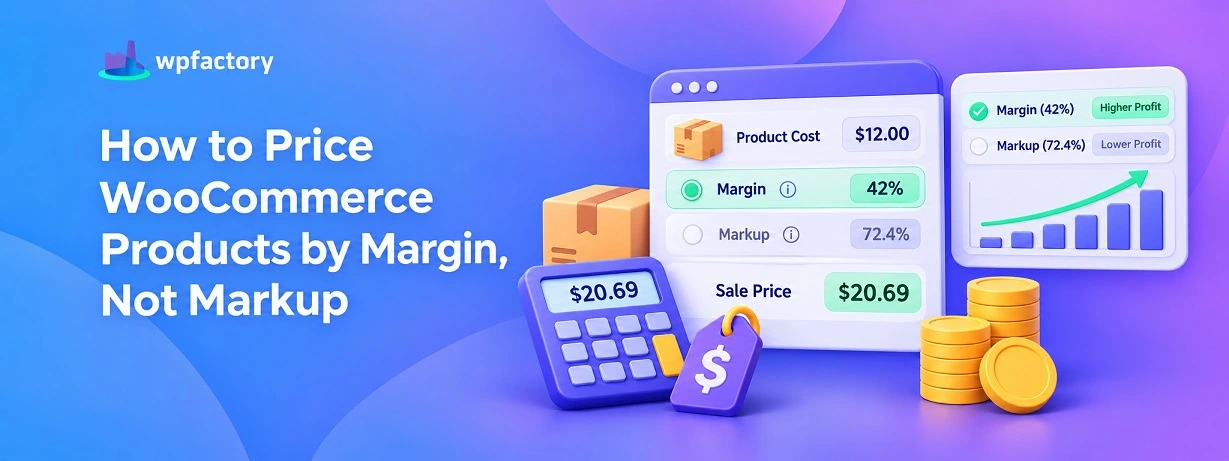
To price WooCommerce products by margin, you divide the cost by the share of the price you want to keep, not add a percentage on top of the cost. Those sound like the same move, and the gap between them is exactly where a lot of stores lose the profit they thought they had locked in. A product that cost ten dollars, priced for a thirty percent margin, is not thirteen dollars. It is a little more, and the reason why is the whole trick.
- Divide, do not add: price equals cost divided by one minus your target margin.
- Margin is not markup: the same percentage gives two different prices.
- Verify after you set it: confirm the live margin matches what you aimed for.
The exact number for that ten-dollar product, and a calculator for your own, are a short scroll down.
Two store owners sell the same item. It cost each of them ten dollars. Both want a thirty percent margin.
The first types a price of thirteen dollars. Ten plus thirty percent. Done, he thinks.
The second types fourteen twenty-nine.
Only one of them truly hit thirty percent, and it was not the one who did the obvious thing.
The first owner is sitting at a twenty-three percent margin while believing he is at thirty. On every sale, for as long as that price stands.
That small gap is the single most common pricing mistake in a WooCommerce store, and it comes from mixing up two words that look like twins and are not.. margin and markup.
Margin and Markup Are Not the Same Thing
Both are a percentage. Both sit between your cost and your price. That is where the resemblance ends.
Markup is measured against your cost. Add thirty percent markup to a ten-dollar cost, and you add three dollars, landing at thirteen.
Margin is measured against your selling price. A thirty percent margin means thirty percent of the final price is profit, and that is a bigger number, because the price is bigger than the cost.
So the same thirty percent points at two different prices depending on which word you mean.
When you add the percentage to cost, you are doing markup, even if margin is what you wanted. The number on the label looks right and the profit underneath is thinner than planned.
The Formula That Prices by Margin
Pricing by margin needs division, not addition. Here is the whole thing.
Price = Cost ÷ (1 − Target Margin %)
Take the ten-dollar product and a thirty percent target. Thirty percent as a decimal is 0.30. One minus 0.30 leaves 0.70.
Ten divided by 0.70 is 14.29. That is the price that keeps thirty percent of itself as profit.
Check it back the other way to be sure. Profit is 14.29 minus 10, which is 4.29. And 4.29 as a share of 14.29 is thirty percent. The division did what the addition could not.
The Same Cost at Three Margins
Seeing a few targets side by side makes the pattern click. Same ten-dollar cost, three different margin goals, and for contrast, what the markup mistake would have charged instead.
| Target Margin | Correct Price (by margin) | Profit | If You Added It as Markup |
|---|---|---|---|
| 20% | $12.50 | $2.50 | $12.00 (16.7% real) |
| 30% | $14.29 | $4.29 | $13.00 (23.1% real) |
| 40% | $16.67 | $6.67 | $14.00 (28.6% real) |
Read across any row and the markup price is always lower, and the real margin it delivers is always short of the goal. The higher you aim, the wider that gap grows.
Multiply this across a whole catalog priced the wrong way, and the shortfall stops being pennies. It becomes the difference between a store that hits its numbers and one that wonders where the profit went.
Putting Your Margin Price Into WooCommerce
The math gives you a price. WooCommerce needs two things from you to make that price trustworthy.. a real cost on record, and a way to confirm the margin after the price is in.
WooCommerce does not store what a product cost you, so that piece comes from the Cost of Goods for WooCommerce plugin. Once a product carries its true cost, you set the selling price your margin calculation produced.
Here is where the plugin earns its keep for this job.
It shows the live profit and margin next to the product, so the moment your price is in, you can see whether it really lands on the margin you were aiming for, or whether a markup slipped in by habit.
You price by margin, then you check the margin, in the same place.
For a large catalog, the plugin’s bulk edit screen lets you adjust cost and price across many products at once, so rolling out a pricing policy does not mean opening a thousand products by hand.
The method for that is covered in the bulk edit cost of goods in WooCommerce guide.
One honest point. The plugin stores your cost and reports your margin, and you decide the price from your target.
It confirms your work rather than guessing a price for you, which is exactly what you want when the margin has to be right.
Price From a Cost You Can Trust
The Cost of Goods for WooCommerce plugin stores a real cost on every product and shows the live margin beside it, so the price you set by margin is the margin you keep. No more markup slipping in by accident. Join 15,000+ stores using it, rated 4.5 stars, with a 14-day money-back guarantee.
Margin Versus Markup at a Glance
Keep this table handy. It is the whole confusion settled in a few rows.
| Question | Margin | Markup |
|---|---|---|
| Measured against | The selling price | The cost |
| How you get the price | Divide cost by one minus the rate | Add the rate to the cost |
| 30% on a $10 cost | $14.29 | $13.00 |
| What stores usually want | This one | Mistaken for margin |
If you only remember one line, remember that margin divides and markup adds.
Price Your Own Products Now
Enter a product cost and the margin you want to keep. The calculator returns the price that hits it, and shows you what the markup mistake would have charged instead, so the gap is impossible to miss.
Target Margin Price Calculator
Run a couple of your real products through it. If the markup line sits well below your target on each one, that is the profit a quick habit has been quietly costing you.
Rounding, Variations, and Other Real-World Wrinkles
The formula gives a clean number like 14.29. Real stores round, sell in variations, and run sales, so a few practical notes keep the margin intact once the price leaves the calculator.
Round Up, Not Down
A price of 14.29 usually becomes 14.99 or 15.00 on the shelf. Round up and your margin edges slightly above target, which is fine. Round down to 13.99 and you have quietly handed back part of the margin you just calculated. When in doubt, round in your own favor.
Price Each Variation From Its Own Cost
A large size often costs more than a small one, so a single price across every variation means a different real margin on each.
To price WooCommerce products by margin properly, run each variation through the formula with its own cost.
Giving every option its own figure is the same discipline described in the variable product cost guide.
Protect the Margin During Sales
A discount is a deliberate cut into the margin you built, which is fine as long as you know how deep it goes.
Before you set a sale price, it helps to know the floor underneath it, so a promotion trims profit rather than erasing it.
That floor is a separate calculation from the target margin, and the two work together.
Take that ten-dollar product priced at 14.29 for a thirty percent margin. A twenty percent sale drops the price to 11.43, and the margin on it falls to around twelve percent, still above cost but a long way from the goal.
Push the discount to thirty percent and the price lands near break-even, where the sale earns you almost nothing.
Knowing those numbers before the sale goes live is the difference between a promotion that buys you volume and one that buys you nothing.
The margin you price at is the ceiling for how much room a discount really has.
Choosing a Target Margin That Holds
The formula gives you a price for any margin you pick. Picking the right margin is a separate judgment, and a few things shape it.
Start From a Real Cost
A margin is only as honest as the cost under it. If your cost leaves out something you really pay, the margin you calculate is fiction. This is why the cost on record matters before the pricing does.
Leave Room Below the Line
Your target margin is the goal, but a safe floor sits under it. Knowing the lowest price that still covers everything keeps a discount or a promotion from quietly dropping you into a loss.
Pairing this with a WooCommerce break even price gives you both the floor and the target.
Watch It Over Time
A margin set today drifts as supplier costs rise. Checking which products have slipped below your target, with something like WooCommerce margin alerts, keeps your pricing policy from aging quietly on the shelf.
Related Resources
- Start with the WooCommerce cost of goods guide for the full picture of profit tracking.
- Set the floor under your price with a WooCommerce break even price.
- Check the formula behind the number in how to calculate profit margin.
- Flag products that drift below target using WooCommerce margin alerts.
- Roll a pricing change across the catalog by learning to bulk edit cost of goods in WooCommerce.
Make Every Price Earn the Margin You Meant
The Cost of Goods for WooCommerce plugin keeps a true cost on every product and shows the live margin beside it, so a price set by margin stays a margin, not a markup in disguise. Join 15,000+ stores using it, rated 4.5 stars, backed by a 14-day money-back guarantee.
FAQs About Price WooCommerce Products by Margin
How do I price WooCommerce products by margin?
Divide the product cost by one minus your target margin written as a decimal. A ten-dollar cost at a thirty percent margin is ten divided by 0.70, which is 14.29.
Enter that price in WooCommerce, and with a cost plugin in place you can confirm the live margin matches your target.
Is a 30% margin the same as adding 30% to the cost?
No, and this is the most common pricing mistake. Adding thirty percent to a ten-dollar cost gives thirteen dollars, which is only a twenty-three percent margin.
A true thirty percent margin needs 14.29, because margin is measured against the price, not the cost.
What is the difference between margin and markup?
Markup is a percentage of your cost, added on top. Margin is a percentage of your selling price, kept as profit. The same percentage produces two different prices.
Stores almost always mean margin, so pricing by adding a markup quietly undershoots the goal.
Does WooCommerce set prices from a margin automatically?
Not on its own. WooCommerce has no cost field and no margin pricing built in, so there is nothing for it to calculate from.
With the Cost of Goods for WooCommerce plugin, you store the cost, set the price your margin calculation gives, and the plugin shows the resulting margin so you can confirm it.
Is there a plugin that shows my real margin on each WooCommerce product?
Yes. Cost of Goods for WooCommerce is available on WordPress.org and displays profit and margin next to each product once you enter its cost.
That lets you confirm a price you set by margin delivers the margin you intended.