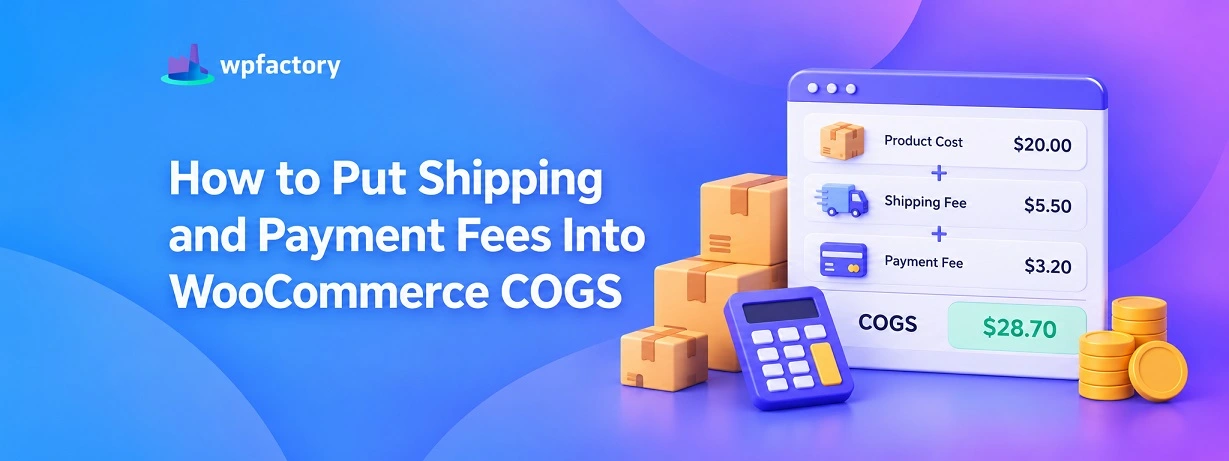
How to Put Shipping and Payment Fees Into WooCommerce COGS

Quick Answer: WooCommerce COGS Shipping and Payment Fees
Your WooCommerce cogs shipping and payment fees are the two costs that leave your account on almost every order yet never show up in the product cost. Shipping you absorb and the cut your payment gateway takes both come out of the sale, so a cost of goods figure that counts only the product is always too kind. Fold both into the cost and the profit on each order finally tells the truth.
- Shipping you absorb: Every waived or underpriced delivery is money out of your margin.
- Payment gateway fees: A percentage of every sale leaves before you see a cent.
- Both belong in the cost: Only then does order profit match your bank account.
Follow a single order down through each cost in the breakdown tool below, and watch how much of the sale price never truly reaches you.
Start with fifty dollars. That is what the customer paid, and it is the number your WooCommerce dashboard is happy to show you.
Now follow it.
Twenty of it was the product. You knew that one. Then seven dollars left for the shipping label you paid because delivery was on the house.
Then the payment gateway reached in and took its percentage on the way through. By the time the money settled in your account, the fifty had shrunk, and the shrinkage happened in two places WooCommerce never wrote down.
That is the whole problem in one order. The platform records the sale and the product cost, then stops. The shipping you swallowed and the fee the gateway skimmed are real money, gone, and uncounted.
Your profit report is reading a number that left out two of the biggest line items on the trip.
The fix is to put both back where they belong, inside the cost of the order. Let us trace the money and then close the gaps.
The Two Costs That Leave Before You Look
Product cost is the one everybody remembers. It is tangible, you paid a supplier, you wrote it down. The two that slip away are quieter.
The first is shipping you absorb. Offer delivery at no charge to the buyer and the carrier still charges you.
Even a flat shipping fee rarely covers a heavy or oversized parcel. Every one of those gaps is paid out of your margin, one order at a time.
The second is the payment gateway fee. Every card charge pays a toll on the way in.
The exact rate depends on the gateway, but the shape is always a slice off the top of the sale, taken automatically, recorded nowhere in your product costs.
Individually each feels small. Stacked across a month of orders they are large enough to turn a margin you were proud of into one that barely holds.
The reason they do so much damage is that they hide. A cost you cannot see is a cost you never price against.
Tracing One Order All the Way Down
Numbers settle the argument. Here is the same fifty-dollar order, followed layer by layer, until only your real profit is left standing.
| Step | Amount | Still in Your Pocket |
|---|---|---|
| Sale price | $50.00 | $50.00 |
| Product cost | − $20.00 | $30.00 |
| Shipping you absorbed | − $7.00 | $23.00 |
| Payment fee (2.9%) | − $1.45 | $21.55 |
The sale was fifty. What you kept was $21.55. If your cost of goods counted only the twenty-dollar product, your report told you the order made thirty, nearly half as much again as reality.
Push the shipping to fourteen dollars on a heavier item and the kept figure drops to $14.55. The sale price on the dashboard never flinched, but the real profit was quietly cut by a third.
That is the margin for understanding what cost of goods sold means once fees enter the picture, and the cost of goods sold in WooCommerce walkthrough covers the underlying formula in full.
Folding Shipping and Fees Into Your Cost of Goods
Seeing the leak is one thing. Closing it on every future order automatically is the part that needs a tool, because you are not going to run this math by hand on a thousand orders a month.
WooCommerce has no field for the shipping you absorb and no field for the gateway cut. That missing pair is exactly what a cost of goods plugin adds.
With the Cost of Goods for WooCommerce plugin, you set a true cost per shipping class, so heavy, fragile, and oversized parcels each carry their real postage. Then you add each gateway’s fee once, and as the plugin puts it, Stripe takes 2.9 percent and PayPal takes 3.49 percent, and it deducts that from every order’s profit from then on.
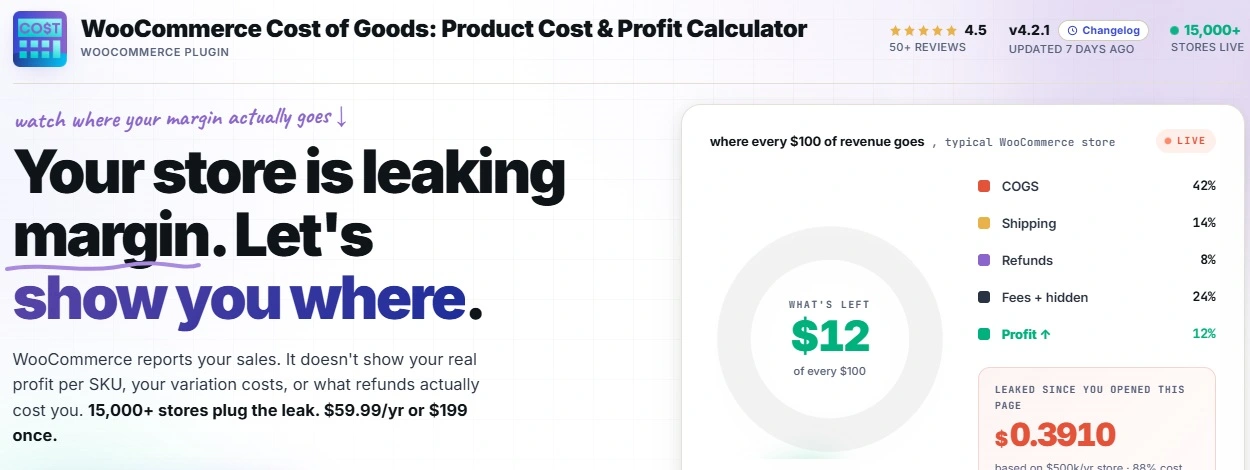
The plugin factors in gateway commissions and the cost of the order’s shipping method and class, so the profit it reports is what truly landed.
The result is a cost of goods figure that stops flattering you. Every order shows its real net, and the reports built on top of it, like the per product and per category views in a WooCommerce profit report, finally sit on honest numbers.
Count Every Cost, Not Just the Product
The Cost of Goods for WooCommerce plugin adds per-shipping-class costs and payment gateway fees to your cost calculation, then deducts them from every order’s profit automatically. The profit you read becomes the profit you keep. Join 15,000+ stores using it, rated 4.5 stars, with a 14-day money-back guarantee.
Setting It Up Step by Step
The setup is short, and once done it runs on every order without another thought. Here is the path from a flattering number to an honest one.
Step 1: Install and Activate
Upload the plugin from Plugins then Add New and activate it. A cost framework becomes available on your store, ready to hold more than just product cost.
Step 2: Set Costs per Shipping Class
Group your products into shipping classes by how they ship, light, medium, oversized, and give each class its real postage cost. Now a heavy item stops pretending it shipped for the same price as a small one.
Step 3: Add Each Payment Gateway’s Fee
Enter the percentage your gateway charges, once per gateway. From then on the plugin takes that cut out of every order’s profit, so the fee stops being invisible money.
Step 4: Read Profit That Includes Everything
With shipping and fees in the cost, each order reports its true net. The number you see is the number that reached your account, which is the only number worth making decisions on.
See Where a Single Sale Really Goes
The table above used fixed numbers. Your own order is more convincing.
Enter a sale price, your product cost, the shipping you cover, and your gateway fee below, and the tool breaks the sale into its layers so you can see exactly how much each one takes.
The percentage beside each layer is the part that matters.
It shows how big a bite shipping and fees take out of this particular sale, which is the number pricing decisions should start from.
True Order Cost Breakdown
If the payment fee and shipping together took a bigger slice than you expected, you have just seen why a product-only cost of goods overstates profit on every order you run.
Which Stores Feel the Fees Hardest
Every store carries these two costs, but some feel them sharper than others.
Stores That Absorb Delivery
If you advertise delivery at no charge to the buyer, shipping is a cost you carry on every single order. For these stores, leaving shipping out of the cost is the single largest hole in the profit number.
Low-Price, High-Volume Stores
When the average order is small, the fixed part of a payment fee bites hardest, because a flat charge is a bigger share of a small sale. Volume multiplies a cost that looks trivial on one receipt.
Heavy or Oversized Product Stores
Furniture, equipment, anything bulky, pays real money in postage. A per-shipping-class cost is the only way to stop the heavy items from quietly running at a loss, and it pairs closely with giving each WooCommerce variable product cost of goods its own real number.
Keeping Shipping and Fee Costs Honest Over Time
Entering shipping and payment fees once is the hard part. Keeping them accurate is a light habit that protects the work.
Carrier rates move, usually upward, and often at the start of a year. When your postage goes up and your shipping-class costs do not, the gap lands straight on your margin without a warning.
A quick review when a carrier announces new rates keeps the cost in step with reality.
Gateway fees shift too, whether through a new processor, a plan change, or a different mix of card types.
If you switch or renegotiate a gateway, update the fee the same day, so the profit on every order after that reflects the new rate rather than the old one.
A sensible rhythm is a short check twice a year, plus an update any time a rate changes.
That is enough to keep the two sneakiest costs in your store from drifting back into the shadows.
Mistakes That Leave Fees Uncounted
A few habits keep the leak open even in stores that mean to close it.
- Treating shipping income as shipping covered
Charging the customer five dollars for delivery does not mean delivery cost you five. If the label was nine, you absorbed four, and that four belongs in the cost.
- Rounding the gateway fee to zero
A few percent feels like nothing per order and becomes a serious figure across a month. Left out, it inflates every margin you look at.
- Using one blended shipping cost for everything
A light item and an oversized one do not cost the same to send. A single shipping figure overcharges the small orders and undercharges the big ones, exactly backward.
- Setting the numbers once and forgetting them
Carrier rates and gateway fees change. A cost entered a year ago slowly drifts away from what you really pay today.
Related Resources
- Start with the WooCommerce cost of goods guide for the full picture of profit tracking.
- See WooCommerce profit per order for the order-level view these fees feed into.
- Rank your catalog with a WooCommerce profit report once the costs are honest.
- Cost a large catalog fast by learning to bulk edit cost of goods in WooCommerce.
- Check the fundamentals of how to calculate profit margin behind every figure here.
Stop Losing Profit to Costs You Cannot See
The Cost of Goods for WooCommerce plugin folds per-shipping-class costs and payment gateway fees into your cost of goods, then shows the real profit on every order. No more guessing what a sale truly kept. Join 15,000+ stores using it, rated 4.5 stars, backed by a 14-day money-back guarantee.
FAQs About WooCommerce COGS Shipping and Payment Fees
Should shipping and payment fees be part of cost of goods in WooCommerce?
For a true profit figure, yes. Shipping you absorb and the gateway fee both come out of every sale, so leaving them out makes your cost of goods too low and your profit too high.
WooCommerce does not count them on its own, so a plugin is needed to fold both into each order’s cost.
How do I add payment gateway fees to WooCommerce profit?
You enter each gateway’s fee once, and the Cost of Goods for WooCommerce plugin deducts it from every order’s profit from then on. As the plugin notes, Stripe takes 2.9 percent and PayPal takes 3.49 percent.
That turns the gateway cut from invisible money into a line you can finally see and price against.
How do I include shipping cost in WooCommerce cost of goods?
You set a real cost per shipping class, so heavy, fragile, and oversized parcels each carry their true postage. The plugin then counts that shipping against the orders that caused it.
This stops a single blended shipping figure from hiding a loss on your bulkiest items.
Why is my WooCommerce profit higher than my bank balance suggests?
Almost always because shipping and payment fees are missing from the cost. The dashboard shows revenue minus product cost, while your account shows revenue minus everything.
Folding both fees into the cost of goods closes that gap and makes the reported profit match reality.
Does WooCommerce calculate payment fees automatically?
Not on its own. WooCommerce records the sale but has no field for what your gateway charged. Without that, the fee never enters any profit calculation.
A cost of goods plugin adds the fee once and applies it to every order after that.
Is there a plugin that adds shipping and payment fees to WooCommerce COGS?
Yes. Cost of Goods for WooCommerce is available on WordPress.org and adds per-shipping-class costs and payment gateway fees to your cost of goods, then reports profit per order with both included.