Rename Media Files: Improve Your WordPress SEO helps you streamline your media library, but some files should be left alone. The Advanced tab gives you filtering options to refine your renaming strategy and avoid conflicts with other plugins and themes. Find it at WPFactory > File Renaming under the Advanced tab. The core exclusion options are free, and Pro adds tag-based exclusions.
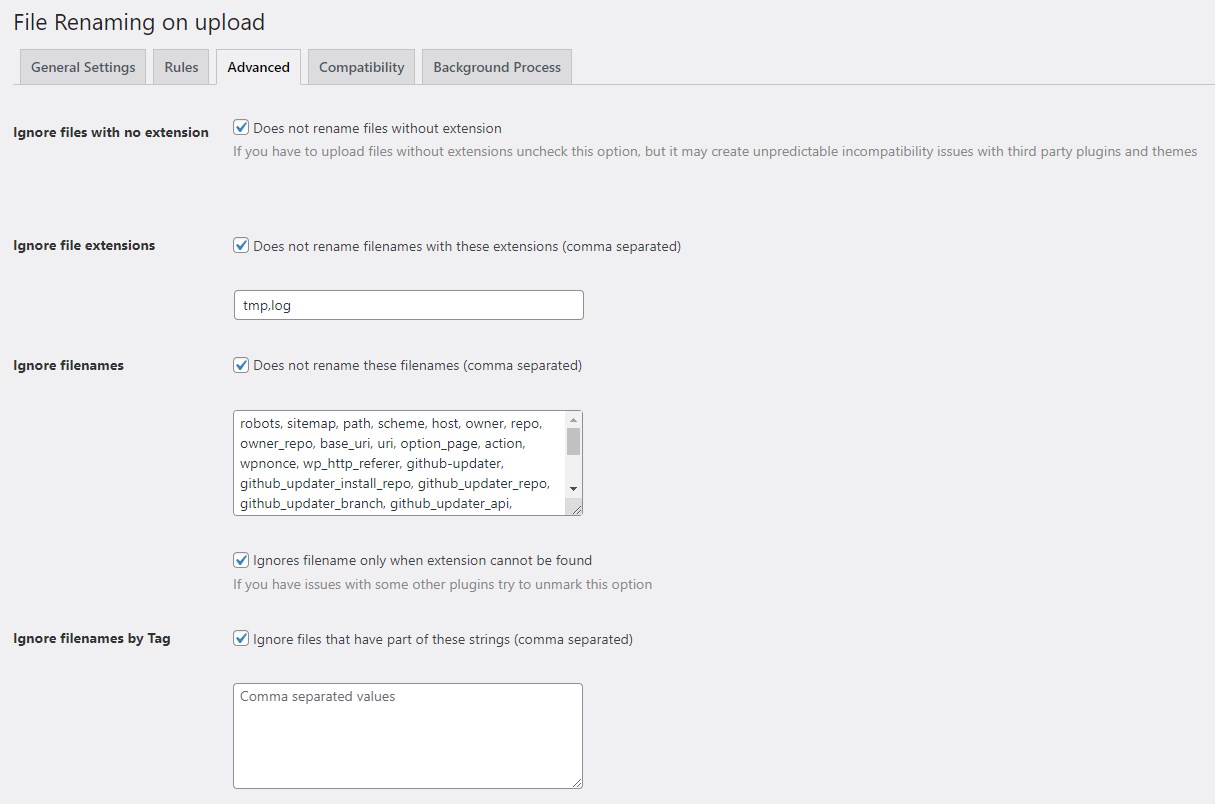
Ignore files without an extension #
By default, Rename Media Files skips files that have no extension, for example a file named myfile. This prevents unexpected behavior, since some plugins or themes rely on a file having an extension. If you need these files renamed too, uncheck ignore_empty_extensions, keeping in mind it may lead to compatibility issues.
Exclude specific file extensions #
To leave certain file types untouched, use the Ignore file extensions option (ignore_extensions) and list the extensions in bare form, comma separated with no dots, for example psd,ai. This keeps files like Photoshop documents and Illustrator artwork at their original names.
Ignore specific filenames #
The Ignore filenames option (ignore_filenames) skips exact filenames you list, for example logo,favicon. This is helpful when certain filenames hold special meaning in your theme or plugins. Note that this list matches files regardless of extension; by default any file whose name appears in the list is skipped whether or not it has an extension.
Restrict the ignore list to extensionless files #
A separate checkbox, Ignores filename only when extension cannot be found (ignore_without_extension, on by default), controls how the Ignore filenames list is applied. When it is on, listed names are skipped only if the file has no detectable extension, so image.jpg is still renamed while a file simply named image is left alone. When it is off, the listed names are ignored whether or not they have an extension. If you hit a conflict with another plugin, toggling this option is a good first thing to try.
Ignore filenames by Tag (Pro) #
For more granular control, the Ignore filenames by Tag option (ignore_filenames_by_tag) is the Pro exclusion tool. It skips any file whose name contains one of the strings, or “tags”, you list (comma separated). For example, adding custom,backup prevents any file containing “custom” or “backup” in its name from being renamed.
Ready to set this up? #
This is a Pro feature of Rename Media Files. If you are still on the free version, upgrading unlocks this along with the rest of the Pro toolkit. Get Rename Media Files Pro.