To show or hide a shipping method based on the shipping classes in the cart, use the Product Shipping Classes conditions in Conditional Shipping for WooCommerce: Restrict Shipping Options by Anything. You can require a method only when a product from a chosen class is present, or hide a method when a product from a chosen class is present.
How it works #
WooCommerce lets you group products into shipping classes (for example by size, weight, or fragility). Conditional Shipping reads the classes of the items in the cart and matches them against the classes you select for a shipping method:
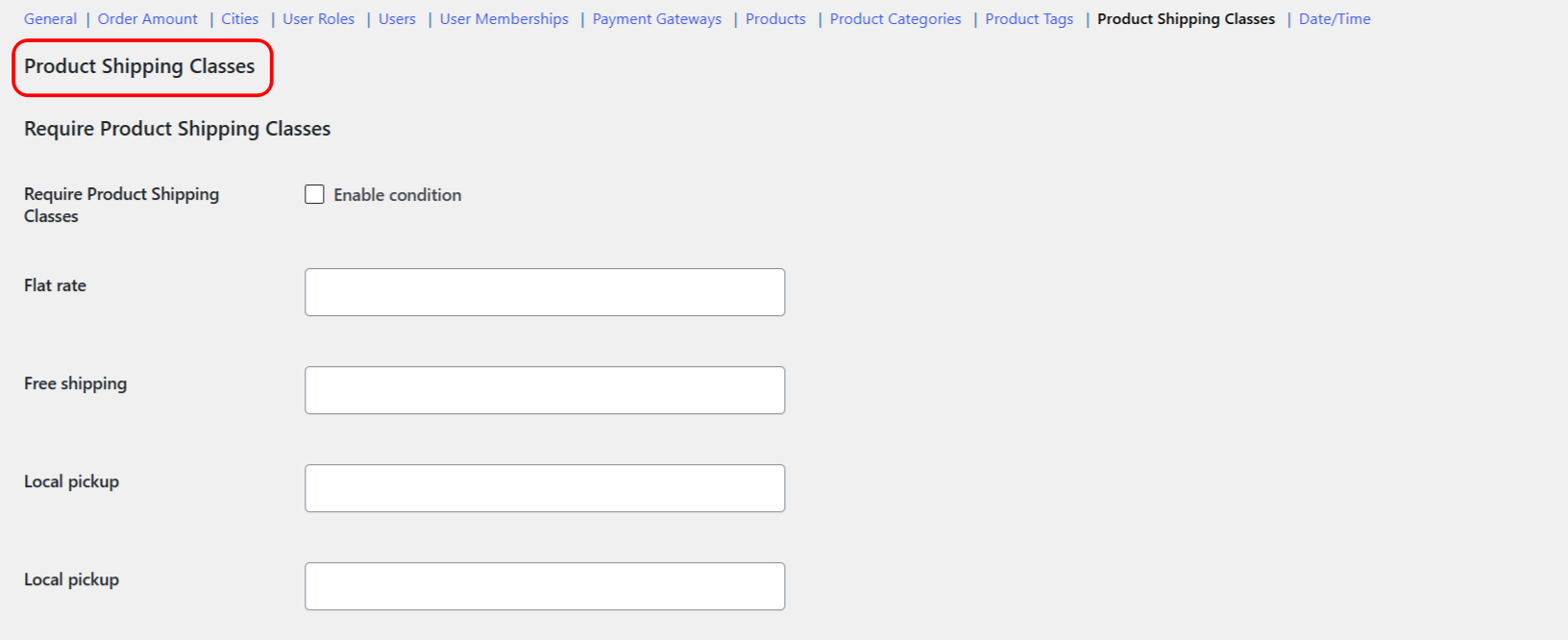
- Require Product Shipping Classes (
product_shipping_class_incl): the method appears only when the cart contains a product from one of the selected classes. - Exclude Product Shipping Classes (
product_shipping_class_excl): the method is hidden when the cart contains a product from one of the selected classes.
The list of classes includes a No shipping class option, so you can target products that have no class assigned.
Step-by-step setup #
- Go to WPFactory > Conditional Shipping (also reachable at WooCommerce > Settings > Conditional Shipping).
- Open the Product Shipping Classes section.
- Tick Enable condition for Require Product Shipping Classes, Exclude Product Shipping Classes, or both.
- For the shipping method you want to restrict (for example Flat rate or Local pickup), select one or more shipping classes in that method’s value field. Leave other methods empty to keep them unaffected.
- Save changes, then add a product from the relevant class to the cart and check the available methods at cart or checkout.
Options reference #
| Label | Option ID | Type | Default | Free/Pro |
|---|---|---|---|---|
| Require Product Shipping Classes (enable condition) | wpjup_wc_cond_shipping_product_shipping_class_incl_enabled |
Checkbox | No | Free |
| Require Product Shipping Classes (value, per method) | wpjup_wc_cond_shipping_product_shipping_class_incl_method[{method_id}] |
Multiselect of shipping classes | Empty | Free |
| Exclude Product Shipping Classes (enable condition) | wpjup_wc_cond_shipping_product_shipping_class_excl_enabled |
Checkbox | No | Free |
| Exclude Product Shipping Classes (value, per method) | wpjup_wc_cond_shipping_product_shipping_class_excl_method[{method_id}] |
Multiselect of shipping classes | Empty | Free |
Note: Require Product Shipping Classes honors the Require all general option. With Require all off (the default), the method shows if at least one cart item belongs to a selected class. With Require all on, every item in the cart must belong to a selected class for the method to show.
Use cases #
- Special handling for fragile goods: require a specific method only when a product from a
Fragile Itemsclass is in the cart. - Priority delivery: require an expedited method only for a
Priorityclass. - Keep bulky goods off pickup: exclude Local pickup when a product from a
Bulky Itemsclass is present. - Manage in-store stock: exclude a method for a
Clearance Itemsclass while you prioritize online orders.
Choosing Require or Exclude #
- Use Require Product Shipping Classes to make a method available only when products from certain classes are present.
- Use Exclude Product Shipping Classes to hide a method when products from certain classes are present.
Get more control #
This feature is free. Conditional Shipping for WooCommerce: Restrict Shipping Options by Anything Pro adds per shipping-instance conditions, so you can apply a rule to one specific shipping method instance inside one specific zone rather than to the method type everywhere. See what Pro unlocks.