Exclude cities in conditional shipping to hide a shipping method from customers in the cities you list, using Conditional Shipping for WooCommerce: Restrict Shipping Options by Anything. The Exclude Cities condition removes a method for a set of named cities, so you can keep options like free shipping out of areas you do not want to serve with them.
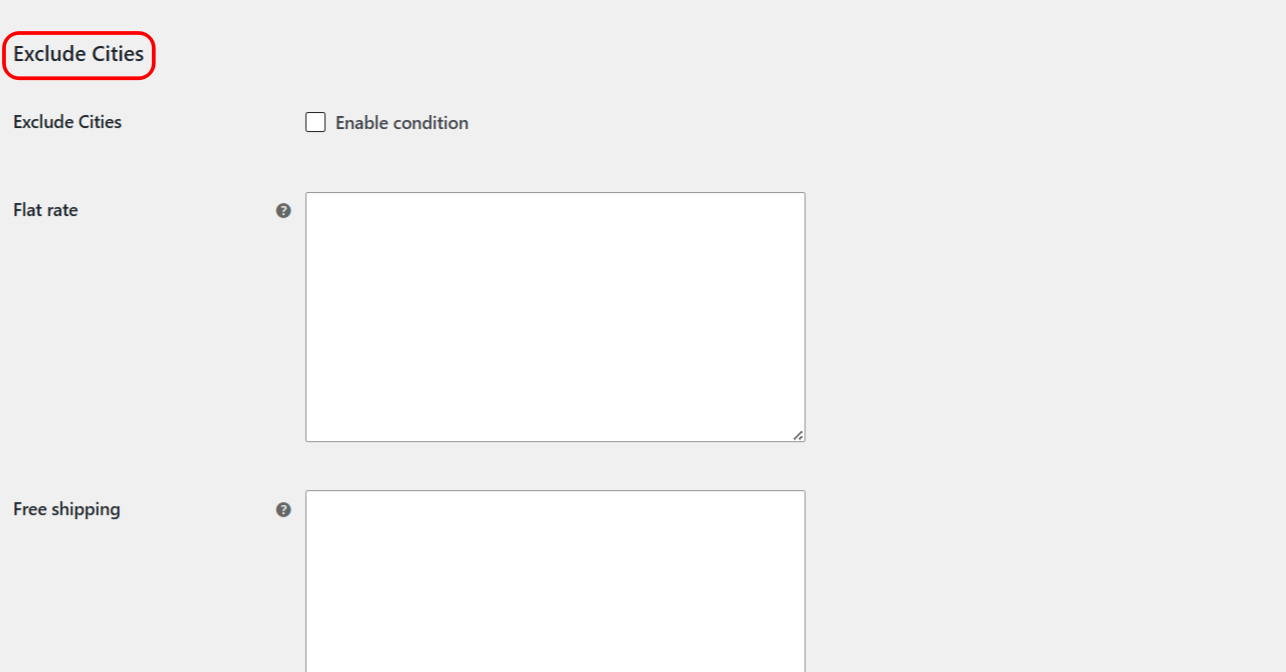
How the Exclude Cities condition works #
When Exclude Cities is enabled for a method, customers whose city is in your list do not see that method, while everyone else does. The customer’s city is read from the checkout city field, and before an address is entered it falls back to the store base city. On the checkout page the plugin re-checks the available methods when the city field changes.
Two details matter for accurate matching:
- Enter one city per line. The field is a textarea, not a comma-separated list. Put each city on its own line.
- Matching is case-insensitive. The city is compared without regard to capitalization, so
Parisandparismatch the same way. Spelling still has to match.
Step-by-step setup #
- Go to WPFactory > Conditional Shipping (also reachable at WooCommerce > Settings > Conditional Shipping).
- Open the Cities section.
- Tick Enable condition for Exclude Cities.
- In the city field for the shipping method you want to restrict, type the excluded cities, one per line.
- Save changes, then test at checkout with an excluded and a non-excluded city to confirm the method is hidden only for the listed cities.
Options reference #
| Label | Option ID | Type | Default | Free/Pro |
|---|---|---|---|---|
| Enable condition | wpjup_wc_cond_shipping_city_excl_enabled |
Checkbox | No | Free |
| Exclude Cities (per method) | city_excl |
Textarea (one city per line) | Empty | Free |
Use cases #
- Protect free shipping margins: exclude remote cities from free shipping while keeping it for your core market.
- Skip areas you cannot service: hide a courier method in cities that carrier does not reach.
- Pair with Require Cities: use both conditions together for a comprehensive include-and-exclude approach.
Reset the section #
Every settings section has its own Reset section settings checkbox (alg_wc_cond_shipping_city_reset for the Cities section). Tick it and save to reset that section, including the excluded cities, back to defaults. This reset is per-section, not a global reset, and a confirmation notice appears after saving.
Troubleshooting #
- All cities are being treated as one entry: you likely separated cities with commas. Put each city on its own line instead.
- A method is hidden before an address is entered: with no checkout city yet, the plugin uses the store base city. If that base city is in your exclude list, the method stays hidden until the customer enters a different city.
- City not matching: capitalization does not matter, but spelling does. Check for typos and alternate spellings.
Get more control #
This feature is free. Conditional Shipping for WooCommerce: Restrict Shipping Options by Anything Pro adds the Use shipping instances option, so you can apply city rules to a specific shipping method instance inside a specific zone rather than to the method type globally. See what Pro unlocks.