Create shipping rules by user role to show or hide a shipping method based on who is logged in, using Conditional Shipping for WooCommerce: Restrict Shipping Options by Anything. The User Roles conditions let you require or exclude specific roles, so you can reward customers, manage wholesale accounts, and keep internal shipping options in check.
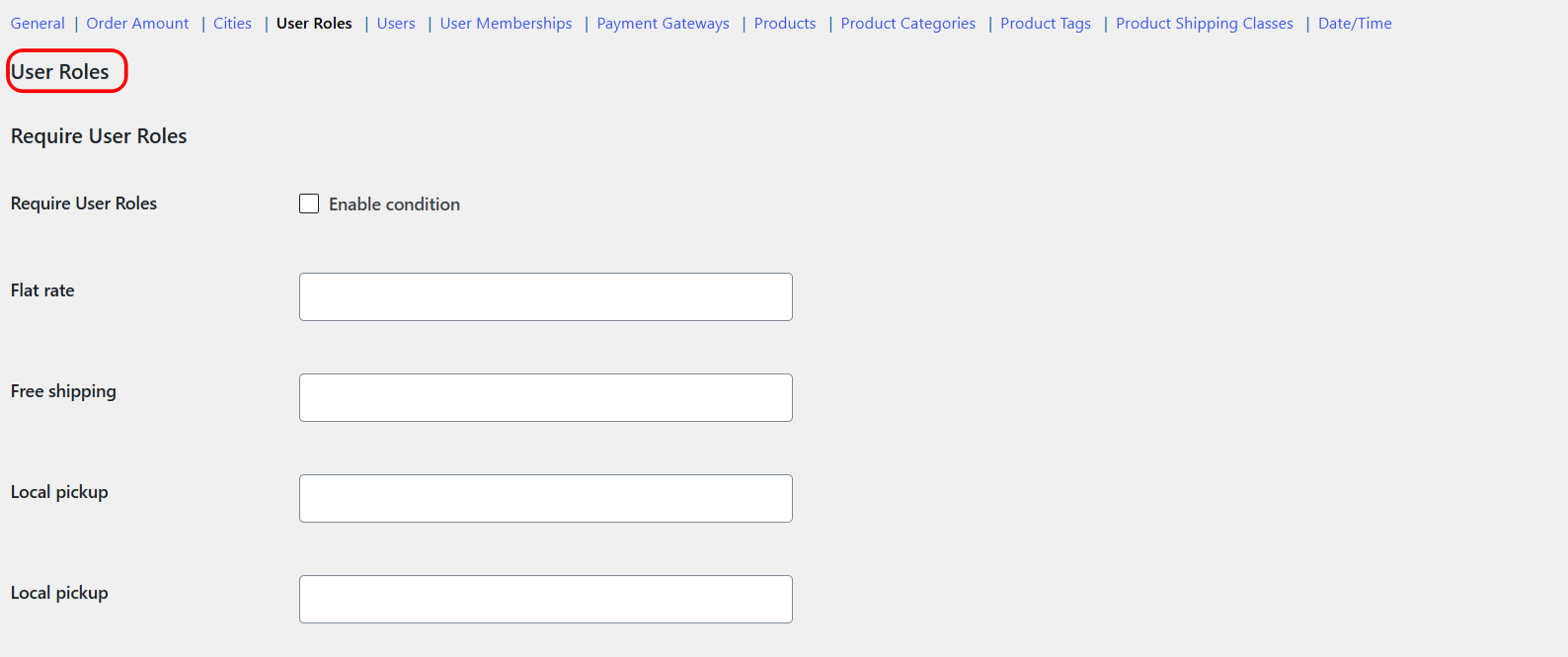
How the User Roles conditions work #
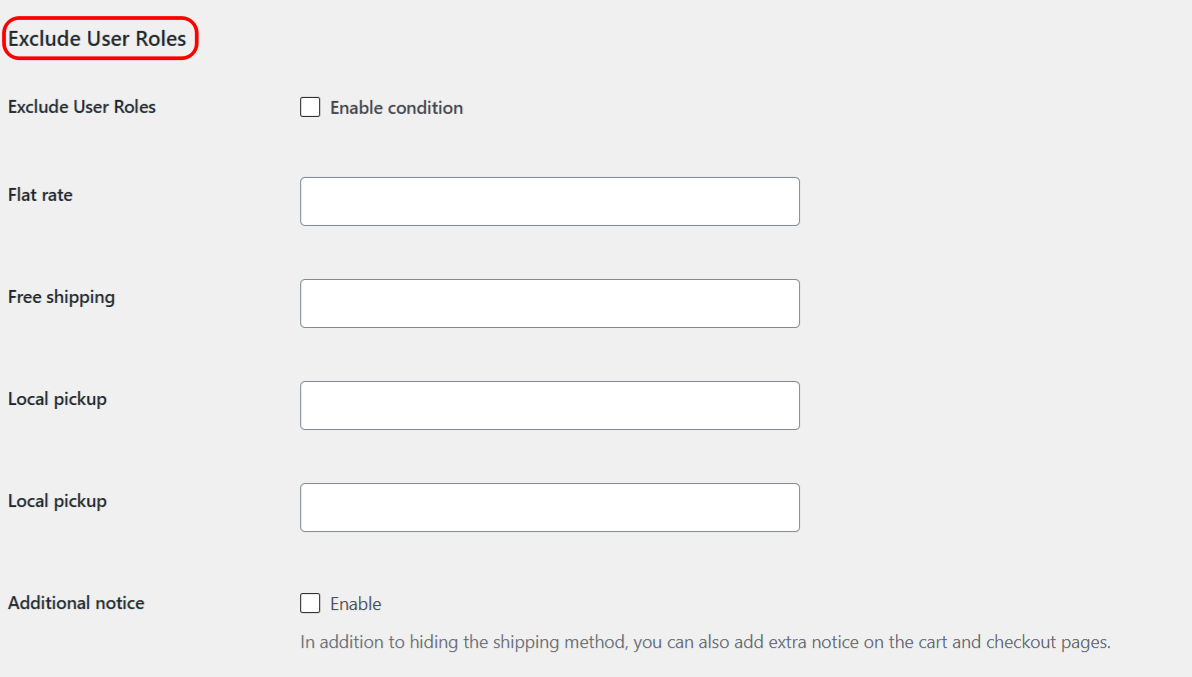
There are two conditions, each a multiselect of roles set per shipping method:
- Require User Roles (
user_role_incl): the method shows only for the selected roles. - Exclude User Roles (
user_role_excl): the method is hidden for the selected roles.
Two behaviors are worth knowing before you build a rule:
- Guests are covered by a synthetic “Guest” role. Logged-out visitors are treated as the role
guest, so you can require or exclude guest shoppers just like any registered role. - Only the customer’s first role is evaluated. If a user has more than one role, the plugin checks the first one only. Keep this in mind for accounts that carry multiple roles.
Step-by-step setup #
- Go to WPFactory > Conditional Shipping (also reachable at WooCommerce > Settings > Conditional Shipping).
- Open the User Roles section.
- Tick Enable condition for Require User Roles or Exclude User Roles.
- For the shipping method you want to control, select the roles to include or exclude (the list includes Guest for logged-out visitors).
- Save changes and test by signing in as each relevant role.
Options reference #
| Label | Option ID | Type | Default | Free/Pro |
|---|---|---|---|---|
| Require User Roles (per method) | user_role_incl |
Multiselect of roles | Empty | Free |
| Exclude User Roles (per method) | user_role_excl |
Multiselect of roles | Empty | Free |
Use cases #
- Reward customers: require the Customer role for free shipping so it is offered to shoppers, not internal accounts.
- Manage internal orders: exclude Administrator or Shop Manager from a free method so staff orders do not qualify automatically.
- Control wholesale accounts: exclude a wholesale role from retail-only shipping offers.
- Handle guests: require or exclude the Guest role to set what logged-out visitors can use.
Troubleshooting #
- A multi-role user gets the wrong result: only the first role is checked. Reorder or adjust the account’s roles so the intended role is first.
- Logged-out visitors are not matching: use the Guest role, not a registered role, to target them.
- Rule not applying: confirm Enable condition is ticked and that you selected roles on the correct shipping method.
Get more control #
This feature is free. Conditional Shipping for WooCommerce: Restrict Shipping Options by Anything Pro adds the Use shipping instances option, so you can apply user role rules to a specific shipping method instance inside a specific zone rather than to the method type globally. See what Pro unlocks.