Set minimum and maximum order amount shipping rules to show or hide a shipping method based on the cart total, using Conditional Shipping for WooCommerce: Restrict Shipping Options by Anything. The Order Amount condition lets you gate a method behind a spending threshold, so options like free shipping or express delivery appear only when the order value fits the range you want.
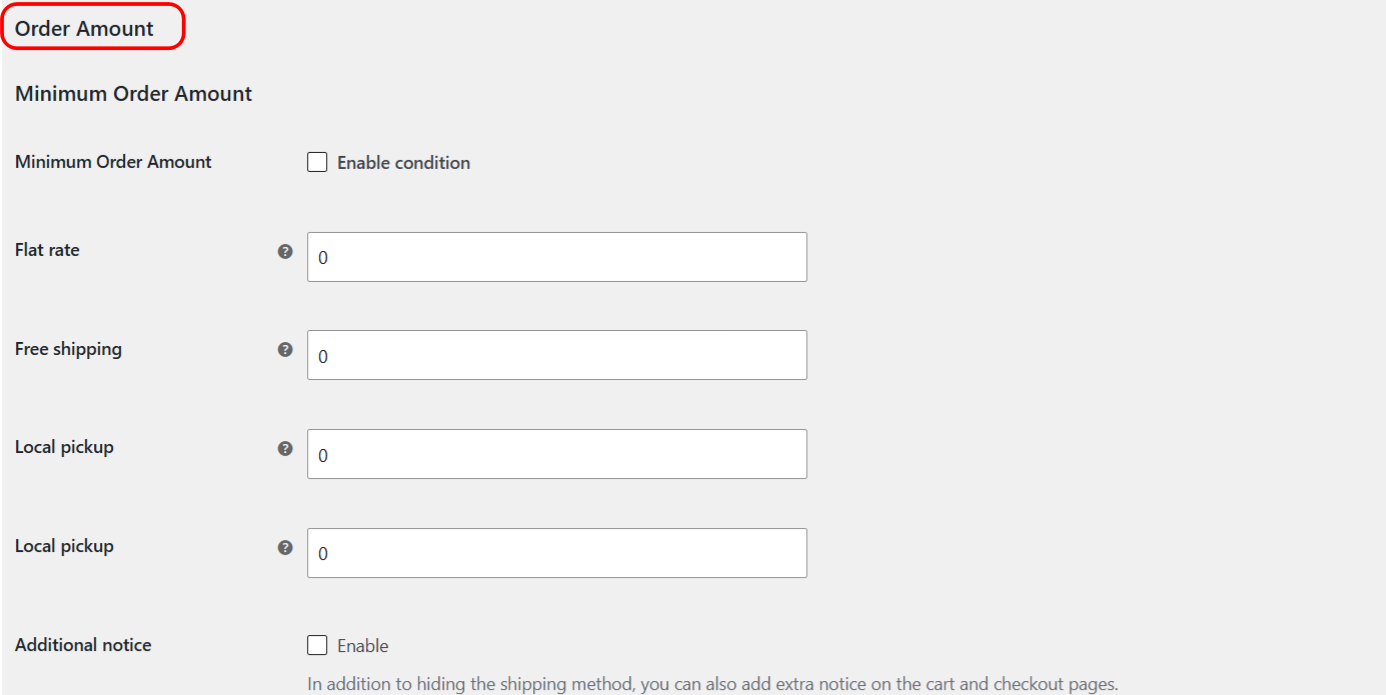
How the Order Amount condition works #
The Order Amount condition has two values you can set per shipping method:
- Minimum Order Amount (
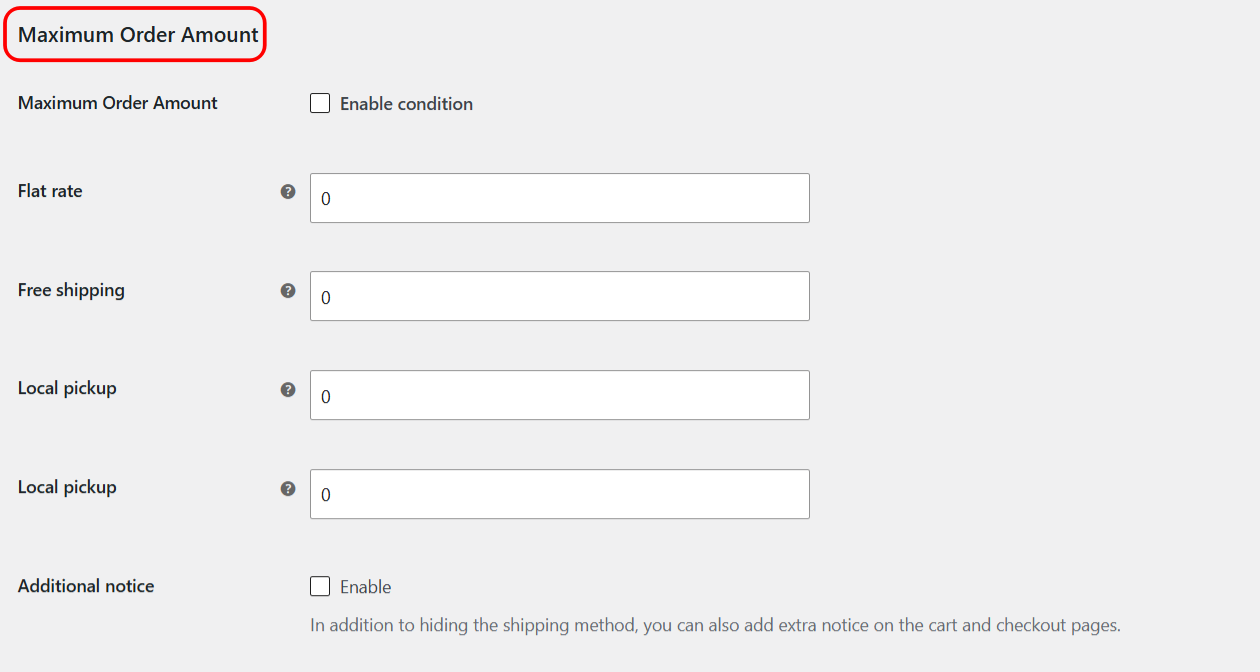
min_order_amount): the method is hidden when the total is below this value. - Maximum Order Amount (
max_order_amount): the method is hidden when the total is above this value.
Each value is a number with a default of 0. A value of 0 is ignored, so leaving a field at 0 means that side of the rule is not applied. The comparison uses the cart or package product subtotal (the contents total), which excludes shipping costs.
Note: the amount is compared against the current shipping package by default. To compare against the whole cart instead, enable Cart instead of package in the General section.
Step-by-step setup #
- Go to WPFactory > Conditional Shipping (also reachable at WooCommerce > Settings > Conditional Shipping).
- Open the Order Amount section.
- Tick Enable condition.
- For each shipping method you want to restrict, enter a Minimum Order Amount, a Maximum Order Amount, or both. Leave a field at
0to ignore it. - Save changes, then check your cart or checkout to confirm the method appears only within the amount range.
You only set values for the methods you want to gate. Methods you leave untouched are not affected by this condition.
Options reference #
| Label | Option ID | Type | Default | Free/Pro |
|---|---|---|---|---|
| Enable condition | wpjup_wc_cond_shipping_min_order_amount_enabled |
Checkbox | No | Free |
| Minimum Order Amount (per method) | min_order_amount |
Number | 0 (ignored if set to zero) | Free |
| Maximum Order Amount (per method) | max_order_amount |
Number | 0 (ignored if set to zero) | Free |
Use cases #
- Encourage larger orders: set a Minimum Order Amount on free shipping so it unlocks once the cart reaches a target value.
- Reserve premium handling for smaller orders: set a Maximum Order Amount on a special or fragile-item method so it shows only below a ceiling.
- Combine with other conditions: pair Order Amount with product or user role conditions to build precise rules. When several conditions are enabled, the General section’s Logical operator (AND or OR) decides how they combine.
Troubleshooting #
- Rule seems ignored: a value of
0is ignored by design. Enter a non-zero amount for the side you want to enforce. - Total looks off: the condition uses the product subtotal and excludes shipping. If you expected the full cart rather than the current package, enable Cart instead of package in the General section.
- Method still hidden or shown unexpectedly: confirm you set the value on the correct shipping method and that Enable condition is ticked.
Get more control #
This feature is free. Conditional Shipping for WooCommerce: Restrict Shipping Options by Anything Pro adds the Use shipping instances option, so you can apply order amount rules to a specific shipping method instance inside a specific zone rather than to the method type globally. See what Pro unlocks.