The Conditional Shipping conditions in Conditional Shipping for WooCommerce: Restrict Shipping Options by Anything are the building blocks of your shipping rules. Each condition can hide or show a shipping method based on the cart, the customer or the time of the order. This article gives an overview of all 11 conditions.
Where to find the conditions #
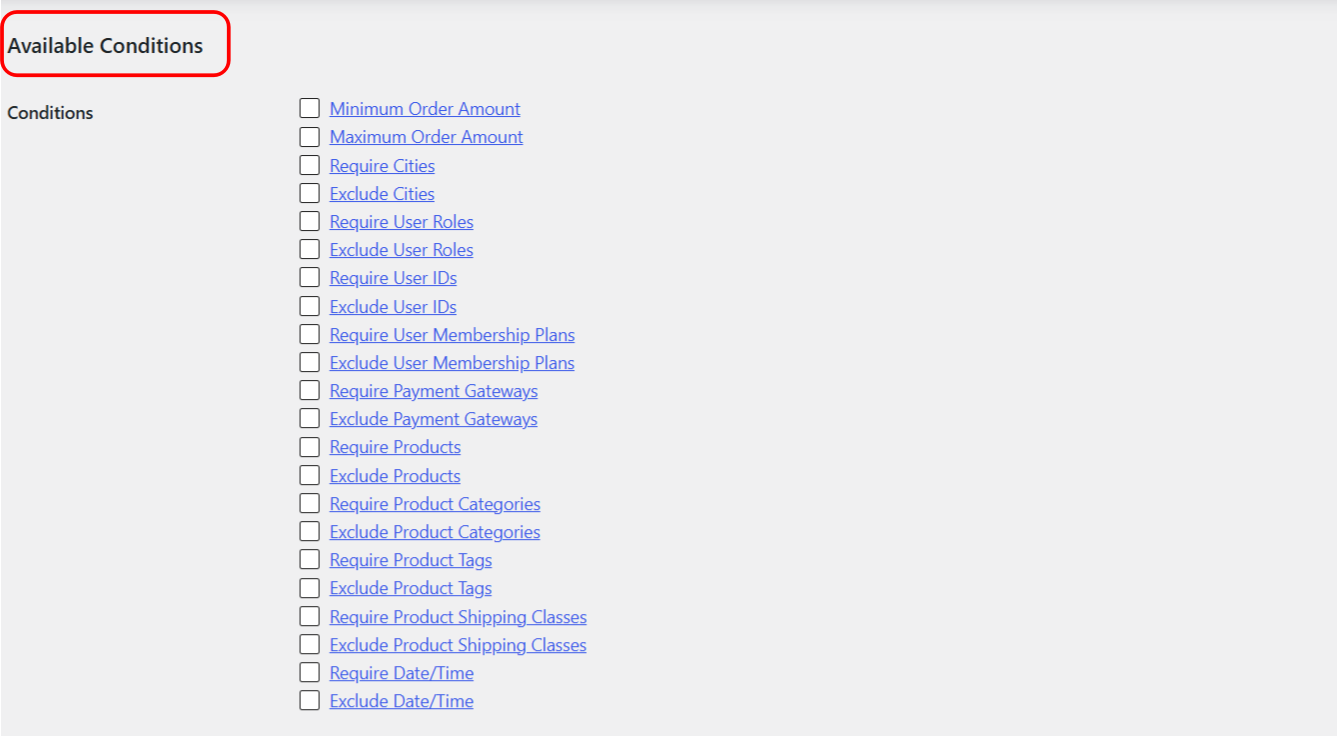
Go to WPFactory > Conditional Shipping (also reachable at WooCommerce > Settings > Conditional Shipping). Each condition has its own section, and you enable it there or from the Available Conditions list on the General section. Every condition comes in two forms: Require (show the method only when the condition matches) and Exclude (hide the method when the condition matches). You set values per shipping method, so a rule can apply to one method and leave the rest untouched.
The 11 conditions #
- Order Amount: set a minimum or maximum cart total per method. The minimum hides a method when the total is below the value; the maximum hides it when the total is above. A value of 0 is ignored.
- Cities: match the customer’s shipping or billing city. Enter one city per line, not comma-separated. Matching is case-insensitive.
- User Roles: match the customer’s role. A synthetic Guest role is included for logged-out visitors. Only the customer’s first role is checked.
- Users: match specific user IDs, chosen from a searchable list of users.
- User Memberships: match membership plans. This condition needs the WooCommerce Memberships plugin; without it the condition does nothing.
- Payment Gateways: match the chosen payment method. Gateway rules are most reliable on the checkout page, where the current gateway is known.
- Products: match specific products in the cart, using an AJAX product search. The Add products variations general option adds variations to the list.
- Product Categories: match one or more product categories in the cart.
- Product Tags: match one or more product tags in the cart.
- Product Shipping Classes: match the shipping class of cart items, including a No shipping class option.
- Date/Time: match a day, date or time window. Require shows the method only inside the range; Exclude hides it inside the range.
Combining conditions #
When you enable more than one condition, the Logical operator option on the General section decides how they combine. AND requires every enabled condition to pass before the method shows; OR shows the method if any one enabled condition passes. The default is AND. This is what lets you build layered rules, for example free shipping only for a certain user role AND an order above a set amount.
Additional notice #
Each condition section has its own optional Additional notice. When a method is hidden by that condition, you can show a short message on the cart and checkout pages explaining why, using the %shipping_method% placeholder for the method name.
Get more control #
All 11 conditions are free. Conditional Shipping for WooCommerce: Restrict Shipping Options by Anything Pro adds per shipping-instance conditions, so you can apply any of these rules to a specific method instance inside a specific shipping zone. See what Pro unlocks.