How to style the offer form popup #
To style the offer form popup in Name Your Price: Make Your Own Offer for WooCommerce, go to WPFactory > Price Offers and open the Styling section. Set the popup width and the header and footer background and text colors. The footer bar only shows when you set a Form footer in the Form section. These styling options are free.
Go to WPFactory > Price Offers (also reachable at WooCommerce > Settings > Price Offers) and open the Styling section.
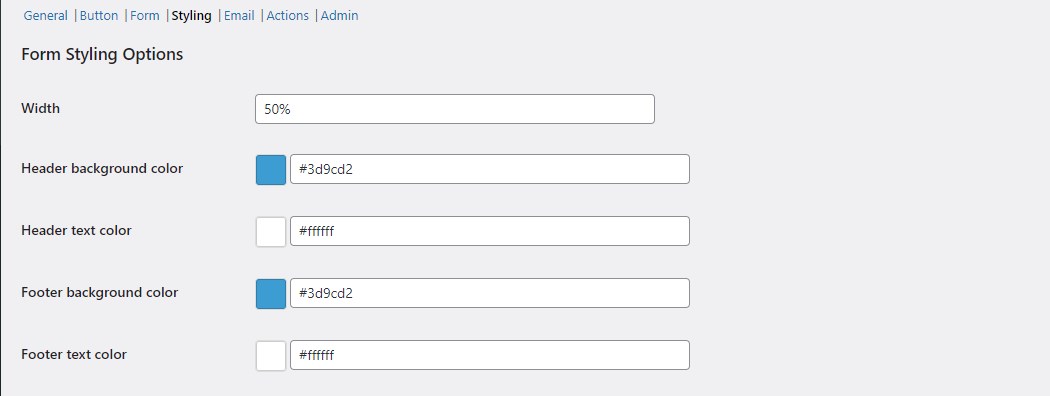
Styling options (all free) #
| Label | Option ID | Default |
|---|---|---|
| Width | alg_wc_price_offerings_styling[form_content_width] |
80% |
| Header background color | alg_wc_price_offerings_styling[form_header_back_color] |
#3d9cd2 |
| Header text color | alg_wc_price_offerings_styling[form_header_text_color] |
#ffffff |
| Footer background color | alg_wc_price_offerings_styling[form_footer_back_color] |
#3d9cd2 |
| Footer text color | alg_wc_price_offerings_styling[form_footer_text_color] |
#ffffff |
Width accepts any CSS length, such as 80% or 500px. The header and footer colors apply to the top and bottom bars of the popup. The footer bar only shows when you set a Form footer in the Form section. Use the Reset section settings checkbox to return to the defaults above.
Get more control #
Popup styling is free. Name Your Price: Make Your Own Offer for WooCommerce Pro adds per-product, per-category, and per-variation targeting plus auto-accept and auto-reject rules. See what Pro unlocks.