Keep line breaks in your tab content #
By default, custom tab content in Additional Custom Product Tabs for WooCommerce is output exactly as you enter it, so plain line breaks can collapse into one block of text on the product page. The HTML paragraph tags option fixes this by wrapping paragraphs automatically. This setting is free and was added in version 1.7.2.
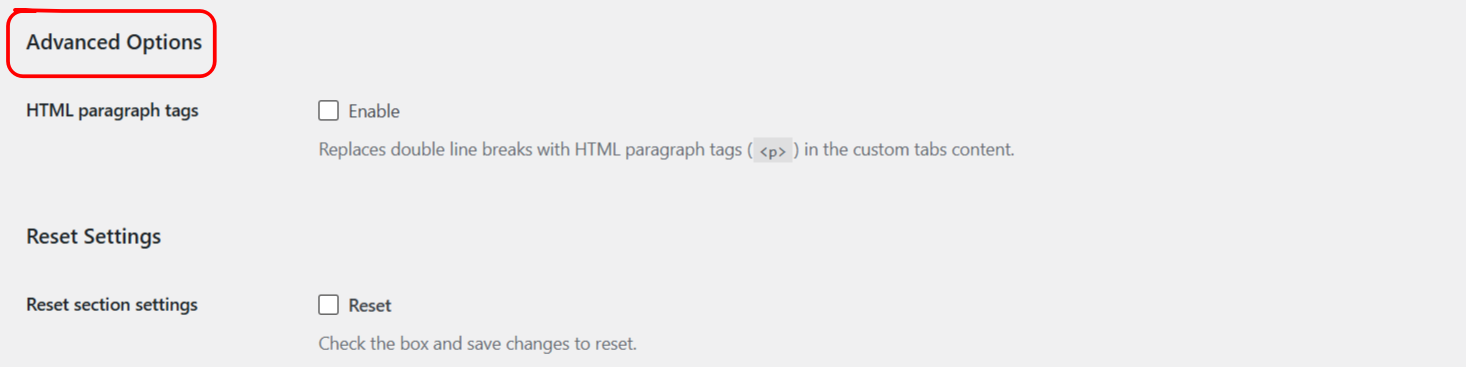
Turn it on #
- Go to WPFactory > Product Tabs (also reachable at WooCommerce > Settings > Product Tabs).
- On the General section, find Advanced Options.
- Enable HTML paragraph tags and save.
What it does #
| Label | Option ID | Default |
|---|---|---|
| HTML paragraph tags | alg_wc_product_tabs_wpautop |
No |
When enabled, the plugin runs your tab content through the same WordPress formatting that post content uses, so a double line break becomes a <p> paragraph and single line breaks become <br>. It applies to custom tab content across the global, per-product and variation tabs.
When to leave it off #
If you write your tab content as full HTML already, with your own <p> and <div> tags, leave this off to avoid extra paragraph wrapping around your markup.
Get more control #
This option is free. Additional Custom Product Tabs for WooCommerce Pro adds unlimited global and per-product tabs to hold your formatted content. See what Pro unlocks.