Keep each shopper’s page-size choice as they browse #
Number of Products per Page – Pagination Manager for WooCommerce remembers a shopper’s products per page choice in a cookie, the WooCommerce session, or both. Both are free and on by default. To adjust them, go to WPFactory > Products per Page > Advanced and set Save in cookie, Cookie expiration time, Save in session, and Force session start.
Where to set this #
Go to WPFactory > Products per Page (also reachable at WooCommerce > Settings > Products per Page), then open the Advanced section.
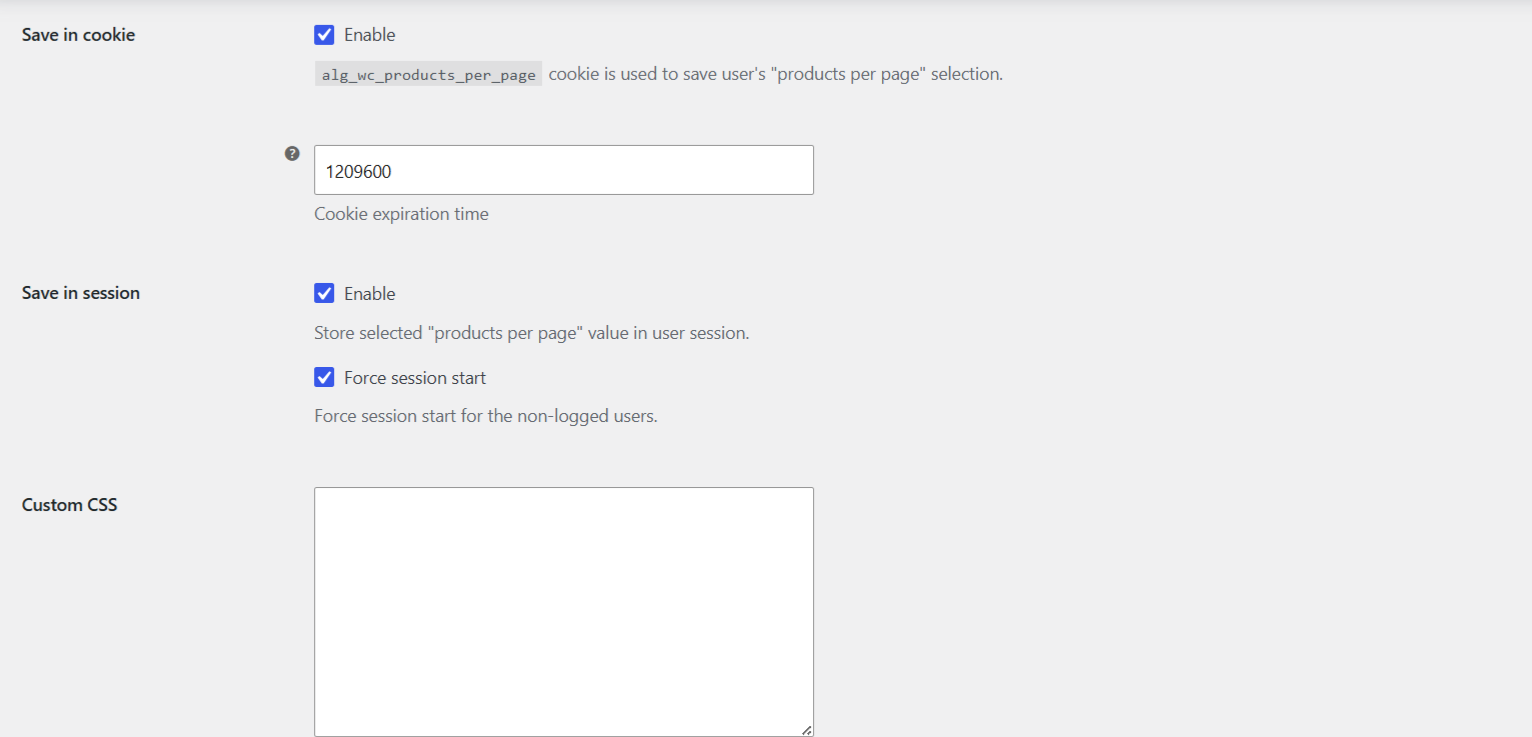
How the value is resolved #
On each request the plugin decides how many products to show in this order: a value submitted right now, then the session value, then the cookie value, and finally the Default option. So the most recent choice wins, and a stored choice is used on later visits.
Cookie and session options #
| Setting | Option ID | Default |
|---|---|---|
| Save in cookie | alg_wc_products_per_page_cookie_enabled |
yes |
| Cookie expiration time (seconds) | alg_wc_products_per_page_cookie_sec |
1209600 (14 days) |
| Save in session | alg_wc_products_per_page_session_enabled |
yes |
| Force session start | alg_wc_products_per_page_session_force_start |
yes |
Which to use #
- Cookie: persists across visits for as long as the expiration time you set. Raise the seconds value for a longer memory, or lower it for a shorter one.
- Session: lasts for the WooCommerce session. Enable Force session start so a session is created for non-logged-in shoppers, which is needed for the session value to stick.
Tip: if a page cache serves the same HTML to everyone, the stored choice may look like it does not apply. Exclude your shop and archive pages from full-page caching, or test while logged out with caching cleared.
Get more control #
Cookie and session storage are free. Number of Products per Page – Pagination Manager for WooCommerce Pro adds an editable options list and a Products per Page widget. See what Pro unlocks.