Change Add to Cart Button Text for WooCommerce can set the button text for groups of people (by role) or for named individuals (by user). They look similar in the settings, so this article explains the difference and helps you pick. Both give you one free group; more groups are a Pro feature.
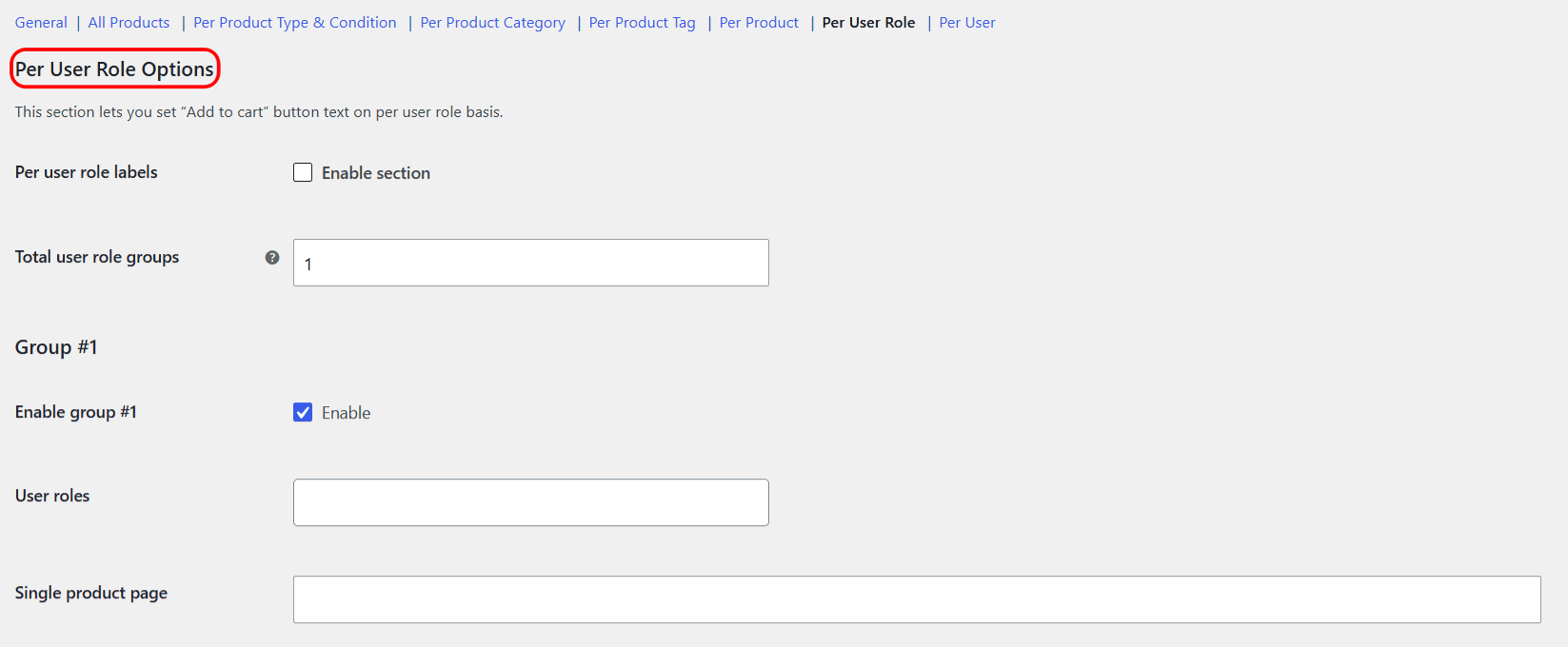
Per User Role #
Use this when the wording should follow a type of visitor: all wholesalers, all subscribers, or all logged-out guests. You pick roles, not people, so the label automatically applies to anyone who has that role now or in future. The special Guest role covers visitors who are not signed in.
Per User #
Use this when the wording should apply to specific accounts: one key buyer, a named tester, or a small list of individuals. You pick users by name. It does not scale to “everyone like this person”, so keep it for the handful of accounts that genuinely need bespoke text.
Side by side #
| Per User Role | Per User | |
|---|---|---|
| Targets | Roles (groups of people) | Named individual users |
| Covers logged-out visitors | Yes, via the Guest role | Yes, via the Guest entry |
| Free tier | One group | One group |
| Multiple groups | Pro | Pro |
| Precedence | Overridden by Per User | Highest, wins over everything |
If both apply to the same person, the Per User label wins because it is the most specific rule. Both of these override the product-based sections (product type, category, tag and product).
Ready to set this up? #
One role group and one user group are free. Change Add to Cart Button Text for WooCommerce Pro unlocks unlimited groups of each, plus category and tag groups and on-sale labels. Get the Pro version.