Table of Contents
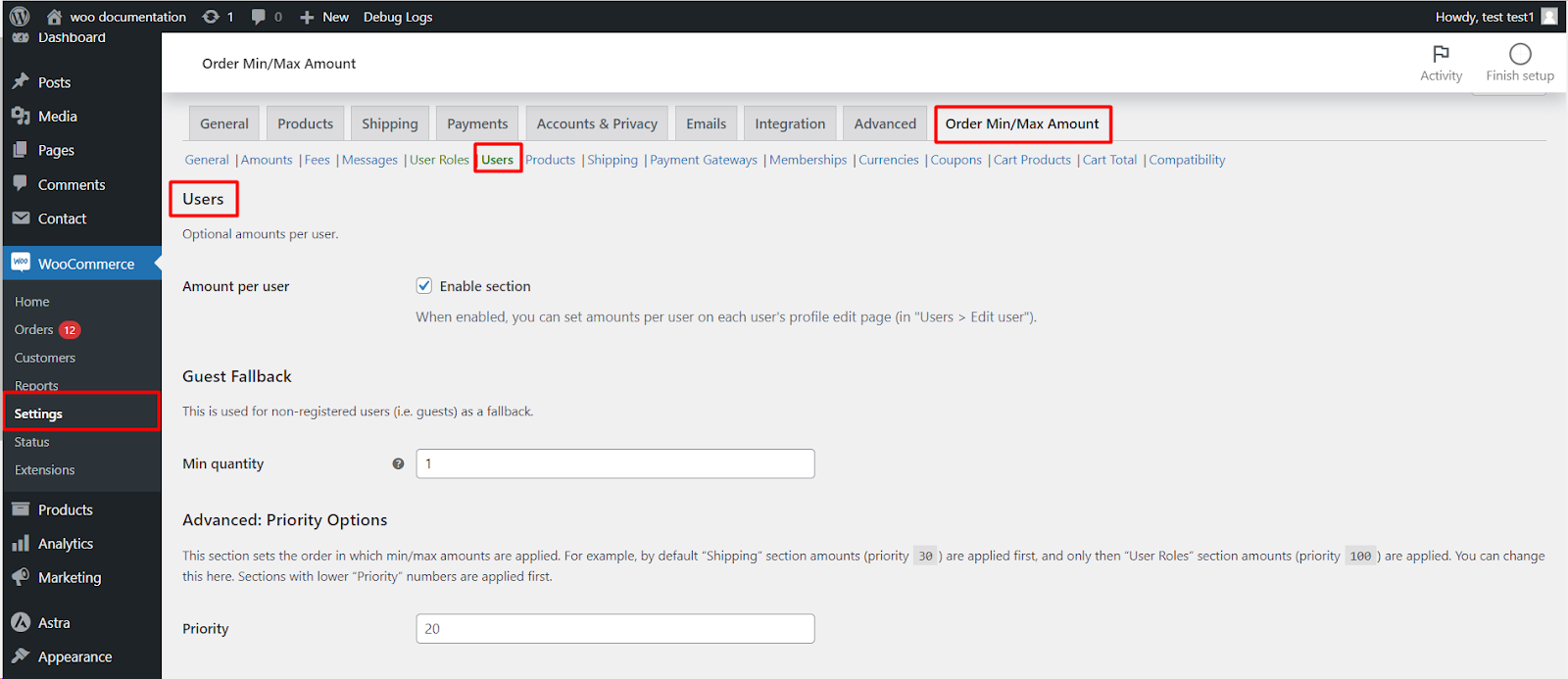
To set minimum and maximum amounts per user in Order Minimum/Maximum Amount Limits for WooCommerce Pro, go to WPFactory > Order Min/Max > Users and tick Amount per user. Then set the per-user amounts on each customer’s profile, and use the Guest Fallback amounts for shoppers who are not logged in. This is a Pro feature.
Before you start #
- WooCommerce, active.
- Order Minimum/Maximum Amount Limits for WooCommerce Pro: the Users section is a Pro feature.
Step-by-step #
- Go to WPFactory > Order Min/Max (also reachable at WooCommerce > Settings > Order Min/Max Amount) and open the Users sub-tab.
- Tick Amount per user (
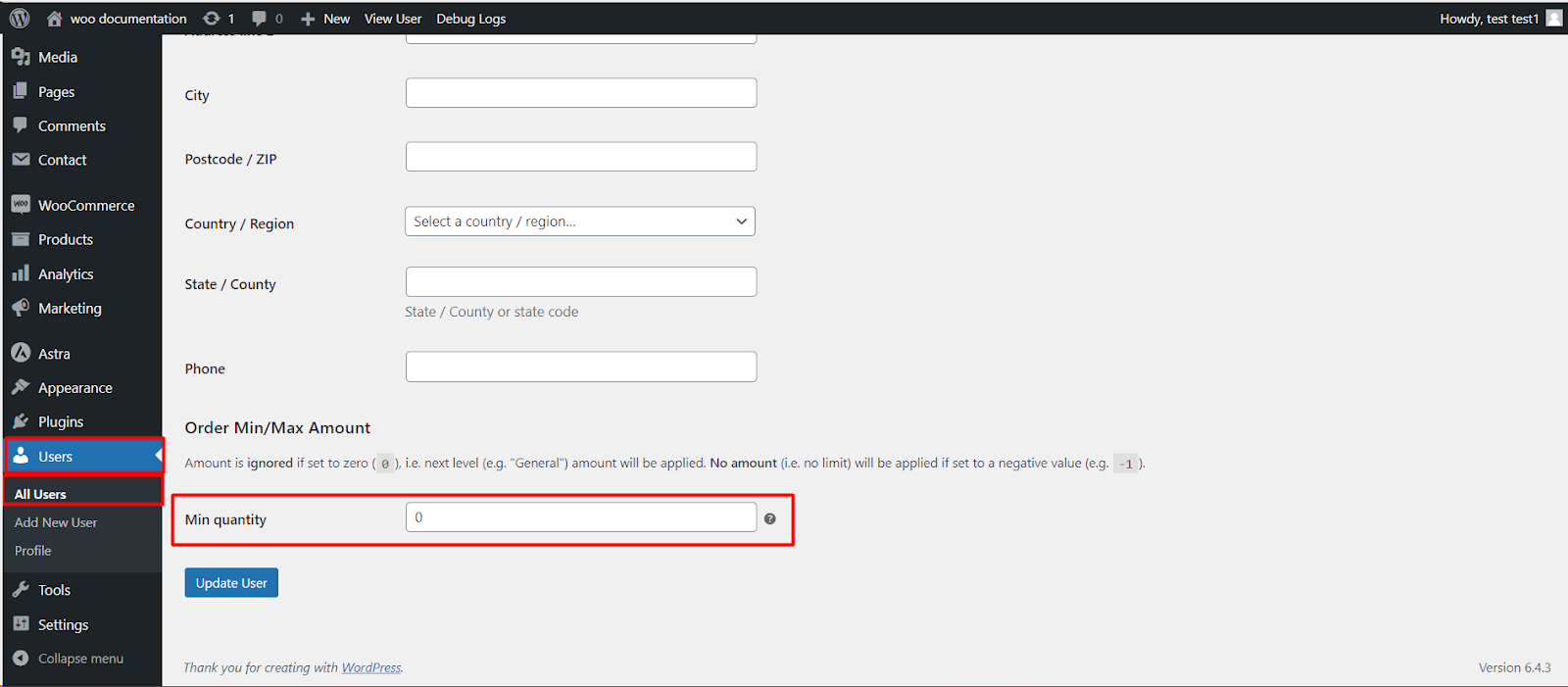
alg_wc_oma_by_user_enabled). - Set the per-user amounts on the customer’s own profile, and use the Guest Fallback amounts here for shoppers who are not logged in.
- Click Save changes.
Good to know #
- Per-user amounts are stored on the user as meta keyed
_alg_wc_oma_{min|max}_{type}(for example_alg_wc_oma_min_sum). - An amount of 0 is ignored; a negative value such as -1 removes the limit for that user.
- Use Priority (
alg_wc_oma_by_user_priority, default 20) to decide whether user limits win over other sections.
Ready to set this up? #
Per-user limits are part of Order Min/Max Amount Pro. Get Order Min/Max Amount Pro.