To decrease product stock automatically when an order reaches a chosen status or event, use the Decrease Stock section of Automated Stock Update Triggers for WooCommerce. This is a free feature. Stock is decreased only once per order, on whichever selected trigger fires first.
Set it up #
- Go to WPFactory > Stock Triggers (also reachable at WooCommerce > Settings > Stock Triggers), General sub-section.
- Under Decrease Stock, turn on Enable section (
alg_wc_stock_triggers_enabled[decrease]). - In Triggers (
alg_wc_stock_triggers[decrease]), select the events that should reduce stock. The default is Payment complete, Completed, Processing, and On hold. - Click Save changes.
Triggers available in the free version #
The free Triggers list contains these 10 entries:
- Order status: Cancelled, Completed, On hold, Pending payment, Processing, Failed, Refunded.
- Payment complete, Checkout order processed, Checkout update order meta.
Avoid double counting: Payment complete and several order statuses can fire for the same order. Because stock only decreases once per order, this is usually safe, but if you also rely on Checkout order processed, review your selection so a single sale is not covered by overlapping triggers you did not intend.
The other Decrease Stock options #
| Option | What it does | Free/Pro |
|---|---|---|
| Custom triggers | Type extra action hook names, one per line (for example woocommerce_order_status_completed). This is a text field, not code. |
Pro |
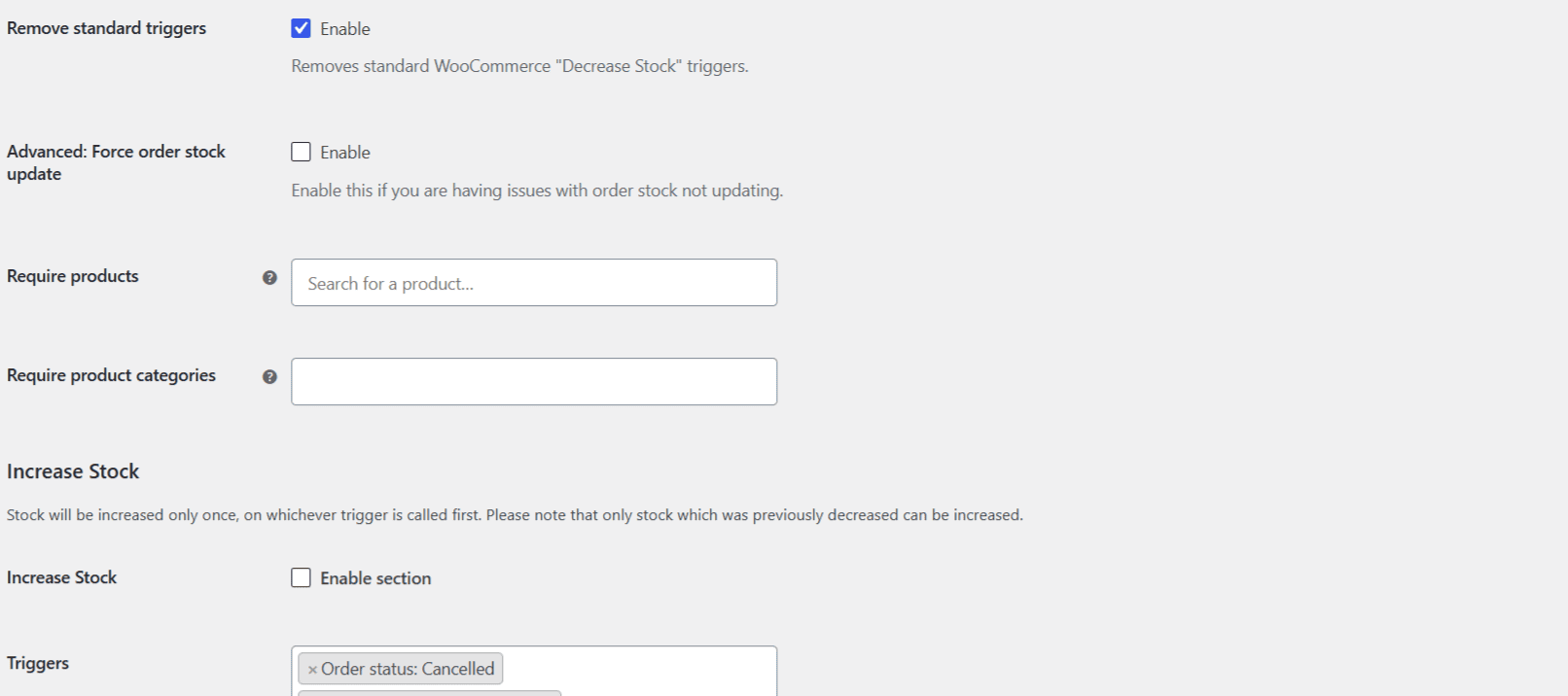
| Remove standard triggers | Removes WooCommerce’s own stock decrease from any event you did not select. On by default. | Free |
| Advanced: Force order stock update | Forces the change through when WooCommerce would otherwise skip it. Enable only if stock is not updating. | Free |
| Require products / Require product categories | Only decrease stock when the order matches your selection. Every item in the order must match; an empty selection is ignored. | Free |
Custom triggers and custom order statuses in the Triggers list are the Pro parts of this screen. Everything else here is free. See Add custom order statuses and custom triggers.
Ready to set this up? #
Automatic stock decrease is free in Automated Stock Update Triggers for WooCommerce. If you need custom order statuses or free-form triggers, the Pro version adds them.