To run a stock trigger only for certain products, use the Require products and Require product categories options in Automated Stock Update Triggers for WooCommerce. Both are free, and each stock section (Decrease and Increase) has its own copy.
Before you start #
- WooCommerce, active.
- The Decrease Stock or Increase Stock section enabled, with at least one trigger selected.
Set it up #
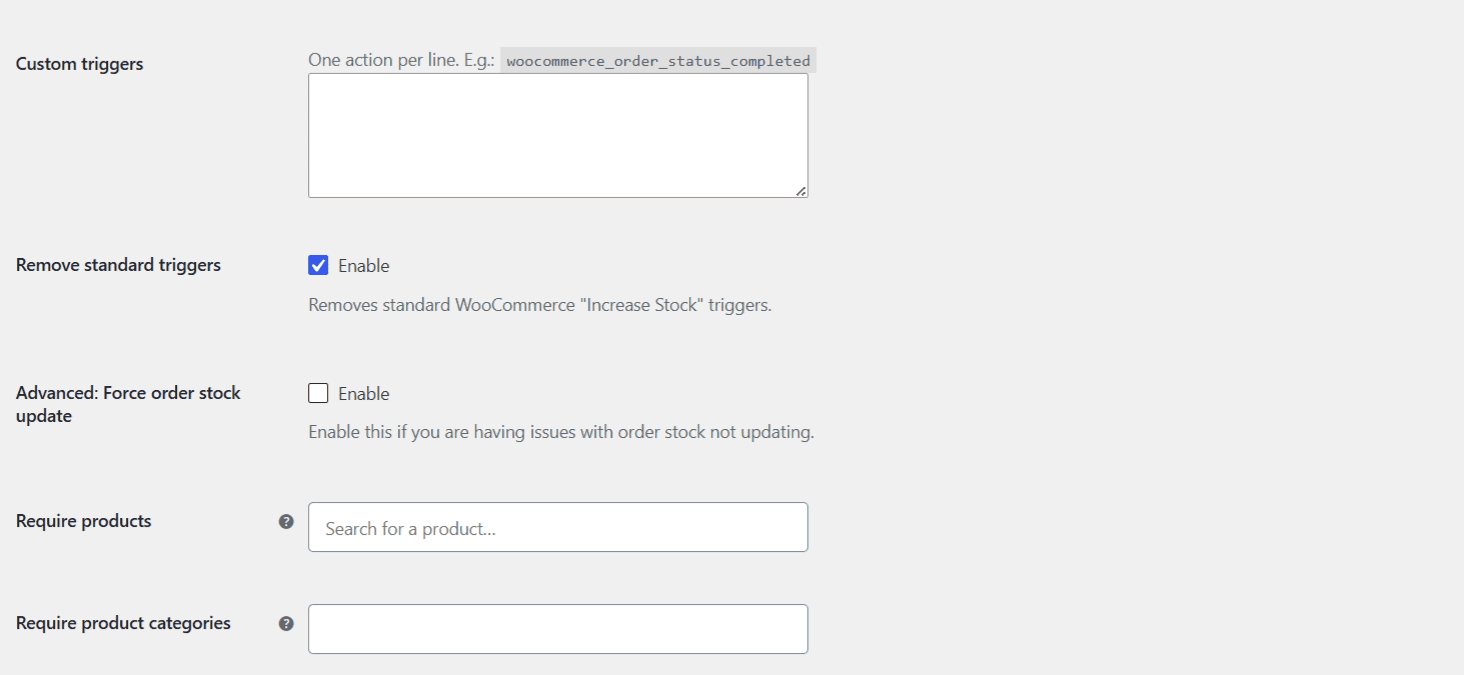
- Go to WPFactory > Stock Triggers (also reachable at WooCommerce > Settings > Stock Triggers), General sub-section.
- In the section you want to limit, open Require products (
alg_wc_stock_triggers_require_product[decrease|increase]) and search for the products that must be in the order. - Or use Require product categories (
alg_wc_stock_triggers_require_product_cat[decrease|increase]) to match by category instead. - Click Save changes.
How the matching works #
Every item in the order must match. The trigger fires only when all line items in the order are in your selected products (for Require products) or share one of your selected categories (for Require product categories). If the order also contains a product that is not in your selection, the stock action is skipped for that whole order.
- An empty field means “no restriction” and is ignored.
- Require products matches both the product ID and, for variations, the variation ID.
- If you set both fields, the order must satisfy both.
Example #
You sell made-to-order furniture alongside stocked accessories, and you only want automatic stock decreases for the accessories. Because the check requires all items to match, put the accessories in a dedicated category and select it under Require product categories. Orders made up entirely of accessories will decrease stock; mixed orders will not.
Get more control #
Product and category targeting is free in Automated Stock Update Triggers for WooCommerce. The Pro version adds custom triggers and custom order statuses. See what Pro unlocks.