The Stock Triggers options control which order events decrease or increase your product stock in WooCommerce. This guide walks through every option in the General section of Automated Stock Update Triggers for WooCommerce, with its exact setting name and default.
Go to WPFactory > Stock Triggers (also reachable at WooCommerce > Settings > Stock Triggers). The General sub-section holds the options below.
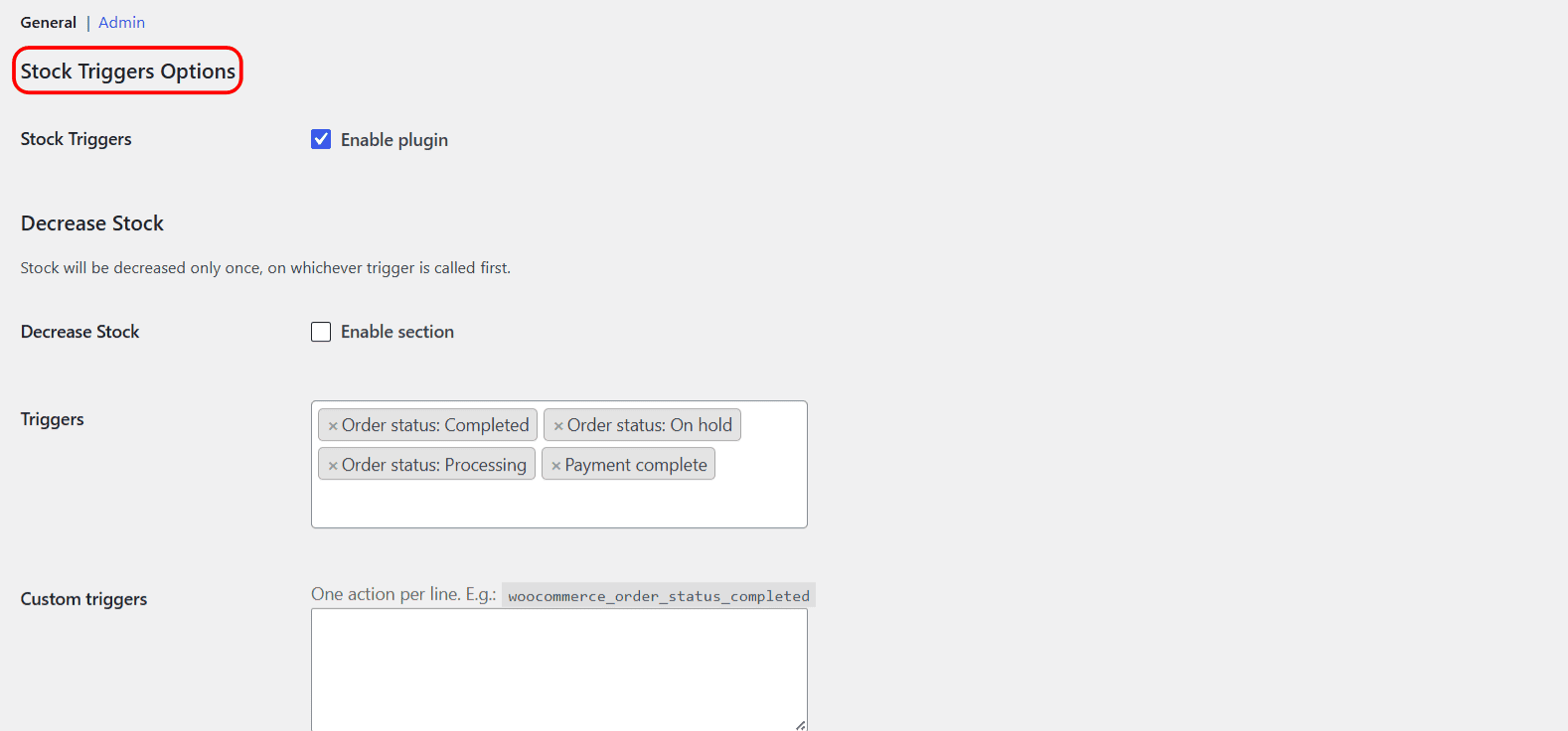
Enable plugin #
The master switch. When off, no triggers are processed at all. It is on by default.
| Label | Option ID | Default | Free/Pro |
|---|---|---|---|
| Enable plugin | alg_wc_stock_triggers_plugin_enabled |
Yes | Free |
Decrease Stock and Increase Stock #
There are two identical blocks of options, one for Decrease Stock and one for Increase Stock. Both are free. Stock is decreased or increased only once, on whichever selected trigger fires first. Increase can only restore stock that was previously decreased.
Both sections are disabled by default, so nothing changes until you enable the section you need and save.
| Label | Option ID (per section) | Type | Default | Free/Pro |
|---|---|---|---|---|
| Enable section | alg_wc_stock_triggers_enabled[decrease], [increase] |
Checkbox | No | Free |
| Triggers | alg_wc_stock_triggers[decrease], [increase] |
Multiselect | Decrease: Payment complete, Completed, Processing, On hold. Increase: Cancelled, Pending payment. | Free |
| Custom triggers | alg_wc_stock_custom_triggers[decrease], [increase] |
Textarea | (empty) | Pro |
| Remove standard triggers | alg_wc_stock_triggers_do_remove[decrease], [increase] |
Checkbox | Yes | Free |
| Advanced: Force order stock update | alg_wc_stock_triggers_force_can_update_order_stock[decrease], [increase] |
Checkbox | No | Free |
| Require products | alg_wc_stock_triggers_require_product[decrease], [increase] |
Multiselect | (none) | Free |
| Require product categories | alg_wc_stock_triggers_require_product_cat[decrease], [increase] |
Multiselect | (none) | Free |
What each option does #
- Triggers: the order events that fire the stock action. The free version offers 10 standard triggers (7 order statuses plus Payment complete, Checkout order processed, and Checkout update order meta).
- Custom triggers: a Pro textarea where you type extra action hook names, one per line, for example
woocommerce_order_status_completed. The field is read-only in the free version. - Remove standard triggers: removes WooCommerce’s own stock adjustment from any event you did not select, so only your chosen triggers act. On by default.
- Force order stock update: forces WooCommerce to allow the stock change even when it would normally skip it. Turn on only if stock is not updating.
- Require products / Require product categories: limit the action to orders whose items match your selection. Note that every item in the order must match, and an empty selection is ignored. See Restrict Stock Triggers to specific products or categories.
Reset section settings #
Each sub-section ends with a Reset section settings checkbox (alg_wc_stock_triggers_<section>_reset, default No). Check it and save to restore that section’s options to their defaults.
Get more control #
Stock triggering is free. Automated Stock Update Triggers for WooCommerce Pro adds free-form custom triggers and custom order statuses. See what Pro unlocks.