To add variation attribute images to the product gallery with Variation Swatches for WooCommerce – Color & Image Swatches Pro, go to WooCommerce > Settings > Variation swatches, tick Add images on Gallery, and save. The images set on each term of an Image-type attribute are then added to the gallery of variable products. This is a Pro feature.
Before you start #
- WooCommerce, active.
- Variation Swatches Pro (this is a Pro feature).
- A variable product that uses an Image-type attribute, with an image set on each term.
How it works #
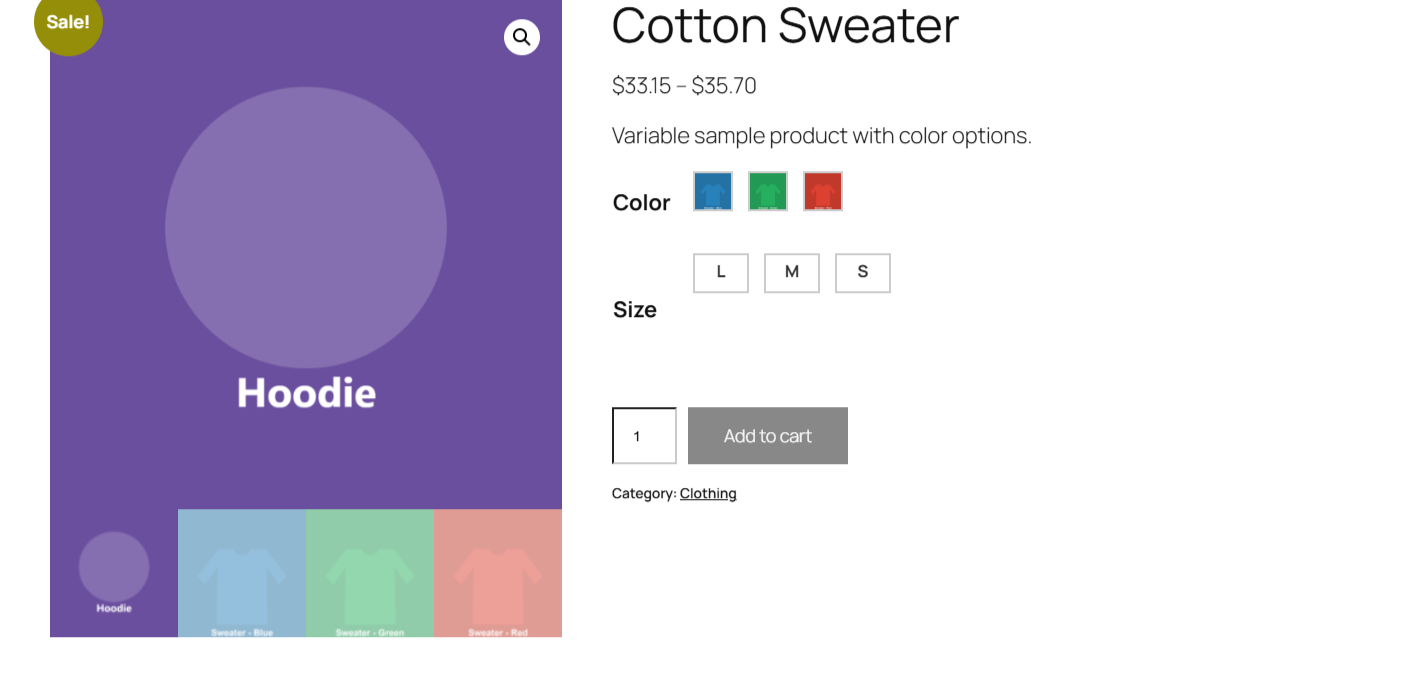
When the option is on, the plugin looks at each variable product’s attributes for an Image-type attribute. For every term of that attribute it takes the assigned image and appends it to the product’s gallery image list. The result is that the swatch images join your normal product photos in the gallery, so the customer can open and zoom them.
Two conditions must hold, both verified in the plugin’s own logic:
- The product is a variable product. Simple products are ignored.
- The product uses an attribute whose type is Image. Color and Label attributes do not add gallery images.
Turn it on #
- Go to WooCommerce > Settings > Variation swatches.
- Tick Add images on Gallery.
- Save changes.
| Label | Option ID | Type | Default | Free/Pro |
|---|---|---|---|---|
| Add images on Gallery | alg_wc_civs_add_images_on_gal |
Checkbox | Yes | Pro |
Set up the Image attribute first #
This feature only has images to add if your product uses an Image-type attribute with an image on each term. If you have not built one yet, see Adding image swatches to your products.
Troubleshooting #
- No extra images in the gallery: the product must be a variable product with an Image-type attribute. Color and Label attributes do not add gallery images.
- A blank image appears: a term has no image set. Edit that attribute’s terms and upload an image on each one.
- The order looks off: attribute images are appended after your existing gallery photos, in the order the terms are returned.
Ready to set this up? #
Add images on Gallery is a Pro feature of Variation Swatches. Upgrading takes a couple of minutes and unlocks this along with the rest of the Pro toolkit. Get Variation Swatches Pro.