6 Best WooCommerce Barcode Plugins in 2026 (EAN, UPC, QR + Scanner Support)


Quick Answer: Which WooCommerce Barcode Plugin Should You Use?
The right WooCommerce barcode plugin depends on what you are trying to solve:
- Google Shopping or marketplace GTIN compliance (EAN, UPC, ISBN)? Use EAN Barcodes for WooCommerce by WPFactory, the only plugin on this list built specifically for product-level GTIN management.
- Barcodes on event tickets, reservations, or order confirmations? Use WooCommerce Order Barcodes.
- Physical shelf labels or packaging stickers? Use Print Barcode Labels for WooCommerce (free).
- Warehouse scanning workflows with stock actions on scan? Use YITH WooCommerce Barcodes and QR Codes.
Keep reading for a full comparison of all 6 options, including pricing, key features, and which use case each one is actually built for.
Setup guide: EAN for WooCommerce setup guide walks through the settings step by step.
Need to add a WooCommerce barcode plugin to your store but not sure which one fits your situation?
The problem is that barcode plugin covers at least three completely different jobs, assigning GTIN codes to products for marketplace compliance, printing physical labels for shelves or packaging, and attaching unique barcodes to order confirmations for event check-ins or tracking.
Most roundups treat all three as interchangeable. They are not. Choosing the wrong type means either missing the feature you actually need, or paying for a plugin built around a workflow that has nothing to do with your store.
This guide breaks down the 6 best WooCommerce barcode plugins by use case, so you can make the right call without testing your way through six options.
1. EAN Barcodes for WooCommerce, Best WooCommerce Barcode Plugin for GTIN Compliance
If you sell on Google Shopping, Amazon, eBay, or any marketplace that requires GTIN codes on your product listings, this is the WooCommerce barcode plugin you need.
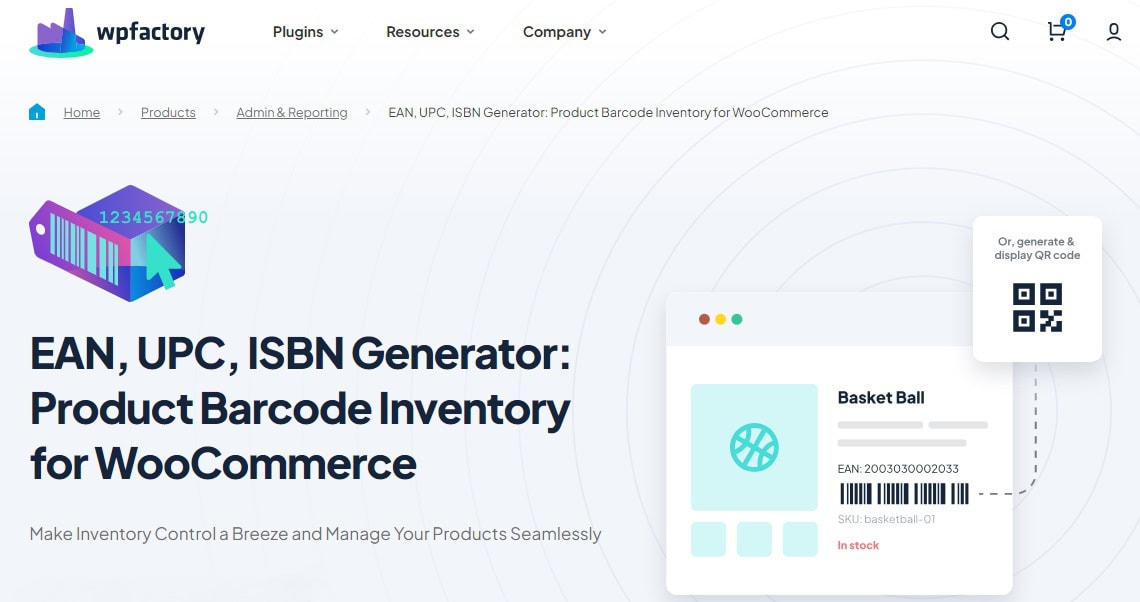
It is built specifically for one job: assigning, generating, and managing standardised product identifiers (EAN-13, UPC-A, EAN-8, ISBN-13, JAN, EAN-14, and custom formats) across your entire WooCommerce catalog.
Used by over 11,000 WooCommerce stores. Rated 4.7 stars.
What separates it from every other option on this list is that it treats EAN as structured data, not just a visual label.
Your codes feed into Google’s product structured data automatically, appear in REST API responses for marketplace integrations, show up in order emails, and are searchable from both the frontend and the backend.. all without any custom development.
GTIN Format Coverage
Supports all major standards: EAN-13, UPC-A, EAN-8, ISBN-13, JAN, EAN-14, and custom formats. If you sell on any platform that requires GTIN compliance, this covers every format you will encounter.
Bulk Generation and Assignment
Three ways to assign EANs across a large catalog without doing it product by product:
- Auto-generate valid EANs by type and country prefix
- Copy EAN values from existing fields (SKU, product ID, or custom meta)
- Import from a predefined list via CSV
For stores with hundreds or thousands of products, this eliminates the manual work entirely.
Variable Product Support
Assign a unique EAN to each variation independently, or apply one code across all variations at once. The displayed barcode updates dynamically when a customer selects a variation on the frontend, no extra configuration needed.
Display Everywhere That Matters
Show EAN codes on product pages, category listings, cart, checkout, order confirmation emails, and admin pages. Each location is individually toggleable, you decide exactly where the code appears.
Structured Data for Google Shopping
EAN data is automatically injected into your product structured data.
This improves how Google identifies your products in search results and Shopping feeds, and is a direct requirement for Google Shopping GTIN compliance.. a benefit most store owners do not realise is included.
EAN Search, Frontend and Backend
Customers and admins can search by EAN number directly through WooCommerce’s standard search. Useful for stores where staff need to look up products by code, and for customers arriving with a specific product identifier.
REST API Integration
EAN data is exposed through WooCommerce’s REST API, enabling integrations with ERPs, POS systems, and third-party inventory tools without custom development.
Integrations
Native compatibility with Google Listings and Ads, Point of Sale for WooCommerce, Rank Math SEO, WooCommerce PDF Invoices and Packing Slips, Dokan, WCFM, and MultiVendorX.
Free vs Pro
The free version lets you assign and display EAN codes as text across your store.
The Pro version adds barcode image generation (the scannable visual barcode), extra product fields (EAN and MPN together), advanced bulk tools, PDF barcode printing, and REST API exposure of EAN data.
If your goal is displaying an actual barcode image on your product pages, not just the number.. you need Pro.
Get EAN Barcodes for WooCommerce.. Free version available. Pro from $59.99/year (single site).
Need GTIN compliance for Google Shopping or marketplace listings?
EAN Barcodes for WooCommerce is the only WooCommerce barcode plugin built specifically for product-level GTIN management. Assign EAN-13, UPC-A, ISBN-13, and more.. with bulk tools, structured data support, and REST API integration. Used by over 11,000 stores.
2. WooCommerce Order Barcodes, Best for Event Tickets and Reservations
This plugin solves a different problem entirely.. attaching a unique barcode to each WooCommerce order, not to each product.

It is designed for e-tickets, event check-ins, reservations, and packing slips, workflows where you need to scan an order confirmation, not a product shelf label.
It supports 5 barcode types including QR codes, includes a built-in scanner interface for processing orders without leaving WordPress, and integrates with WooCommerce Bookings and Box Office.
Price: $99/year (Woo.com)
Best for: Events, bookings, and physical ticket workflows. Not designed for product-level GTIN management or marketplace compliance.
3. YITH WooCommerce Barcodes and QR Codes, Best for Warehouse Scanning Workflows
The most fully featured option for operations teams that need barcode-triggered actions.. automatically reducing stock when a code is scanned, or changing an order status on scan.

It generates barcodes for both products and orders, and includes a PDF export of all product barcodes with stock unit counts.
This is the right choice for stores with dedicated warehouse or fulfillment operations that use physical barcode scanner hardware.
It is not the most cost-effective option for stores that only need GTIN compliance for marketplace listings.
Price: € 89,99/year (YITH)
Best for: Warehouse and fulfillment operations with barcode scanner hardware. Higher cost relative to alternatives if your only need is GTIN compliance.
4. Print Barcode Labels for WooCommerce, Best Free Option for Physical Labels
Focused on a single task.. generating printable barcode labels for your products.

Supports A4 sheets and thermal label printers (DYMO, Zebra, Brother), and handles CODE128, EAN-13, UPC-A, and QR Code formats. Labels can be printed from the product, order, or category view.
Price: Free
Best for: Stores that need physical shelf labels or packaging stickers. Does not manage EAN data as structured product information, and does not add EAN to structured data for Google or marketplace feeds.
5. Order Barcodes for WooCommerce (CodeCanyon), Best for Custom Order Tracking
A CodeCanyon plugin that adds barcodes to order pages, invoices, and packing slips.

Includes a scan form for order tracking and works across tablets, smartphones, and desktop. Lets you position barcodes at any point in the order flow.
Price: One-time license (CodeCanyon)
Best for: Custom order tracking workflows where a one-time cost is preferable to an annual subscription. No active WordPress.org support channel.
6. QR Codes and Barcode Generator Label Printing (CodeCanyon), Best for Custom Label Design
A CodeCanyon label printing plugin with more granular control over label layout and output quality than the free alternative.

Supports product variations, custom data fields, and bulk printing. Compatible with sticker printers.
Price: One-time license with lifetime update option (CodeCanyon)
Best for: Stores with specific label design requirements that the free Print Barcode Labels plugin cannot meet.
WooCommerce Barcode Plugins Compared
| Plugin | Best For | GTIN / EAN Support | Price |
|---|---|---|---|
| EAN Barcodes for WooCommerce | Google Shopping & marketplace GTIN compliance | Full.. EAN-13, UPC-A, EAN-8, ISBN-13, JAN, EAN-14 | Free / Pro from $59.99/yr |
| WooCommerce Order Barcodes | Event tickets & reservations | No.. order-level only | $99/yr |
| YITH Barcodes and QR Codes | Warehouse scanning with stock actions | Partial | € 89,99/yr |
| Print Barcode Labels | Physical shelf or packaging labels | Label printing only | Free |
| Order Barcodes (CodeCanyon) | Custom order tracking | No | One-time license |
| QR & Barcode Label Printing (CodeCanyon) | Custom label design | Label printing only | One-time license |
Common Mistakes When Choosing a WooCommerce Barcode Plugin
1. Confusing Label Printing with GTIN Management
A plugin that prints a barcode image on a label is not the same as a plugin that stores your EAN as structured product data.
If your goal is Google Shopping compliance or marketplace product feeds, you need the latter.
Label printing plugins generate a visual output.. they do not connect that code to your product’s metadata, structured data, or API responses.
2. Installing a Warehouse Plugin When You Need Compliance
YITH and similar warehouse-focused plugins are built around scanning hardware and stock actions.
If your WooCommerce store does not have fulfillment staff using barcode scanners, you are paying for features you will never use.
For GTIN assignment and Google Shopping compliance, a purpose-built EAN plugin costs less and does the job more directly.
3. Assuming the Free Version Includes Barcode Images
For EAN Barcodes for WooCommerce specifically.. the free version displays EAN codes as text on your product pages.
The scannable barcode image, the visual striped code customers and scanners actually read, is a Pro feature.
If you need the visual barcode to appear on your product pages, factor this into your decision before installing the free version and expecting the full output.
4. Not Checking Variable Product Support
If your store sells products with variations (size, colour, material), confirm that the plugin assigns EANs at the variation level, not just the parent product level.
A single EAN on the parent product does not satisfy GTIN requirements for individual variations on Google Shopping or Amazon.
Related Resources
- EAN Barcodes for WooCommerce, Plugin Page
- EU/UK VAT Manager for WooCommerce, Validate and Display VAT Numbers
- PDF Invoices and Packing Slips Generator for WooCommerce
- WPFactory Blog, WooCommerce Guides and Plugin Tutorials
Frequently Asked Questions: WooCommerce Barcode Plugins
What is the best WooCommerce barcode plugin for Google Shopping?
For Google Shopping compliance, you need a plugin that stores EAN or GTIN data as structured product information, not just a visual label.
EAN Barcodes for WooCommerce by WPFactory is built specifically for this: it assigns EAN-13, UPC-A, ISBN-13, and other GTIN formats to your products, automatically adds them to Google’s product structured data, and supports Google Listings and Ads natively.
Does WooCommerce support EAN or GTIN codes by default?
No. WooCommerce does not include a built-in field for EAN, UPC, GTIN, or ISBN codes.
To assign and manage these identifiers, and have them appear in structured data, order emails, and marketplace feeds.. you need a dedicated WooCommerce barcode plugin.
What is the difference between an EAN and a barcode?
An EAN (European Article Number) is a specific type of product identifier.. a 13-digit number that uniquely identifies a product globally. A barcode is the visual representation of that number as a pattern of lines that a scanner can read.
In WooCommerce, most stores need both.. the EAN number for Google Shopping and marketplace compliance, and the barcode image for physical labels or product pages.
Can I add EAN codes to variable products in WooCommerce?
Yes, with the right plugin. EAN Barcodes for WooCommerce supports per-variation EAN assignment, meaning each size, colour, or configuration of a product can have its own unique identifier.
This is a requirement for Google Shopping and Amazon listings that include product variations.
Do I need to buy EAN codes or can I generate them?
For legitimate marketplace listings (Google Shopping, Amazon, eBay), you should use EAN codes registered with GS1, the global standards body. You can purchase these directly from GS1.
For internal inventory tracking or label printing purposes where marketplace compliance is not required, the plugin can auto-generate valid-format EANs.
Check the platform requirements for your specific marketplace before relying on auto-generated codes.
Is EAN Barcodes for WooCommerce free?
There is a free version that lets you assign and display EAN codes as text on your WooCommerce store.
The Pro version (from $59.99/year for a single site) adds barcode image generation, PDF label printing, extra product fields, and full REST API exposure of EAN data.
If you need the visual barcode image to appear on your product pages, the Pro version is required.
What barcode formats does WooCommerce support?
WooCommerce itself supports no barcode formats natively.
With EAN Barcodes for WooCommerce, you can use EAN-13, UPC-A, EAN-8, ISBN-13, JAN, EAN-14, and custom formats. QR codes (2D barcodes) are also supported in the Pro version.
Ready to add GTIN compliance to your WooCommerce store?
EAN Barcodes for WooCommerce is the most complete WooCommerce barcode plugin for product-level GTIN management. Assign EAN-13, UPC-A, ISBN-13, and more. Bulk-generate across your entire catalog. Feed EAN data into Google Shopping, REST API, order emails, and product structured data.. all from one plugin.
Used by over 11,000 WooCommerce stores. Free version available.