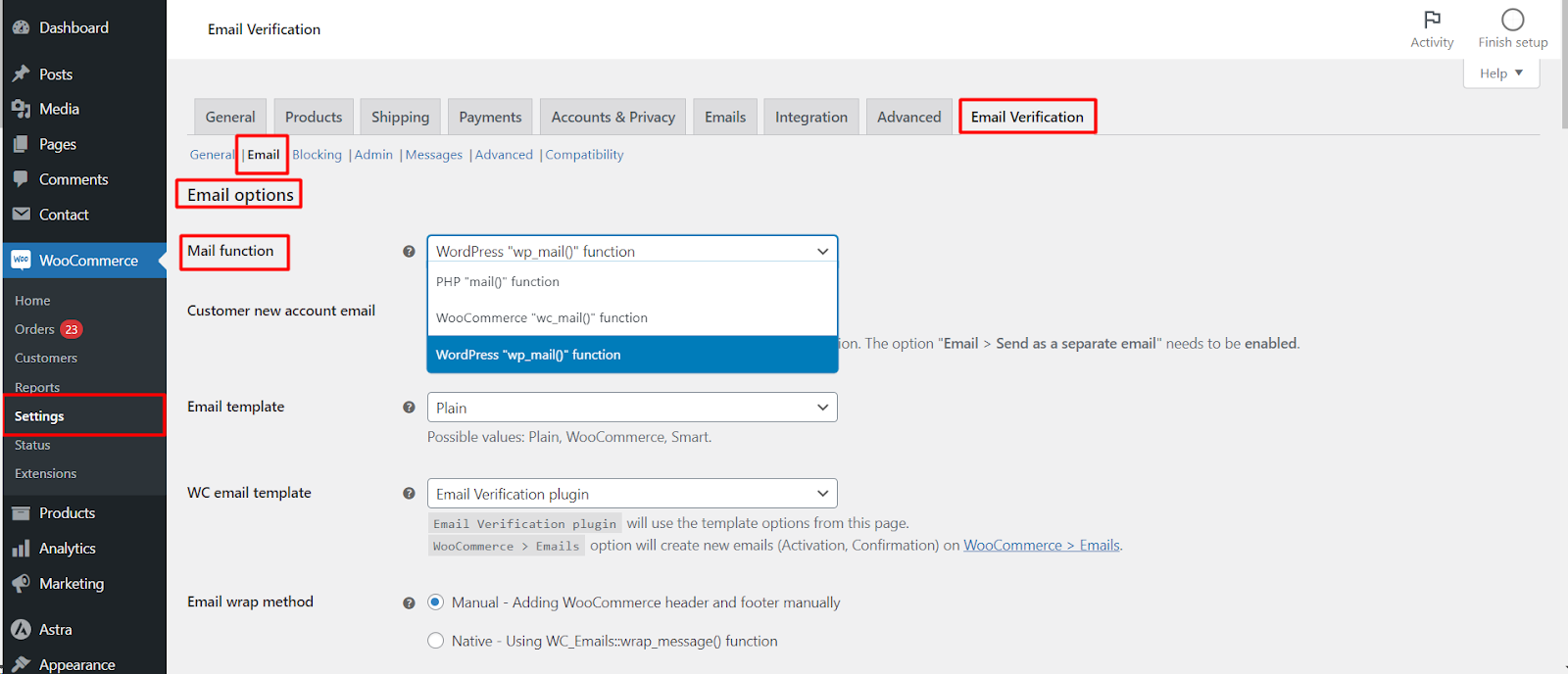
To configure how verification emails are delivered in Customer Email Verification for WooCommerce, go to WPFactory > Email Verification (also reachable at WooCommerce > Settings > Email Verification) and open the Email sub-tab. Set the Mail function (default wc_mail(); try wp_mail() if emails do not send), Email template, WC email template and Email wrap method.
Where to find it #
Go to WPFactory > Email Verification (also reachable at WooCommerce > Settings > Email Verification) and open the Email sub-tab.
Delivery options #
| Label | Option ID | Default | Choices |
|---|---|---|---|
| Mail function | alg_wc_ev_mail_function |
WooCommerce wc_mail() |
PHP mail(), WooCommerce wc_mail(), WordPress wp_mail() |
| Email template | alg_wc_ev_email_template |
Plain | Plain, WooCommerce, Smart |
| WC email template | alg_wc_ev_wc_email_template |
Email Verification plugin | Email Verification plugin, WooCommerce > Emails |
| Email wrap method | alg_wc_ev_email_template_wc_wrap_method |
Manual | Manual, Native (WC_Emails::wrap_message()) |
Choosing the right settings #
- Mail function: leave it on
wc_mail()unless a mail or SMTP plugin advises otherwise. If emails do not send, trywp_mail(). - Email template: Smart sends a plain email when the content is appended to another email, and a WooCommerce-styled email when it is sent on its own.
- WC email template: switch to WooCommerce > Emails to have the plugin register real Activation and Confirmation emails under WooCommerce > Settings > Emails. This only matters when the template is set to WooCommerce or Smart.
- Email wrap method: use Native if your header or footer does not render correctly with the Manual method.
The Customer new account email option (alg_wc_ev_delay_wc_email) delays the standard WooCommerce “Customer new account” email until the customer verifies, so they are not welcomed before they confirm.
Get more from Email Verification #
Delivery options are free. Editing the activation email content and the Email template choice are unlocked with Customer Email Verification for WooCommerce Pro. See what Pro unlocks.