Besides simple, variable and external products, Change Add to Cart Button Text for WooCommerce can set the button text for Grouped products and for an Other Products catch-all. Both live in the Per Product Type & Condition section and are free.
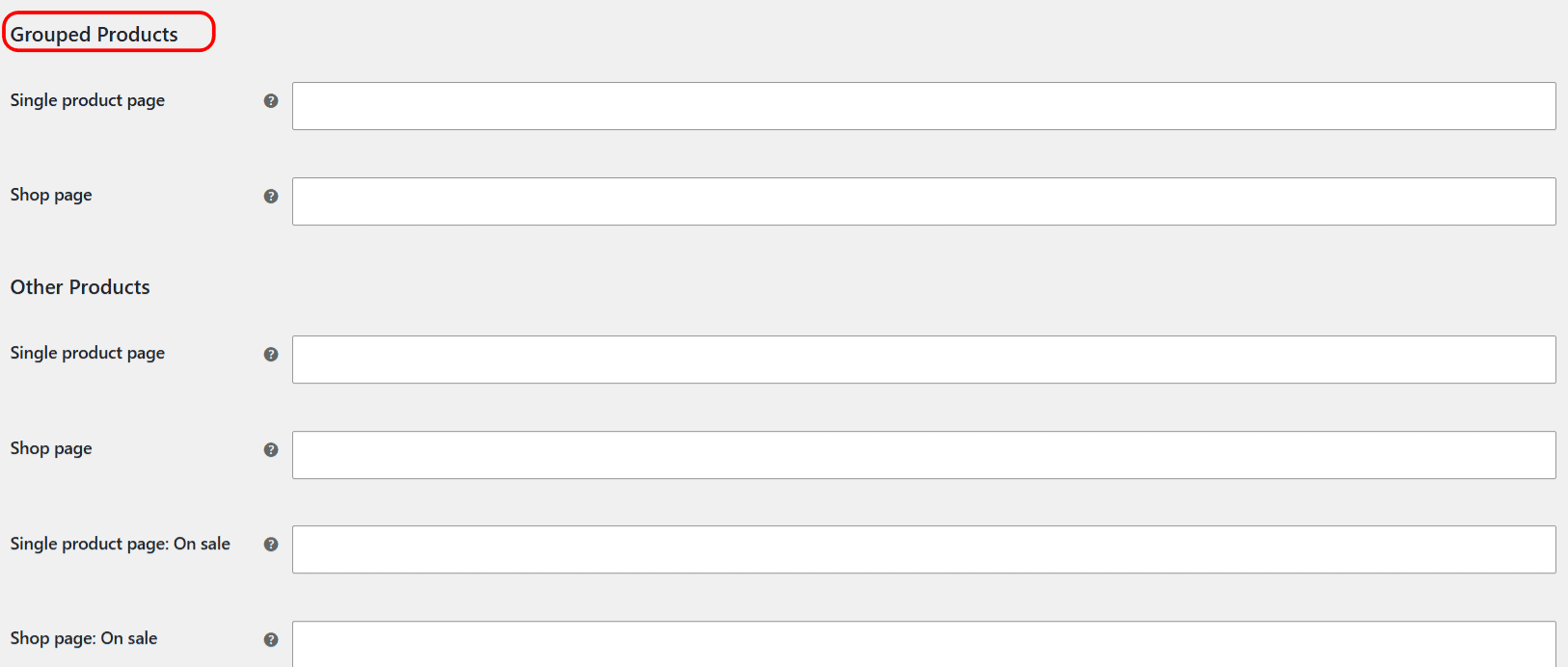
Grouped products #
A grouped product bundles several other products together. WooCommerce shows “View products” on the shop page (because there is nothing single to add) and “Add to cart” on the product page. You can override both:
- Go to WPFactory > Add to Cart Button Labels (also reachable at WooCommerce > Settings > Add to Cart Button Labels).
- Open Per Product Type & Condition and tick Enable section.
- Scroll to Grouped Products and set the Single product page and Shop page labels.
- Click Save changes.
Other Products #
The Other Products group is a catch-all for any product type that is not simple, variable, external or grouped. If another plugin registers its own product type, for example a subscription or a bundle, its button falls into this group. Set a Single product page and a Shop page label here to cover all of them at once.
Note: “Other Products” is one group covering every non-standard type together. There are no separate fields per third-party type, and “downloadable” is not a product type here (it is a flag on simple products), so a downloadable simple product uses the Simple Products labels.
Conditions #
Grouped products only support the normal label. The Other group also supports the Already in cart, Empty price and Free product conditions, plus On sale on Pro. Any field left blank keeps the WooCommerce default.
Get more control #
Grouped and Other labels are free, except the On sale condition. Change Add to Cart Button Text for WooCommerce Pro unlocks On sale labels along with the rest of the Pro toolkit. See what Pro unlocks.