Require cities in conditional shipping to show a shipping method only to customers in the cities you list, using Conditional Shipping for WooCommerce: Restrict Shipping Options by Anything. The Require Cities condition restricts a method to a set of named cities, so options like local pickup or same-day delivery appear only where you can actually serve them.
How the Require Cities condition works #
When Require Cities is enabled for a method, only customers whose city is in your list see that method. The customer’s city is read from the checkout city field. Before an address is entered, it falls back to the store base city. On the checkout page the plugin re-checks the available methods when the customer changes the city field.
Two details matter for accurate matching:
- Enter one city per line. The field is a textarea, not a comma-separated list. Put each city on its own line.
- Matching is case-insensitive. The city is compared without regard to capitalization, so
Berlinandberlinmatch the same way. Spelling still has to match.
Step-by-step setup #
- Go to WPFactory > Conditional Shipping (also reachable at WooCommerce > Settings > Conditional Shipping).
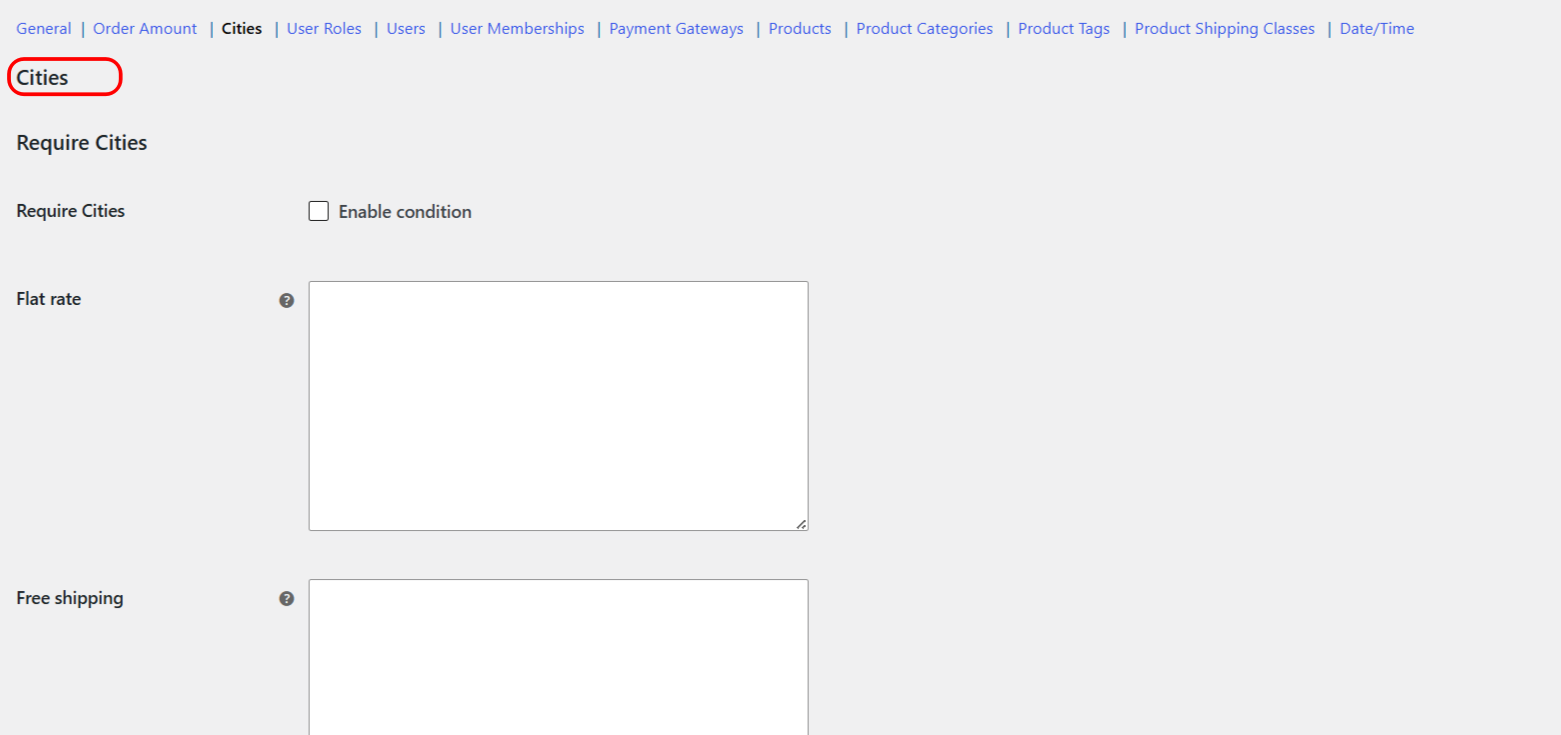
- Open the Cities section.
- Tick Enable condition for Require Cities.
- In the city field for the shipping method you want to restrict, type the allowed cities, one per line.
- Save changes, then test at checkout with an in-list and an out-of-list city to confirm the method appears only for the listed cities.
Options reference #
| Label | Option ID | Type | Default | Free/Pro |
|---|---|---|---|---|
| Enable condition | wpjup_wc_cond_shipping_city_incl_enabled |
Checkbox | No | Free |
| Require Cities (per method) | city_incl |
Textarea (one city per line) | Empty | Free |
Use cases #
- Same-day delivery zone: restrict a same-day method to your city and its suburbs, one city per line.
- Local pickup: show local pickup only to customers in the city where your store is located.
- Regional promotions: offer a special method to a short list of cities during a campaign.
Troubleshooting #
- All cities are being treated as one entry: you likely separated cities with commas. Put each city on its own line instead.
- A method shows before an address is entered: with no checkout city yet, the plugin uses the store base city. If that base city is in your list, the method appears until the customer enters a different city.
- City not matching: capitalization does not matter, but spelling does. Check for typos and alternate spellings of the city name.
To do the opposite and hide a method for certain cities, see the Exclude Cities condition.
Get more control #
This feature is free. Conditional Shipping for WooCommerce: Restrict Shipping Options by Anything Pro adds the Use shipping instances option, so you can apply city rules to a specific shipping method instance inside a specific zone rather than to the method type globally. See what Pro unlocks.