To show or hide shipping methods based on a customer’s membership plan, use the User Memberships conditions in Conditional Shipping for WooCommerce: Restrict Shipping Options by Anything. The Require User Membership Plans and Exclude User Membership Plans conditions let you reserve methods like free shipping or local pickup for chosen membership tiers, so you can reward higher plans and steer everyone else to the right options.
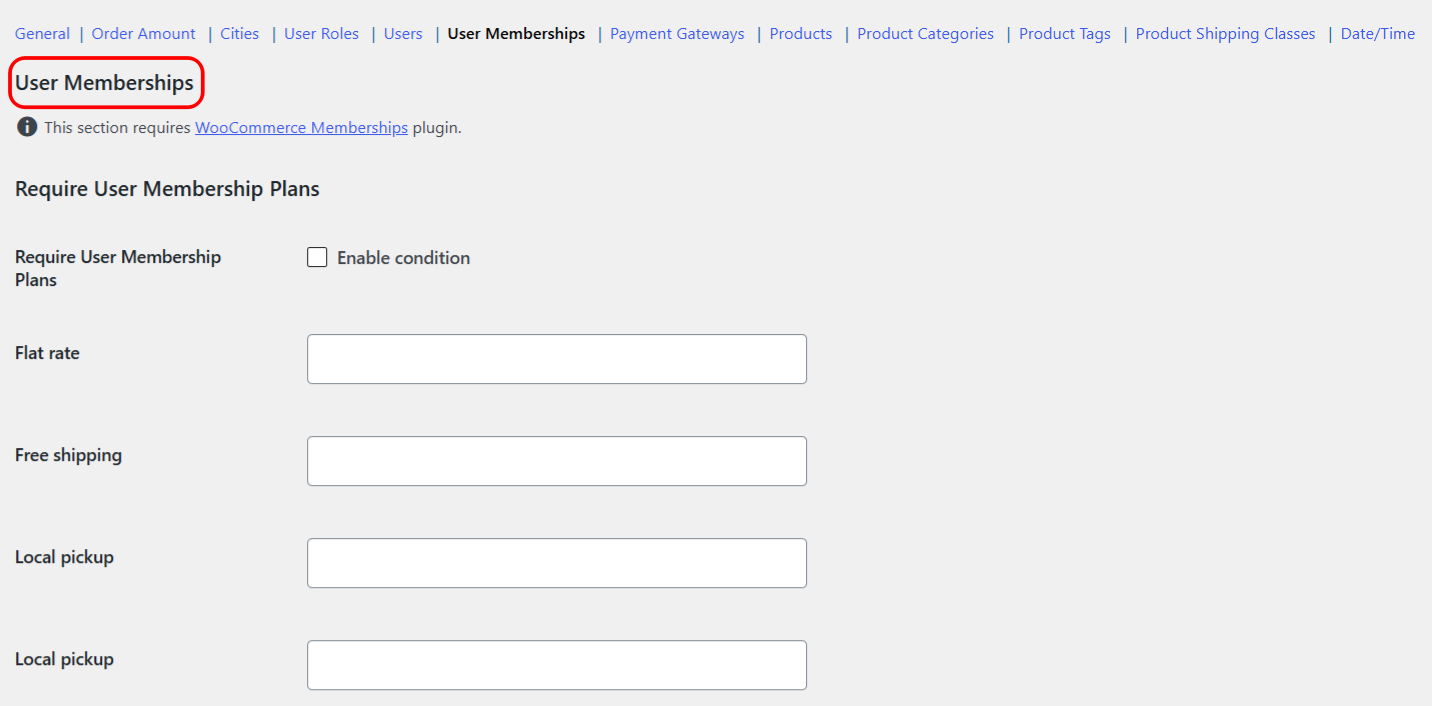
Before you start #
- WooCommerce, active.
- Conditional Shipping installed and enabled. The User Memberships conditions are free.
- The WooCommerce Memberships plugin, active. These two conditions read your membership plans from WooCommerce Memberships. Without it, they have nothing to match against and do nothing.
- At least one membership plan already created in WooCommerce Memberships.
Step-by-step setup #
- Go to WPFactory > Conditional Shipping (also reachable at WooCommerce > Settings > Conditional Shipping).
- Open the User Memberships section.
- To restrict a method to specific plans, tick Enable condition for Require User Membership Plans, then, next to the shipping method you want to limit, select the membership plans whose members should see it.
- To hide a method from specific plans, tick Enable condition for Exclude User Membership Plans, then select the plans that should not see that method.
- Leave a method’s value empty to apply no membership rule to it.
- Save changes, then test as a logged-in member to confirm the right methods appear at checkout.
Require shows a method only to members of the selected plans. Exclude hides a method from members of the selected plans. A method with no value set is left untouched.
Options reference #
| Label | Option ID | Type | Default | Free/Pro |
|---|---|---|---|---|
| Require User Membership Plans (Enable condition) | wpjup_wc_cond_shipping_user_membership_incl_enabled |
Checkbox | No | Free |
| Require plans, per shipping method | wpjup_wc_cond_shipping_user_membership_incl_method[{method_id}] |
Multiselect (membership plans) | Empty | Free |
| Exclude User Membership Plans (Enable condition) | wpjup_wc_cond_shipping_user_membership_excl_enabled |
Checkbox | No | Free |
| Exclude plans, per shipping method | wpjup_wc_cond_shipping_user_membership_excl_method[{method_id}] |
Multiselect (membership plans) | Empty | Free |
| Additional notice (enable) | wpjup_wc_cond_shipping_user_membership_incl_notice[enabled] |
Checkbox | No | Free |
| Additional notice (content) | wpjup_wc_cond_shipping_user_membership_incl_notice[content] |
Text | %shipping_method% is not available. |
Free |
Each condition also has its own optional notice (shown on the cart and checkout before the form when a method was hidden by that condition). The Exclude condition has the matching wpjup_wc_cond_shipping_user_membership_excl_notice[enabled] and [content] keys.
Use cases #
- Reward a top tier: require your Gold plan on a Free Shipping method so only Gold members see it, encouraging upgrades.
- Protect a limited option: exclude higher-volume plans from Local Pickup when pickup space is tight, keeping it for smaller-order tiers.
- Members-only couriers: require a specific plan on an express method reserved for paying members.
Troubleshooting #
- The conditions do nothing: confirm the WooCommerce Memberships plugin is active and at least one plan exists. Without it, no plans load and the rule cannot match.
- Every member still sees the method: check that Enable condition is ticked and that you selected plans on the correct shipping method row.
- Need to start over: each section has a Reset section settings checkbox. Tick it and save to reset just the User Memberships section to defaults.
Get more control #
These membership conditions are free. Conditional Shipping for WooCommerce: Restrict Shipping Options by Anything Pro adds the “Use shipping instances” option, so you can set conditions per shipping-method instance (a specific Flat rate inside a specific zone) instead of globally per method type. See what Pro unlocks.