Advanced settings for the products per page selector #
The Advanced section of the Number of Products per Page – Pagination Manager for WooCommerce plugin controls how the selection is submitted, where the selector is allowed to appear, and how a shopper’s choice is remembered. Every option in this section is free.
Go to WPFactory > Products per Page (also reachable at WooCommerce > Settings > Products per Page), then open the Advanced section.
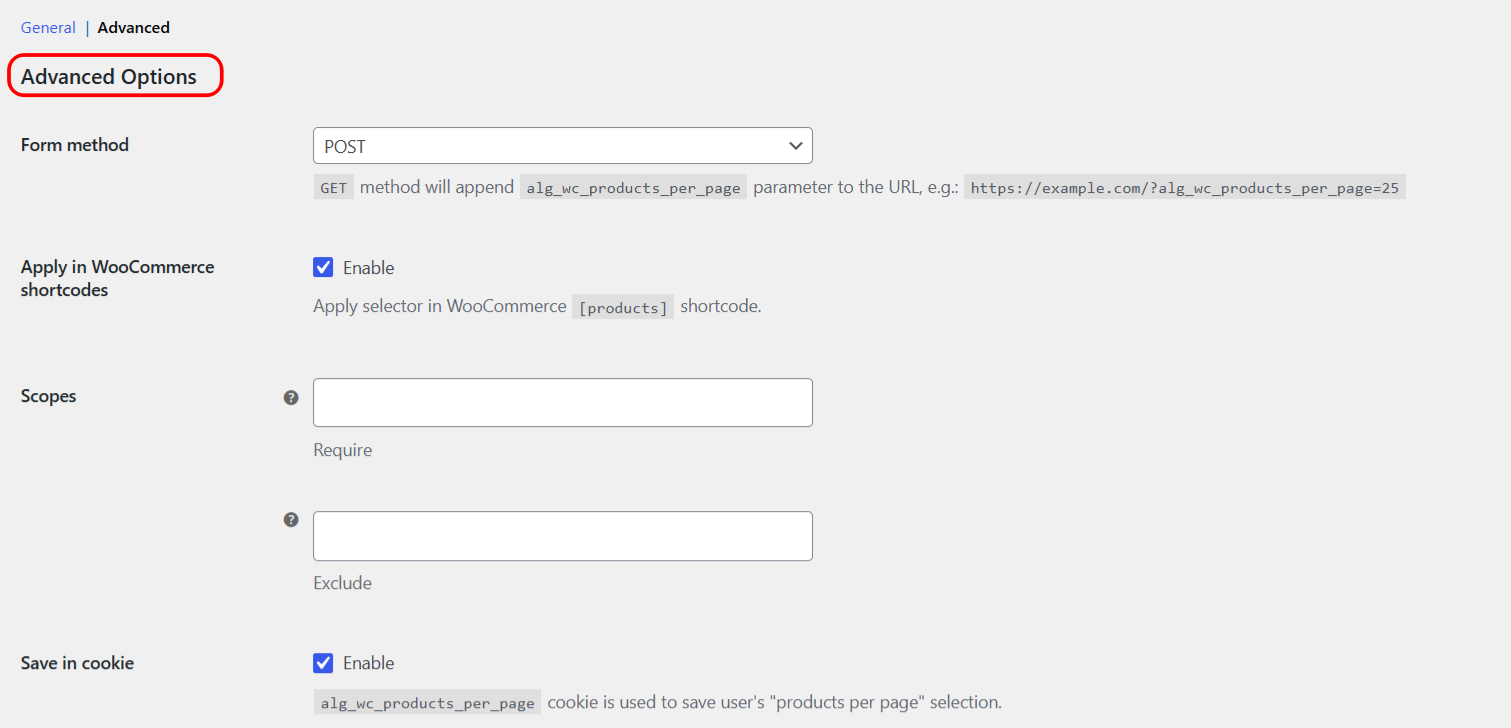
Advanced options reference #
| Label | Option ID | Type | Default |
|---|---|---|---|
| Form method | alg_wc_products_per_page_form_method |
select | POST |
| Apply in WooCommerce shortcodes | alg_wc_products_per_page_wc_shortcode |
checkbox | yes |
| Scopes: Require | alg_wc_products_per_page_scopes[require] |
multiselect | (empty) |
| Scopes: Exclude | alg_wc_products_per_page_scopes[exclude] |
multiselect | (empty) |
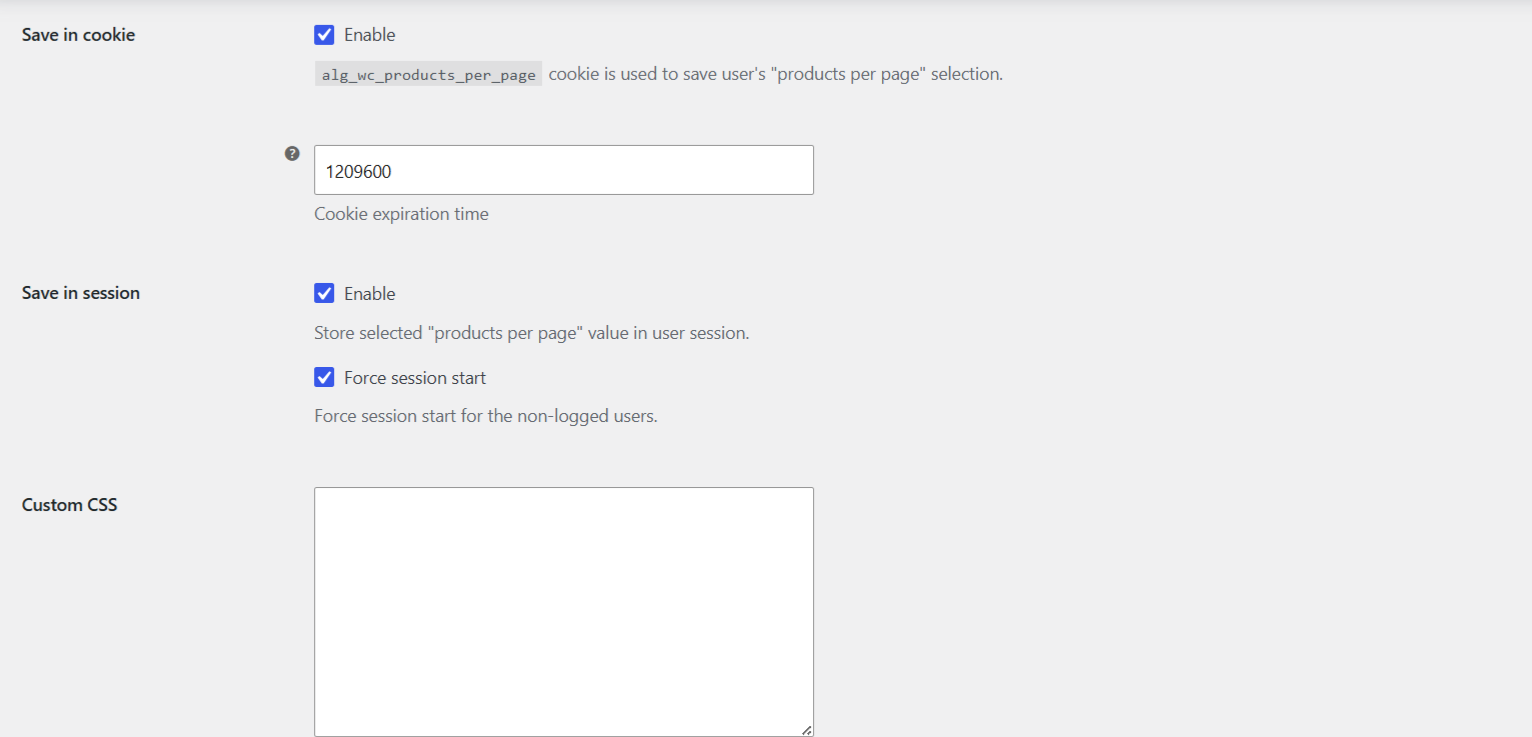
| Save in cookie (Enable) | alg_wc_products_per_page_cookie_enabled |
checkbox | yes |
| Cookie expiration time | alg_wc_products_per_page_cookie_sec |
number (seconds) | 1209600 (14 days) |
| Save in session (Enable) | alg_wc_products_per_page_session_enabled |
checkbox | yes |
| Force session start | alg_wc_products_per_page_session_force_start |
checkbox | yes |
| Custom CSS | alg_wc_products_per_page_custom_css |
textarea | (empty) |
Form method #
- POST (default): the selected value is sent as form data and does not change the URL.
- GET: the value is appended to the URL as the
alg_wc_products_per_pageparameter, for examplehttps://example.com/?alg_wc_products_per_page=25. This makes a specific view bookmarkable and shareable.
Apply in WooCommerce shortcodes #
When enabled, the per-page value is also applied to WooCommerce’s [products] shortcode results. This is on by default.
Scopes #
Scopes limit where the selector and per-page value apply, using WordPress conditional tags. Leave both lists empty to apply everywhere.
- Require: apply only on the selected page types. Available types: Product category, Product tag, Product taxonomy, Shop, Archive, Home, Front page, Single, Singular.
- Exclude: never apply on the selected page types, even if they also match Require.
Save in cookie and Save in session #
Both storage methods are enabled by default, so a shopper’s choice is remembered as they browse.
- Save in cookie: stores the choice in the
alg_wc_products_per_pagecookie. Set the Cookie expiration time in seconds (default 1209600, which is 14 days). - Save in session: stores the choice in the WooCommerce session. Force session start starts a session for non-logged-in users, which helps when session storage does not persist otherwise.
Custom CSS #
Add CSS here to style the selector to match your theme. It is printed in the page head on the front end.
Reset section settings #
The Reset section settings checkbox at the bottom of the section restores the Advanced options to their defaults when you check it and save.
Get more control #
These advanced controls are free. Number of Products per Page – Pagination Manager for WooCommerce Pro adds an editable list of per-page options and a Products per Page widget. See what Pro unlocks.