Installing Coupon by User Role for WooCommerce lets you control which user roles can use your WooCommerce coupons, and set a different coupon amount per role. This guide covers installation, activation, and where to find the settings.
Before you start #
- WooCommerce installed and active. Coupon by User Role is a WooCommerce extension and will not run without it.
- WordPress 4.4 or later.
Install the free version from WordPress.org #
- In your WordPress dashboard, go to Plugins > Add New.
- Search for Coupon by User Role for WooCommerce.
- Click Install Now, then Activate.
Install the Pro version by upload #
The Pro version is delivered as a zip file after purchase. It is not restricted to manual upload: this is simply how paid plugins are distributed.
- Buy and download the plugin from the Coupon by User Role for WooCommerce product page.
- Go to Plugins > Add New > Upload Plugin.
- Choose the downloaded zip file and click Install Now, then Activate.
If you run both the free and Pro versions, keep only the Pro version active. The free version steps aside automatically when Pro is detected.
Where the settings live #
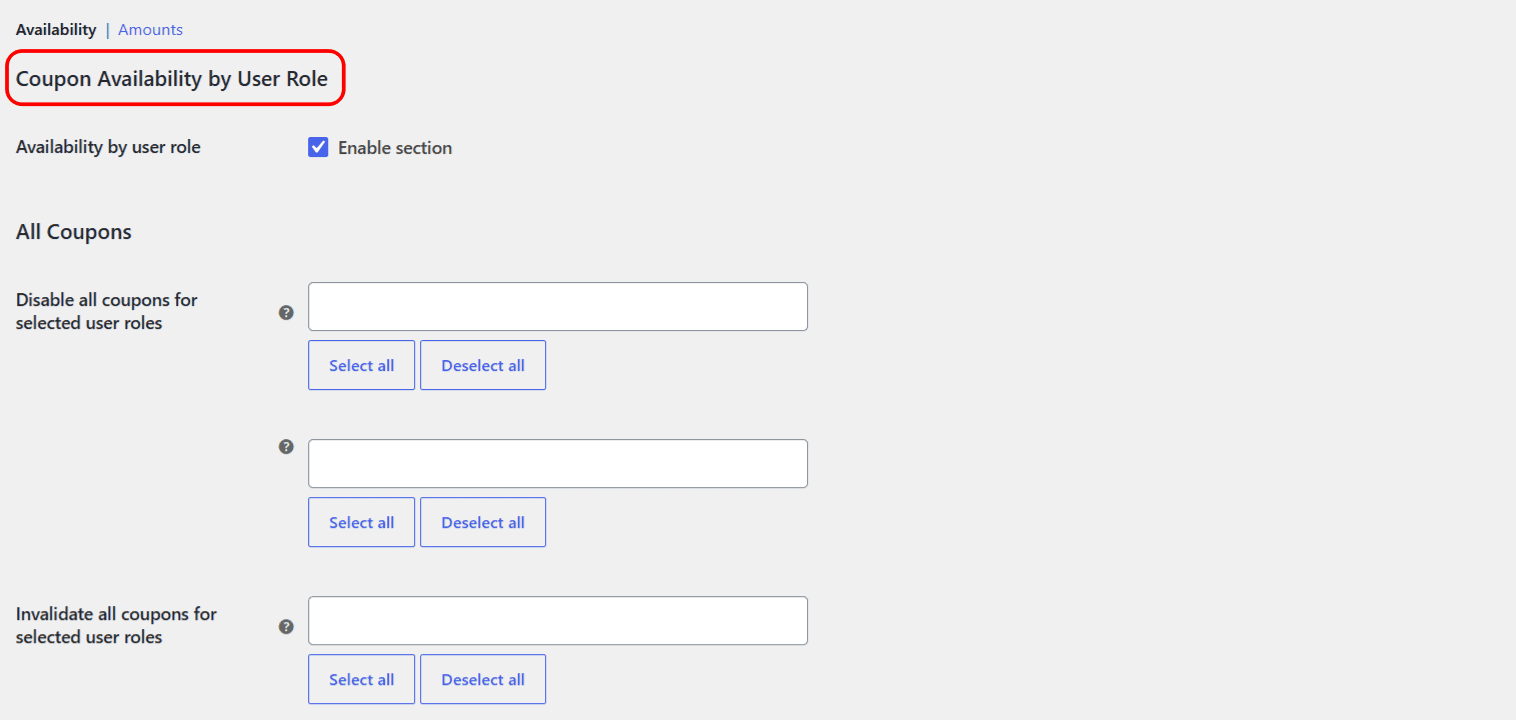
Go to WPFactory > Coupon by User Role (also reachable at WooCommerce > Settings > Coupon by User Role). The settings are split into two sections at the top of the page:
- Availability: disable or invalidate coupons for selected user roles, and set the invalid-coupon message.
- Amounts: set a different coupon amount per user role.
What you can do next #
Free vs Pro #
All of the plugin’s features work in the free version for the eight standard WordPress and WooCommerce roles: Guest, Administrator, Editor, Author, Contributor, Subscriber, Customer, and Shop manager. Pro adds support for every custom user role on your site (for example roles created by a membership or wholesale plugin). See the free vs Pro comparison for the full breakdown.
Get more control #
Coupon by User Role for WooCommerce Pro extends every rule to your custom user roles, so a wholesale, membership, or B2B role can have its own coupon access and amounts. See what Pro unlocks.