Beyond store-wide wording, Change Add to Cart Button Text for WooCommerce lets you target the button text by product category, by product tag and by individual product. Each of these has a free tier: one category group, one tag group, and unlimited individual products are all free. Adding more category or tag groups is a Pro feature.
Category-specific labels #
Open the Per Product Category section, tick Enable section, choose your categories in Group #1 and enter the Single product page and Shop page labels. One group is free. On Pro, raise Total category groups to run several category rules at once.
Tag-based labels #
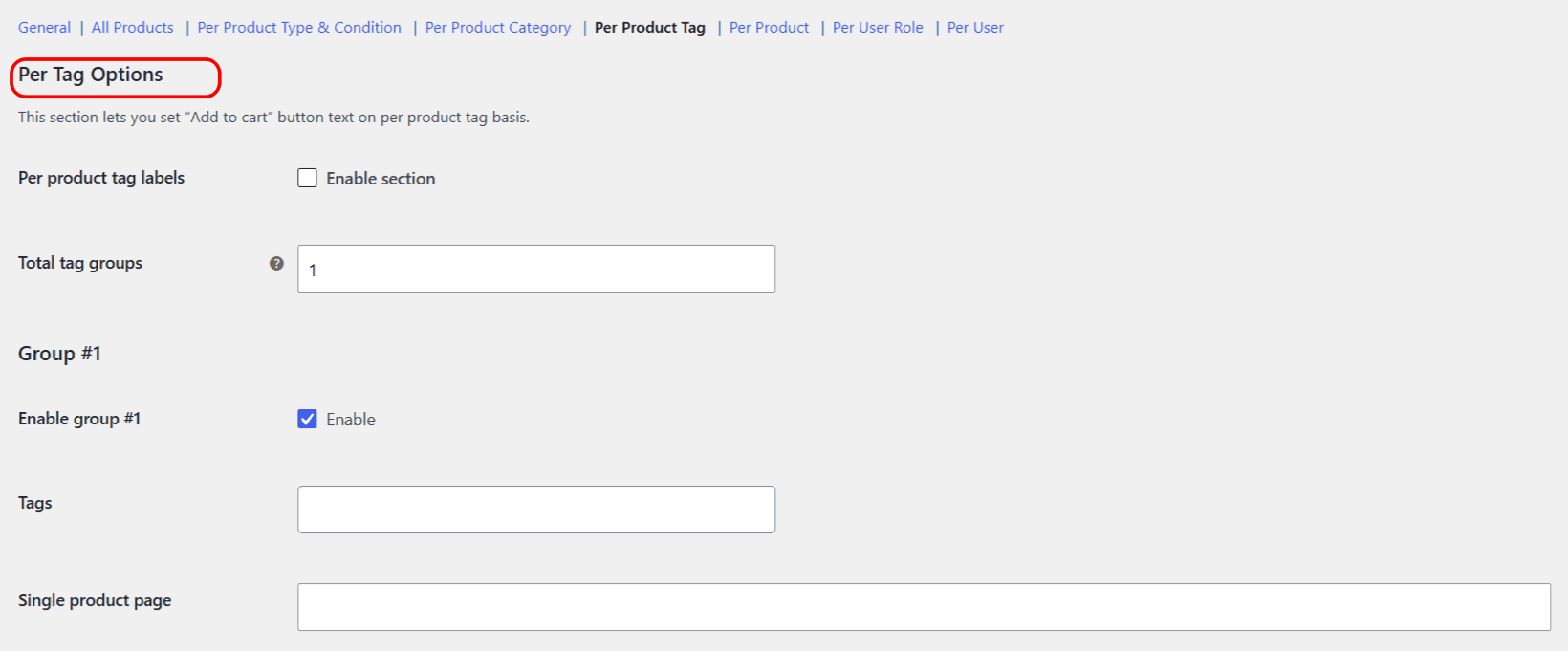
The Per Product Tag section works the same way for product tags:
- Open Per Product Tag and tick Enable section.
- Choose tags in Group #1 (option ID
alg_wc_atcbl_per_tag_group_ids[1]). - Enter the label for the single and shop views.
- Click Save changes. One tag group is free; more groups are Pro.
Individual product labels #
The Per Product section adds a Custom Add to Cart Button Labels box to each product’s edit page once the section is enabled. Set the label there for a single product. This is free and unlimited.
Which rule wins #
When several of these match the same product, the most specific one is applied. The order runs category, then tag, then product, so a Per Product label beats a tag label, which beats a category label. All of these override the product-type and All Products labels.
Note: this section covers categories, tags and individual products. The plugin does not offer labels by product attribute or variation, so there is no per-attribute rule to configure.
Ready to set this up? #
One category group and one tag group are free. Change Add to Cart Button Text for WooCommerce Pro unlocks unlimited category and tag groups, plus user role and user groups and on-sale labels. Get the Pro version.